
Pricing verified April 30, 2026.
AI video creation is not a single skill. It is a stack of six complementary capabilities that work together. Learning them in the right order is the difference between steady progress and frustrating stagnation. In 2026, these skills are among the fastest-growing in the freelance economy and are increasingly expected within marketing, creative, and communications roles.
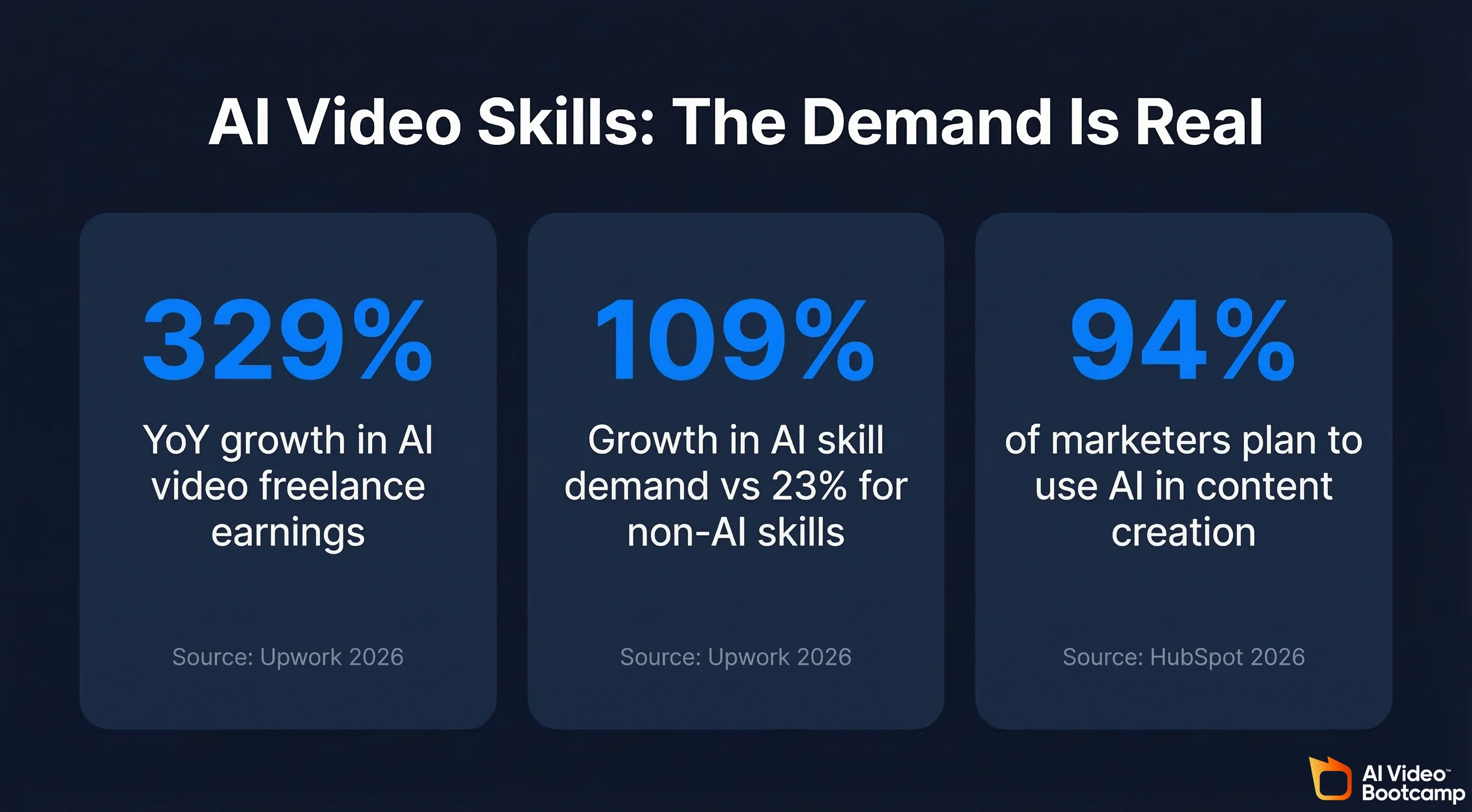
The demand for AI video skills is not speculative. According to Upwork’s 2026 In-Demand Skills report, freelance earnings from AI video generation and editing grew 329% year-over-year, making it one of the single fastest-growing skill categories on the platform. Across all categories, demand for AI-related skills grew 109% compared to just 23% growth for non-AI skills. Meanwhile, 77% of business leaders surveyed by Upwork said AI is increasing their need for workers with specialised skills, not replacing them. For an in-depth look at AI video market data and wage premiums, see our generative AI statistics report.
The Bureau of Labor Statistics has published congressional reports assessing how new technologies like AI are reshaping the labor market, confirming that AI tools are creating new occupational categories rather than simply eliminating existing ones. The National Science Foundation’s EducateAI initiative recognises AI literacy as a critical workforce development priority, investing in programs that build AI skills across education levels.
At the same time, HubSpot’s 2026 State of Marketing report found that 94% of marketers plan to use AI in their content creation processes this year, with short-form video named as the top content format marketers plan to invest in. The convergence is clear: businesses want more video, they want it made with AI, and they need people who know how to do it well.
This guide breaks down what those six skills are, why the learning order matters, and how to build from zero knowledge to paid work.
The Six Skills in the AI Video Stack
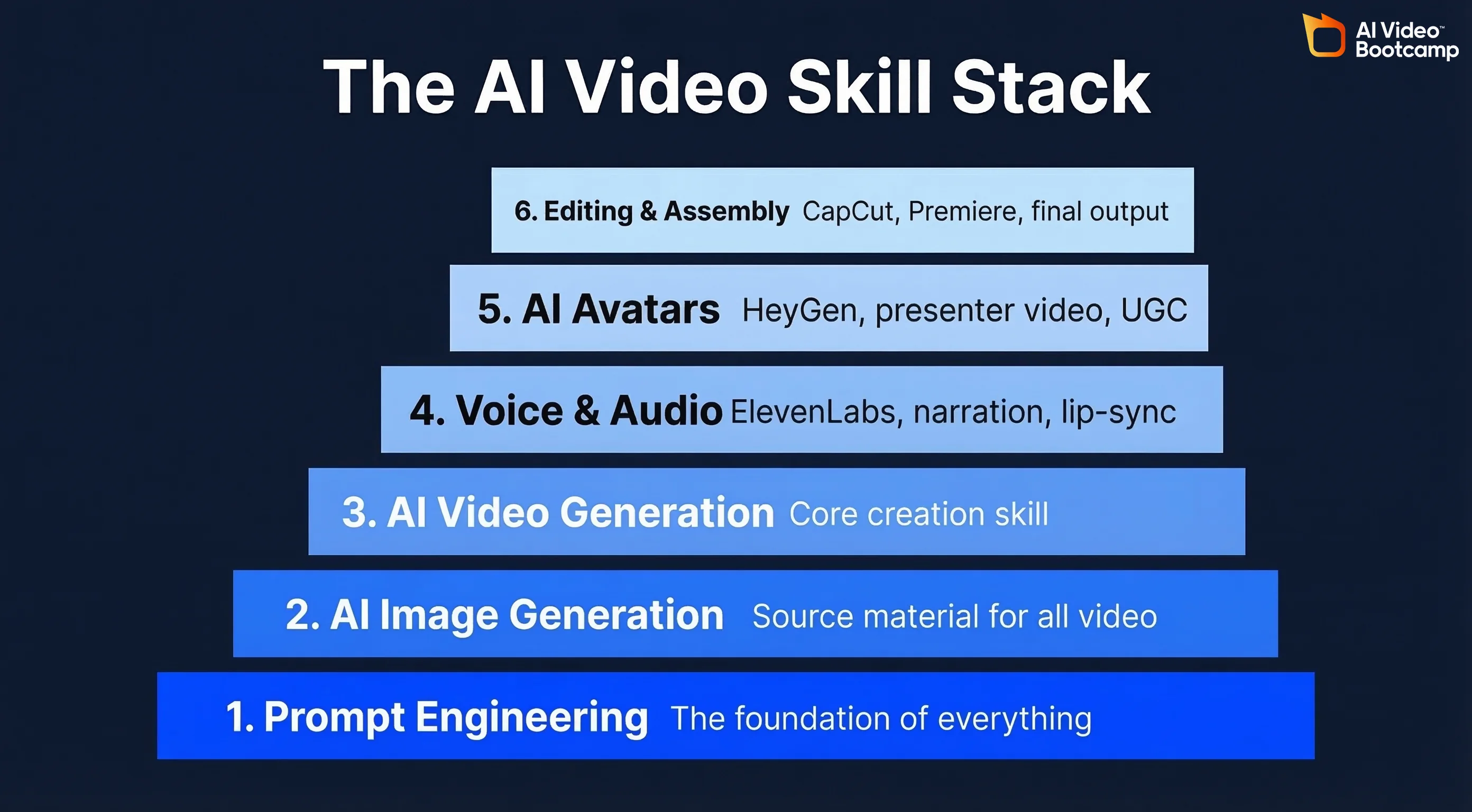
1. Prompt Engineering
Every AI video tool is controlled through prompts — written text, reference images, or parameter settings. Prompt engineering is the foundational skill that determines the quality of everything you produce. It involves understanding what information each tool needs to generate your intended output, how to structure instructions for maximum clarity, when to be specific and when to leave creative room, and how to iterate systematically rather than generating randomly.
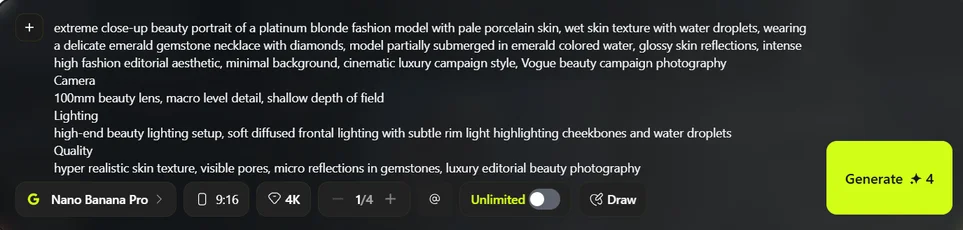
Strong prompting skills transfer across every tool in the stack. A creator who prompts well in NanoBanana PRO will learn Kling AI faster because the underlying principles are the same. For a deep dive into prompting technique, see our guide to photorealistic AI prompts and our guide to AI video prompts.
2. AI Image Generation
Most AI video workflows start with still images. Tools like Midjourney, NanoBanana PRO, and Flux generate the source material that video tools then animate. Learning image generation means understanding composition, lighting, style, and character design through the lens of AI prompting.
This is not the same as learning traditional graphic design, though design principles help. It is a distinct skill with its own techniques and best practices. Expect to spend meaningful time here before moving to video. The quality ceiling of your video work is directly limited by the quality of your image inputs.

3. AI Video Generation
This is the core capability: creating moving video from prompts or images. The major tools include Kling AI and Google’s Veo. Each has different strengths in motion quality, camera control, visual fidelity, and cost-efficiency. For detailed tool comparisons and 2026 landscape analysis, see our AI video generators ranked and AI video creation trends report.
Learning AI video generation involves understanding image-to-video and text-to-video workflows, controlling camera movement and scene dynamics through prompts, recognising and working around common AI artefacts, and managing generation credits efficiently.

4. AI Voice and Audio
Voice synthesis tools like ElevenLabs produce natural-sounding narration, dialogue, and voiceover from text. This skill adds a critical layer to your video output. Learning it involves selecting appropriate voices for different content types, controlling pace, emphasis, and emotion, and understanding how to match audio to visual content for professional results. For more on this, see our guides on adding voice and sound to AI videos and AI video prompts that actually work.
5. AI Avatars
Avatar platforms like HeyGen create realistic presenter-led videos from scripts. These are particularly valuable for business applications: training content, sales outreach, internal communications, and product explainers. Learning avatar tools is distinct from learning generative video — it focuses on scriptwriting, presenter selection, voice configuration, and producing content that feels professional rather than robotic.
6. Editing and Assembly
Raw AI outputs rarely stand alone. Editing is where individual generated elements become finished content. Start with an accessible tool like CapCut, which offers AI-powered features that simplify the process, or move to professional platforms like Premiere Pro or DaVinci Resolve. Editing skills include sequencing clips into coherent narratives, adding transitions and sound design, maintaining visual consistency across AI-generated elements, and exporting for different platforms and aspect ratios.

What Makes AI Video Different From Traditional Production
If you have any background in traditional video production, some aspects of AI video will feel familiar and others will be completely foreign.
Speed Replaces Planning
Traditional video production front-loads effort into planning because reshoots are expensive. AI video inverts this. Generation is cheap and fast, so the workflow becomes iterative: generate, evaluate, refine, regenerate. Developing comfort with rapid iteration is a core skill.
Prompting Replaces Directing
In traditional production, a director communicates a vision to a crew through verbal direction, shot lists, and storyboards. In AI video, you communicate your vision to the model through written prompts. Creators with strong writing skills often have an advantage here because the ability to describe visual concepts clearly is directly transferable.
The Editing Process Changes
Traditional editors work with footage captured on set. AI video editors work with generated clips that may have inconsistencies in lighting, physics, or visual style. Editing AI content requires a different eye: you are not just assembling a narrative, you are also correcting artefacts and maintaining visual coherence across generated clips.
Creative Direction Matters More, Not Less
A common misconception is that AI removes the need for creative judgment. The opposite is true. When anyone can generate video with a few words, the differentiator becomes taste, vision, and the ability to direct AI tools toward a specific creative outcome. According to Upwork’s survey, 45% of business leaders would pay a premium for creative talent. AI tools handle execution. Humans provide the creative direction that makes the output valuable.
Building Toward Income: From Skills to Clients
Many learners want AI video skills specifically to earn income. The path from learning to earning has several distinct stages. We break down the full learning path, including timelines and tool recommendations, in our complete guide to learning AI video in 2026.
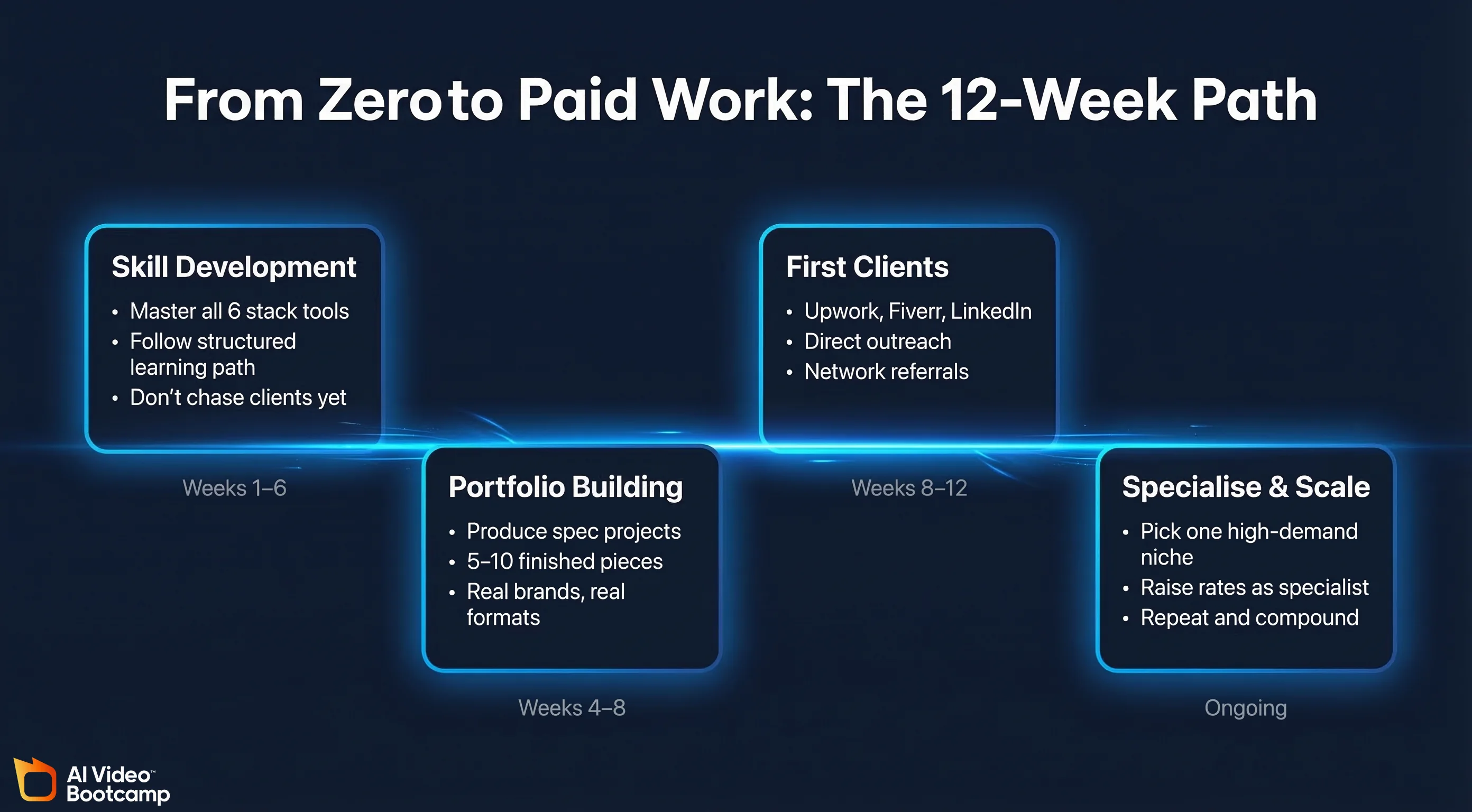
Stage 1: Skill Development (Weeks 1–6)
Follow the structured learning path. Focus entirely on developing competence across the tool stack. Do not try to find clients during this phase. Your time is better spent practising and building capability.
Stage 2: Portfolio Building (Weeks 4–8)
This overlaps with late-stage skill development. Start producing spec projects: sample advertisements for real brands, product videos for e-commerce products, social media content in current formats, and short narrative pieces. Five to ten strong portfolio pieces is sufficient to begin client conversations.
Stage 3: Initial Client Acquisition (Weeks 8–12)
With a portfolio in hand, begin pursuing paid work through freelance platforms like Upwork and Fiverr, direct outreach to businesses via LinkedIn or email, referrals from your network and community connections, and social media where you showcase your work. For realistic income expectations, see our article on people making $10K+/month with AI video.
Stage 4: Specialisation and Scaling
Once you have initial client experience, specialise in the niche where you see the most demand. Common specialisations include UGC-style ads for e-commerce brands, social media content management, corporate training video production, real estate and property marketing, and AI avatar-based content for B2B companies. Specialists command higher rates than generalists.

Five Mistakes That Slow Learners Down
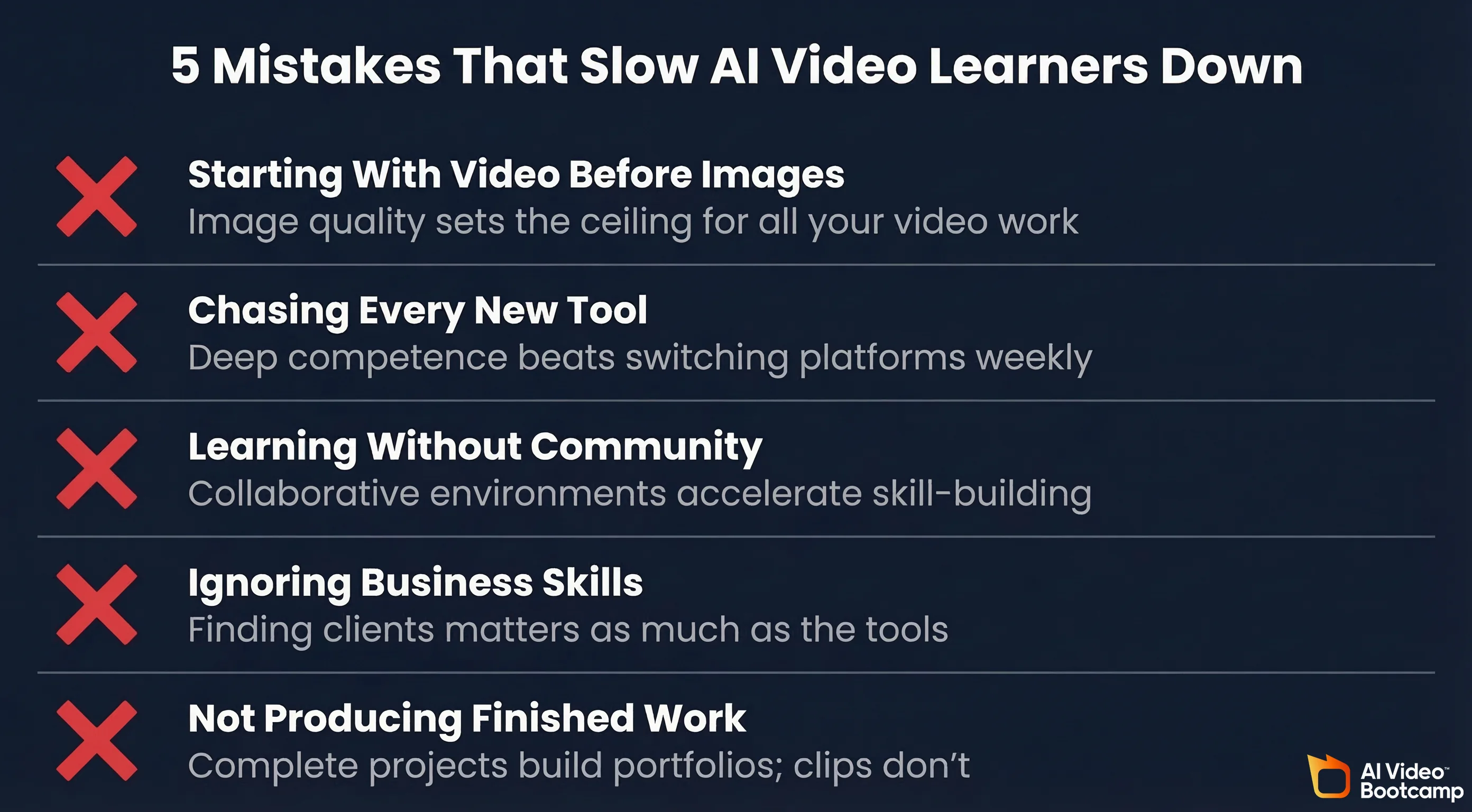
Starting With Video Before Images
Jumping straight to video generation without first building image creation skills is the most common mistake beginners make. AI video workflows are predominantly image-to-video pipelines. If your source images are weak, no amount of video prompting will save the output. Invest at least two focused weeks in image generation before touching video tools.
Chasing Every New Tool
New AI tools launch constantly. Switching between platforms every week means you never develop deep competence with any of them. Choose one image tool and one video tool to start. Learn them thoroughly. Add new tools later when specific projects demand capabilities your current stack does not have.
Learning Without Community
Specialised skills develop faster in collaborative environments. Seeing what other creators produce, understanding the prompts and workflows behind their results, and getting feedback on your own work all accelerate learning. The NSF’s AI workforce development research consistently identifies collaborative learning environments as the most effective approach for building applied AI skills.
Focusing on Tools, Ignoring Business Skills
Technical skill without commercial application has limited value if your goal is earning income. According to Upwork’s data, business leaders are willing to pay premium rates for people who combine AI skills with creativity: 47% said they would pay extra for innovative talent, and 45% for creative talent. Learning how to find clients, price your work, and build a portfolio is as important as learning the tools.
Not Producing Finished Work
Generating individual clips and images is practice. Assembling them into finished, polished projects is what builds real skill and a usable portfolio. From your second or third week of learning, start producing complete pieces: a 15-second social media clip, a product video, a short narrative sequence.
Tool Pricing
Pricing last verified April 30, 2026. Consumer subscription plans are from each product’s official site (kling.ai, midjourney.com, elevenlabs.io, capcut.com). Screenshots and UI references elsewhere in this article may reflect earlier versions. Prices change frequently — double-check with the vendor’s site before making spending decisions.
Frequently Asked Questions
How long does it take to learn AI video?
You can create your first AI video within days. Reaching a consistently professional standard typically takes 4 to 8 weeks. Building a portfolio and landing your first paid work usually happens within 2 months, depending on how much time you invest and whether you follow structured training.
Do I need any equipment?
Just a computer or laptop with internet access. AI video tools are cloud-based and run in your browser. You do not need a powerful GPU, camera equipment, or specialised hardware. Pricing for a basic starter stack is modest: Midjourney ($10/month via midjourney.com), Kling AI ($6.99/month Standard via kling.ai), ElevenLabs (Free tier or Starter $5/month via elevenlabs.io), and CapCut Pro ($9.99/month via capcut.com) total around $30 per month, with free options available for each tool.
Is AI video creation a real career?
Yes. Upwork’s 2026 data shows AI video generation and editing earnings grew 329% year-over-year on their platform alone. The BLS employment projections incorporating AI impacts recognise that AI is creating new occupational demands, not just displacing existing roles. Businesses across every industry are looking for people who can produce AI video content for marketing, training, sales, and communications.
Which tool should I start with?
Midjourney or NanoBanana PRO for image generation and Kling AI for video generation is the strongest starting combination. Add ElevenLabs for voice and CapCut for editing to complete a four-tool starter stack. For the complete guide to getting started from scratch, see How to Make AI Videos: Complete Beginner Guide.
How do I start earning from AI video?
Build a portfolio of 5–10 finished pieces that demonstrate your ability. Target specific niches: UGC ads for e-commerce brands, social media content for local businesses, product videos for online sellers, or training content for corporate teams. Platforms like Upwork, Fiverr, and direct outreach through LinkedIn are common channels for finding initial clients. For detailed monetisation strategies, see our guide to making $10K+ per month with AI video.
Is it too late to start learning AI video in 2026?
No. The market is growing, not saturating. The AI video generator market is projected to grow at approximately 19–20% annually through the early 2030s. Upwork’s data shows demand is accelerating, not flattening. The key differentiator is the quality of your work and the depth of your specialisation, not simply when you started.
Key Takeaways
AI video creation is one of the fastest-growing professional skills in 2026. The learning path is clear: master image generation first, then video generation, then voice, then editing, then specialise. The six skills in the stack — prompt engineering, image generation, video generation, voice and audio, avatars, and editing — build on each other in sequence.
The [White House Council of Economic Advisers’ A