
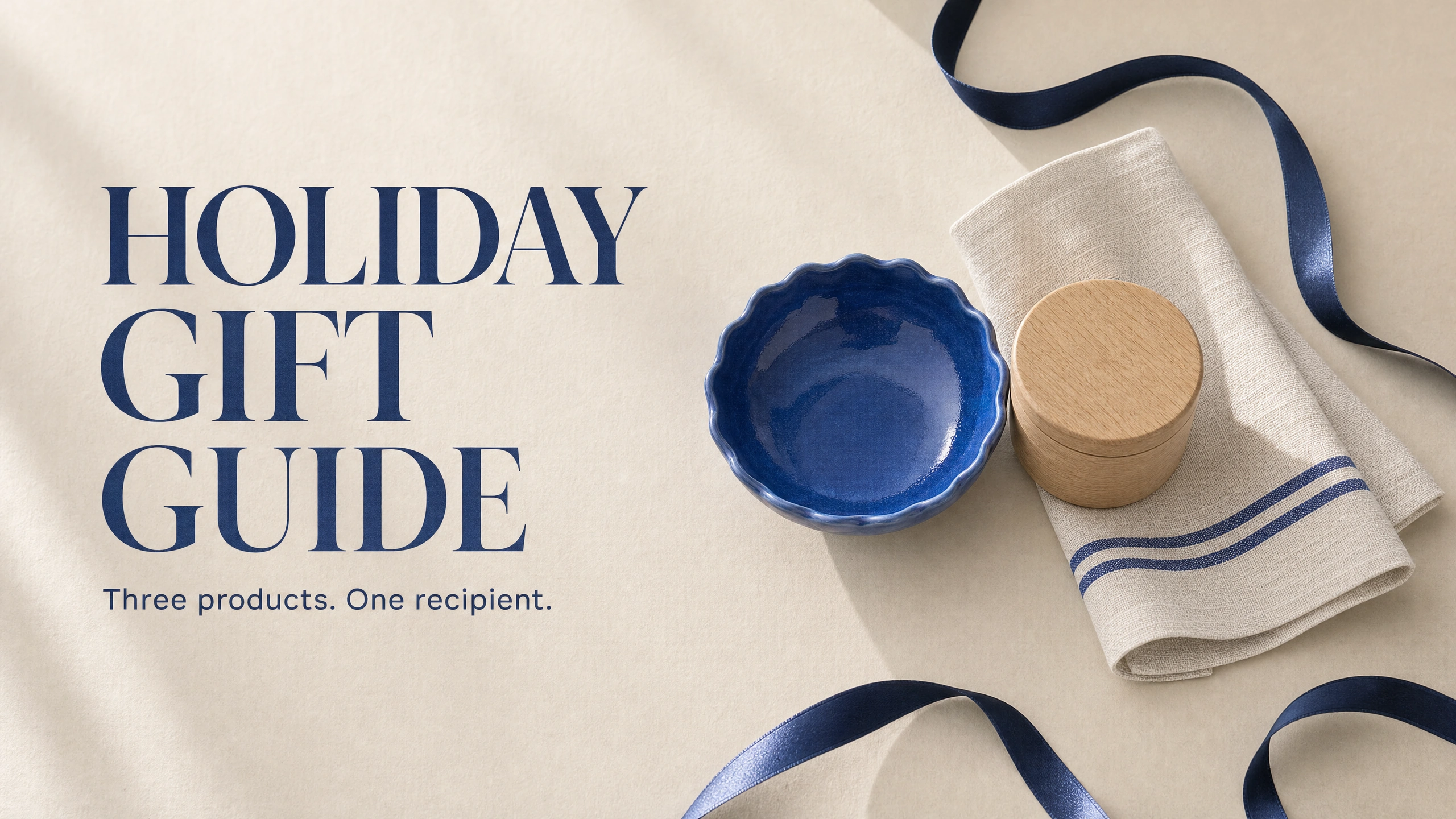
Three products on a white background are a small catalog. Put those products around a clear recipient and you have the beginning of a gift guide.
The difference is the reason someone would choose them. A blue bowl, an oak salt cellar and a striped tea towel can become a suggestion for the friend who always hosts dinner. The objects haven’t become more expensive or acquired new features. You have helped the buyer picture where they belong.
I’d build that small, useful guide before attempting a collection for every possible person. Choose one recipient, give each product a role, make a believable scene and keep the buying information easy to update. AI can help produce the scene. You still need to decide what the guide says and check that the pictured objects match what a customer can actually order.
The example here uses three fictional products generated for the exercise. It shows the creative process, including a material mistake that needed correcting. It does not represent a real shop’s stock or prove that a gift guide will increase sales.
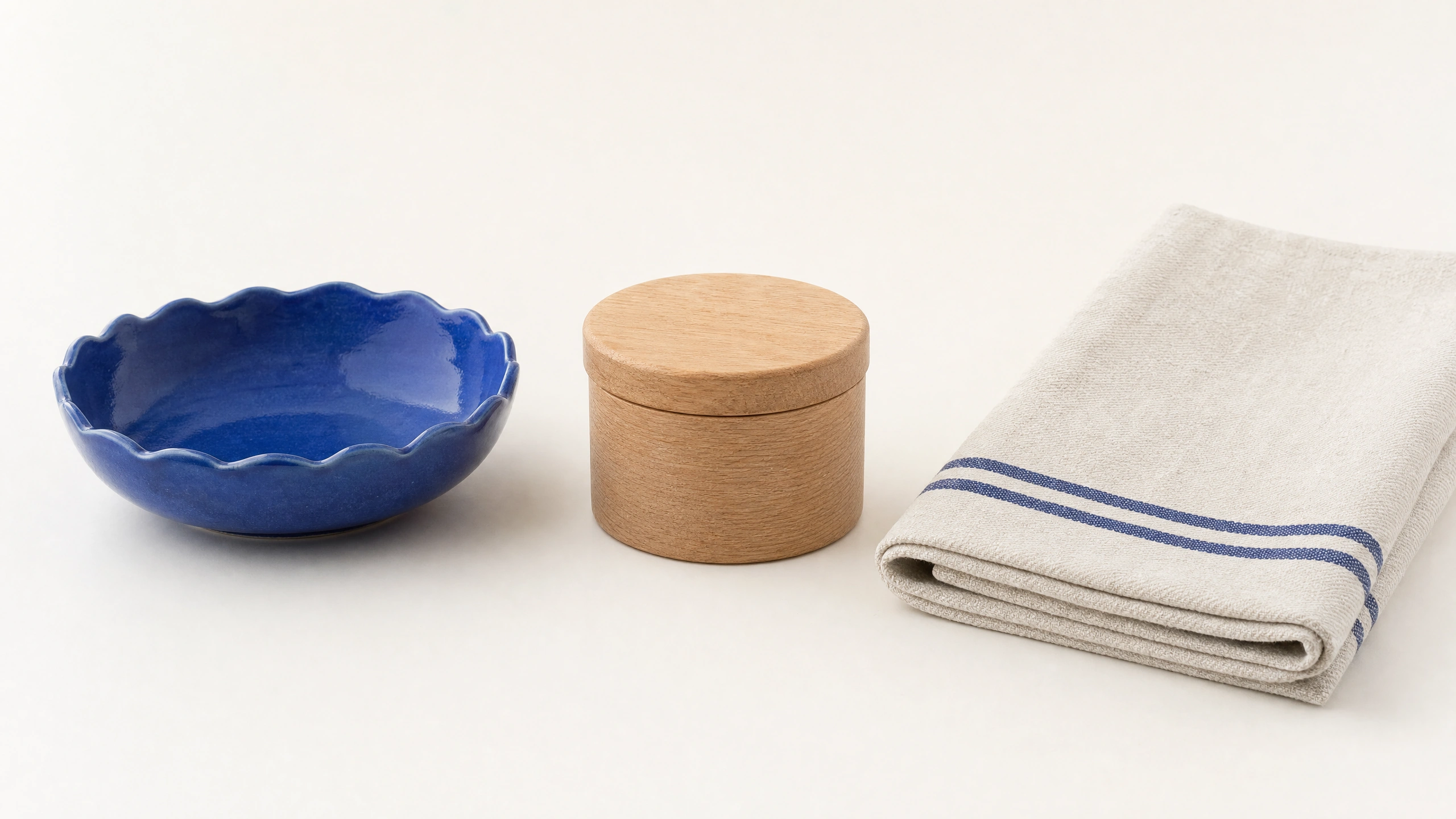
Synthetic product references created with GPT Image 2 through PromptWise, October 15, 2026. These are fictional products.
Give the guide a person to help
“Gifts for everyone” gives you almost no direction. “For the friend who always hosts” gives you a setting, a tone and a reason to put these three objects together.
The bowl is the object people notice first. The salt cellar belongs beside the cooking and serving. The tea towel ties the colors together while having an obvious practical use.
For your own shop, start with products you can verify. Check their current availability, variants, dimensions and materials. Then choose the recipient they genuinely suit. If you have to invent a feature to make an item fit the theme, choose a different item or change the theme.
You can also narrow by occasion: a host thank-you, a small housewarming present or something for a keen home cook. Keep the promise manageable. Three well-explained options can be more useful than a large grid of products with identical “perfect gift” captions.
Shopify’s gift-guide guidance makes the practical case for curating around recipients and interests. The creative task is to make that selection understandable. The buying task is to connect each suggestion to the correct product page.
Start while people are still deciding
An October guide gives you time to prepare the page and update the details before the holiday rush. Last year’s survey evidence supports thinking about more than the final shopping weekend, though it cannot tell you what your own customers will do this year.
In NRF’s 2025 holiday survey, 42% of shoppers planned to begin browsing and buying before November, while 60% expected to finish their shopping in December. These are two stages of shopping, not competing percentages that should add to 100. The survey covered 8,247 U.S. adults from October 1 to 7, 2025, with a margin of error of plus or minus 1.1 percentage points.
“Time and again, Americans prioritize spending on loved ones for holidays despite economic uncertainty,” said Katherine Cullen, identified as NRF Vice President of Industry and Consumer Insights in the October 16, 2025 release. A gift guide should help the shopper choose for someone they care about.
Don’t turn those 2025 intentions into a 2026 sales forecast. Use them as context for preparing early, then rely on your own stock and delivery information when deciding what to promote.
Build the scene from references
For the demonstration, GPT Image 2 in PromptWise (where it is listed as GPT Image 2.0) first created a clean reference sheet of the bowl, salt cellar and cloth. A second generation used that sheet to place the same three objects on a cream table, lit from the left, with a rosemary sprig and a loose navy satin ribbon.
AI Video Bootcamp operates PromptWise through its parent company, ZeroTen Media Inc. The demonstration was generated on October 15, 2026.
The references give the model something more specific than “three premium kitchen gifts.” The blue bowl needs its scalloped edge. The pale wood container needs its fitted lid. The cloth needs two blue stripes and the appearance of thin linen.
For real products, use photographs you own or have permission to use. A clear view of each item is more useful than a crowded screenshot of a shop page. Identify which reference controls each object, and tell the model which features must remain unchanged.
Here is an adapted prompt for three separate product photographs. It is not the verbatim prompt used with the combined reference sheet:
“Use image 1 for the bowl, image 2 for the salt cellar and image 3 for the tea towel. These are product-identity references. Arrange the blue scalloped bowl, pale oak lidded salt cellar and thin ivory linen tea towel with two blue stripes on a cream table. Use a vertical 4:5 composition. Make the scene suitable for a gift guide for someone who enjoys hosting dinner. Keep product shapes, materials and markings faithful to the references. Use soft window light from the left, a three-quarter view from about 45 degrees above the table and restrained navy accents. Rosemary and a loose ribbon at the edge are styling props; do not tie the ribbon around the products. Leave clear space above the products for a headline. Add no lettering, extra gifts or invented packaging.”
Light that appears to come from an actual window helps because the objects should appear to occupy the same space. Describe where the light comes from and how it meets the materials. AI Video Bootcamp’s photorealistic prompt guide can help you make those choices more precise.
Check the material, not just the mood
The first styled scene looked attractive, but the cloth became thick and fluffy. It resembled a bath towel rather than the intended linen tea towel. That is a consequential change if the image is supposed to represent a product.
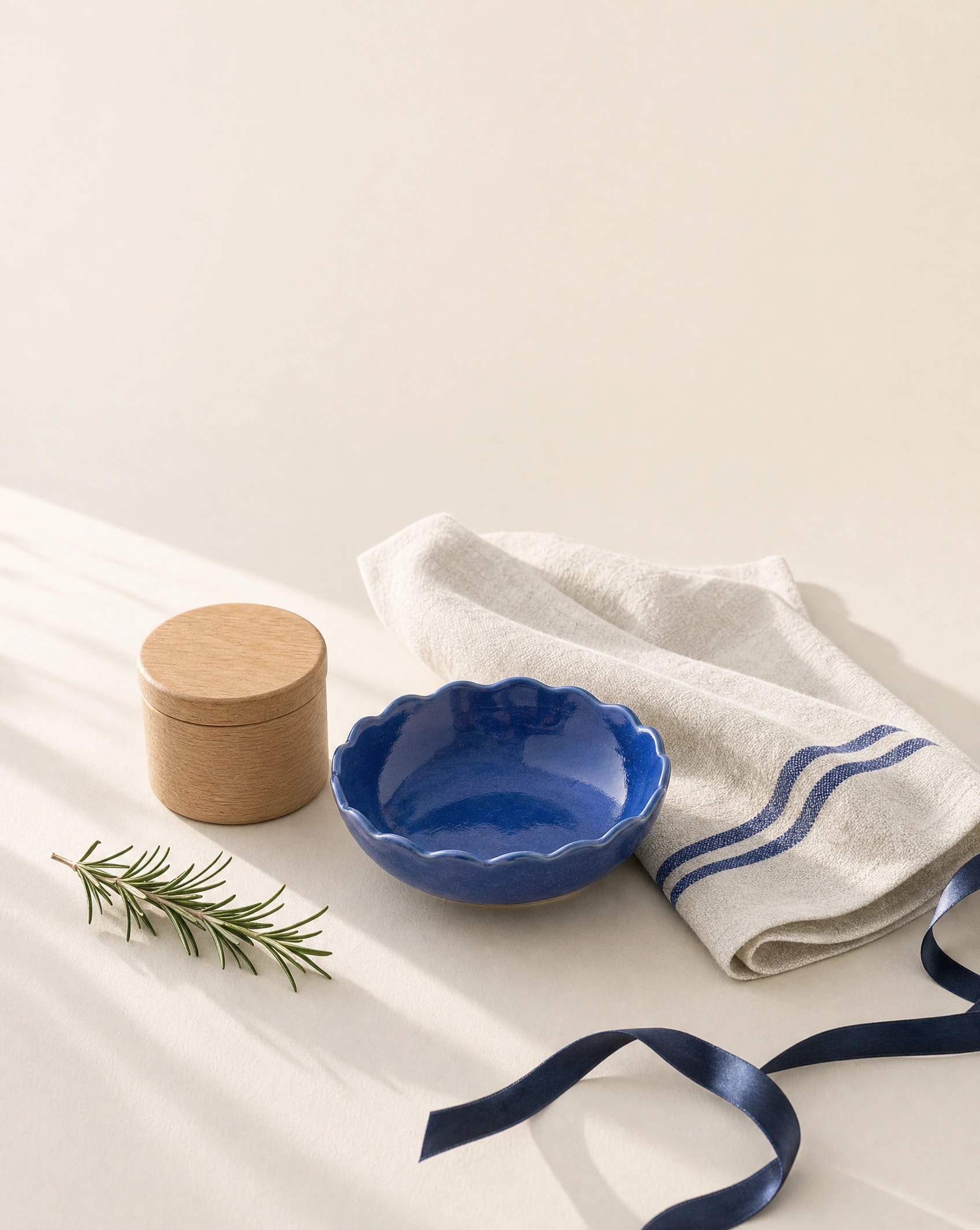
Rejected first scene: the cloth became too thick and fluffy for the intended linen tea towel. Rosemary and ribbon are styling props.
The correction used both the scene and the original product sheet as references. It asked for thin, flat-woven linen with fine visible weave, natural creases and exactly two blue stripes, while preserving the rest of the composition. The corrected result restored a more suitable fabric appearance.
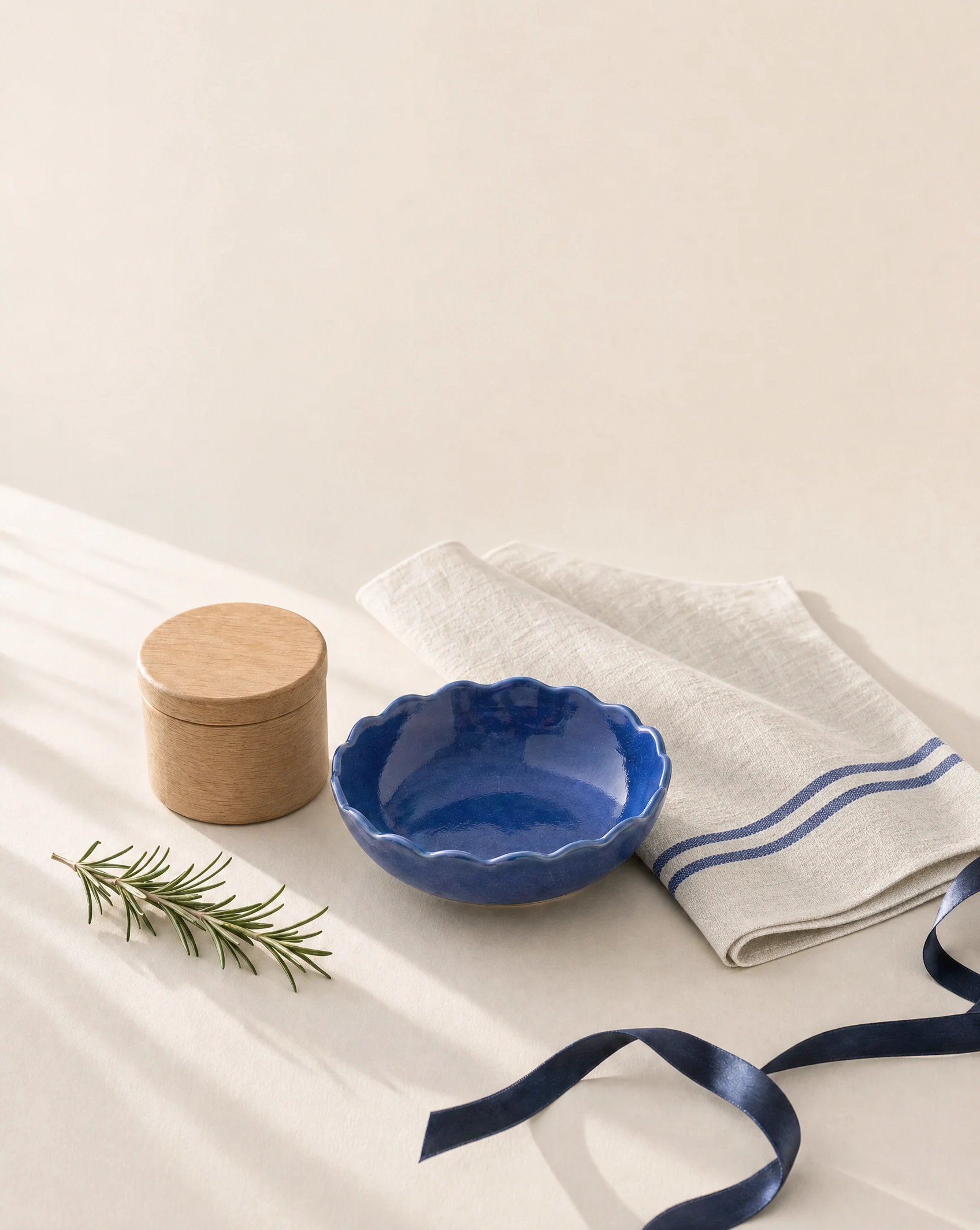
Reference-based correction: thinner, flatter linen. Fine product details still require comparison with the approved references. Rosemary and ribbon are styling props.
Even then, a generated scene is an interpretation. Fine shape and surface details can drift. In this fictional exercise, the comparison teaches what to inspect. For a real catalog, reject a result that changes the item materially, or use the approved product photograph in a layout instead of asking a generator to redraw it.
Google’s Nano Banana Pro prompting guide recommends assigning each reference a clear role. Use that discipline when you correct an image: name the object and the material that need attention, then compare the output again.
Compare the rim, lid, stripes, proportions and finish against the references. The styled bowl also looks deeper and more mottled than the clean reference. Correcting the cloth does not make every other detail exact. Then inspect the props. A ribbon crossing the image should not suggest gift wrapping is included unless it is. A serving scene should not add accessories that a buyer might mistake for part of the order.
Write the guide around the image
The scene should support a clear page, not carry every fact inside its pixels. Put the headline, product names, prices and links into editable text wherever possible. This makes changes easier and keeps the important information available to people who cannot read an image.
For the example, the headline could be “For the friend who always hosts.” Beneath it, give each object one useful reason to be there: the bowl for serving, the salt cellar for the cook’s table and the striped cloth for the finishing touch. Avoid unsupported claims about durability, food safety or origin. Copy those details only from verified product information when you have it.
A real guide needs a separate route to each item. Use a clear product name and a link that opens the matching variant. If the objects are sold separately, say so. If a bundle exists, check the actual bundle contents and price rather than adding the individual prices and presenting the sum as a verified offer.
Keep delivery deadlines and stock messages outside the generated scene. Those facts can change while the image stays in use. Assign someone to update them, and remove a promise when it can no longer be supported.
W3C’s guidance on images of text explains why actual text is generally preferable when it can deliver the same information. Keep the real shopping instructions outside the graphic, even if your visual example also includes a headline.
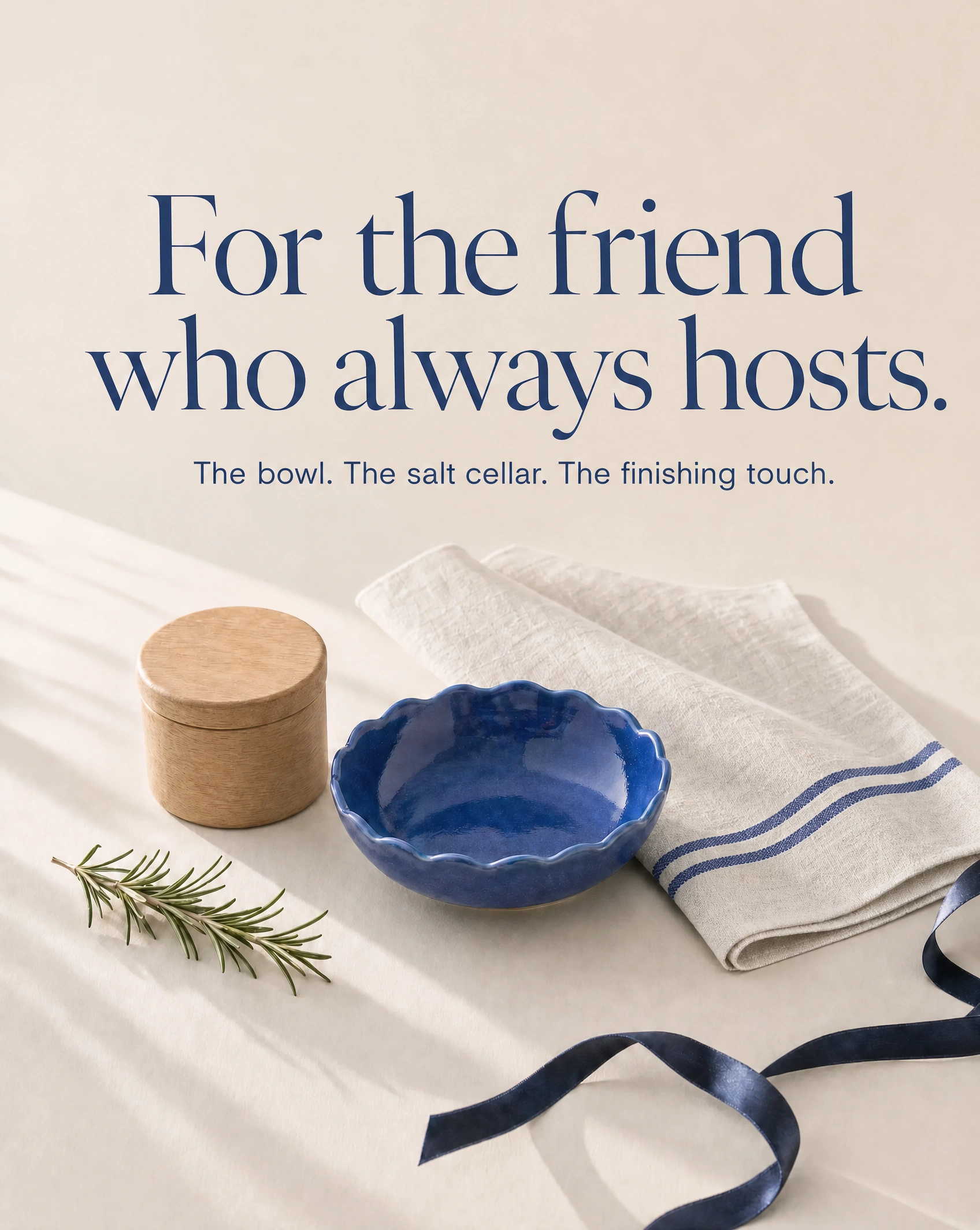
Finished fictional gift-guide concept. Keep product names, prices and buying links as accessible, editable page text. Rosemary and ribbon are styling props. Here, “the finishing touch” means the striped tea towel, not the ribbon.
Prepare the placement you will actually use
A vertical gift-guide graphic and a product-feed image have different jobs. The guide can introduce the recipient and show a styled collection. A feed image must meet the destination’s product-image requirements.
Google Merchant Center’s image rules restrict promotional overlays and require appropriate origin metadata for images created with generative AI. A campaign layout with a headline should not be assumed suitable for a product feed. Keep an approved clean product image available, and check the destination’s current rules before uploading.
For a blog page or email, preview the finished guide at a small size. Can you tell which three products are featured? Is the headline readable? Do the links remain accessible as text? If the scene turns into a decorative blur on a phone, simplify the composition or give each product its own supporting image.
The AI image prompt cheat sheet at AI Video Bootcamp is useful when you need to restate the composition. Change the specific problem you can see: move the bowl forward, give the cloth more breathing room or remove an unnecessary prop. “Make it more premium” is unlikely to identify the issue.
Give the buyer one clear next step
Finish by checking the complete journey. A visitor sees a recipient they recognize, understands why the products belong together and can open the right product pages. The visuals, copy and destination should tell the same story.
Once the still guide works, you could explore a short motion version using the AI video ads guide at AI Video Bootcamp. Keep that as a separate exercise: a useful still does not prove that its product shapes or lettering will survive animation.
For now, make one guide for one recipient. Choose three real, available products, create the scene, check it against the references and write the buying information as editable text. You will have something you can maintain through the season, rather than a beautiful image that leaves the shopper wondering what they can actually buy.
Sources and visual credits
NRF: 2025 holiday consumer survey
Google: reference-image prompting
Google Merchant Center: image requirements
AI Video Bootcamp: editorial policy and PromptWise relationship
All images generated through PromptWise using GPT Image 2 on October 15, 2026. Products are fictional; no sales, stock or conversion result is claimed.