
What This Cheat-Sheet Delivers (Answer Capsule)
Every reliable AI image prompt in 2026 follows the same five-element grammar in the same order: Subject, Style, Composition, Technical, Negatives. The grammar is portable across the 11 API-available True Models that matter for paying work in mid-2026: GPT Image 2.0, Nano Banana Pro, Nano Banana 2, Reve 2.0, Ideogram 4.0, Flux 2 Pro, MAI-Image-2.5, Seedream 4.0, Recraft V3, Grok Imagine image, and the latest Stable Diffusion. Midjourney V8.1 still ships excellent editorial cinematic work but it has no API, so it sits outside the workflow-driven stacks the rest of this guide is built around. The three co-leaders for production work are GPT Image 2.0 for composition and embedded text, Nano Banana Pro for legible text plus Google real-world knowledge and native 4K, and Reve 2.0 for layout-first design and typography engineering. This guide ships 15 style cheat-sheets covering the full photoreal to vaporwave spectrum with named real-world anchors, ready-to-paste prompts in each model’s native syntax, the porting rules that translate one prompt intent across all 11 API models, the IP indemnification tier breakdown that determines whether your client work is legally defended, and the August 2, 2026 EU AI Act and California CAITA deadlines that take effect this summer. The 23,000 creators in the AI Video Bootcamp community test these prompts daily; this is the playbook.
The 5-Element Prompt Grammar
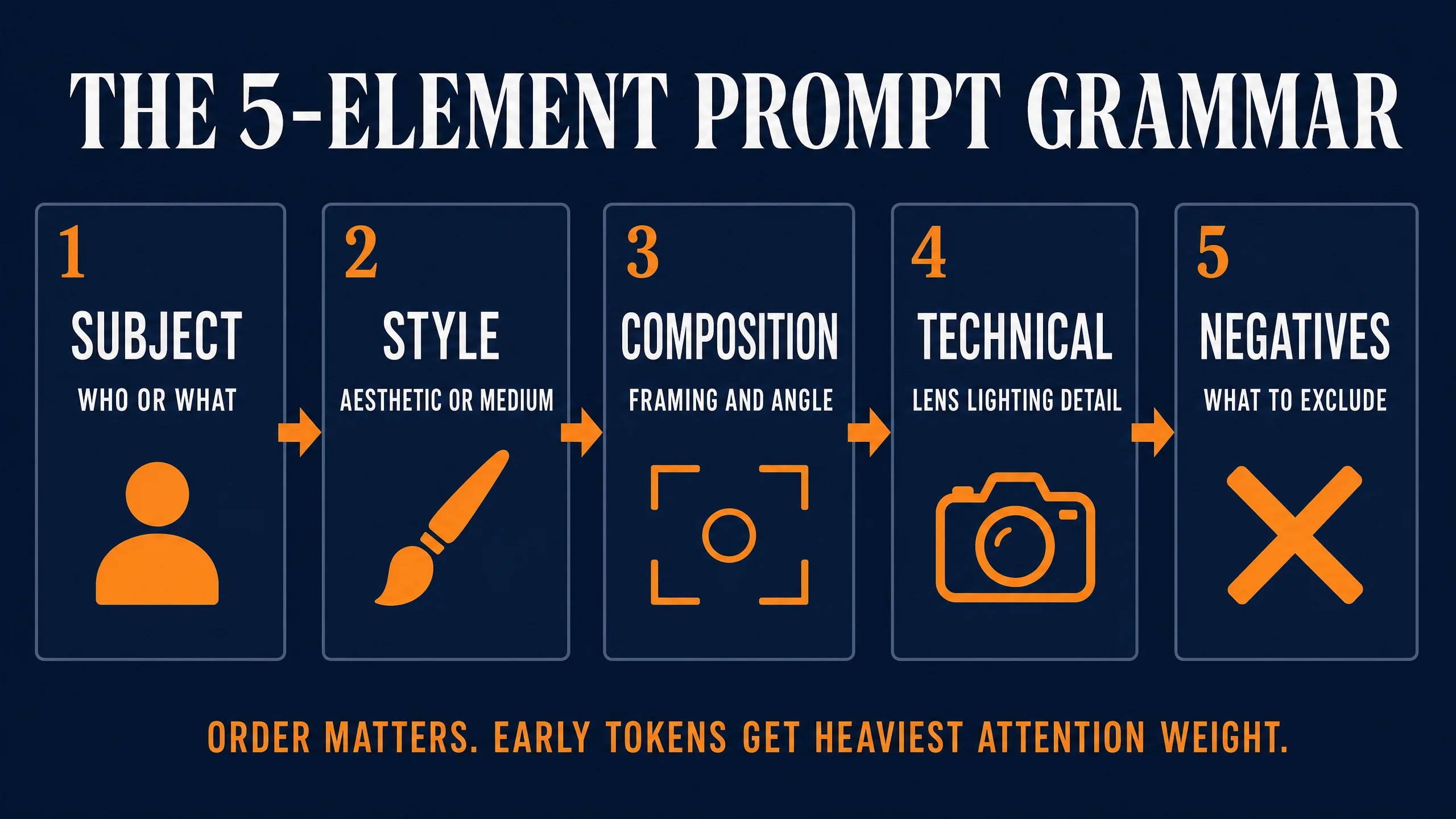
Most prompt advice in 2026 is still vibes. “Add Unreal Engine for realism.” “Try cinematic.” Operators copy prompts from screenshots, get different output, blame the model, and switch tools. The fix is a grammar the model can parse the same way every time, on every True Model. The 5-element system, in order, is Subject, Style, Composition, Technical, Negatives.
Subject is the noun phrase plus concrete descriptors: who or what, age, expression, clothing, pose, action. “A retired Portuguese fisherman, late sixties, weathered face, holding a coiled rope” beats “weathered late-sixties Portuguese fisherman retired with rope.” The first three to five tokens get the heaviest positional weight, so lead with the noun.
Style is the rendering medium plus one named artistic anchor. The medium answers what kind of image (photoreal, anime, oil painting, vector, isometric 3D, charcoal, vaporwave). The anchor answers whose visual fingerprint. One anchor per render. Three or four create a blended mush no model resolves cleanly.
Composition is framing and angle: rule of thirds, low-angle, dutch tilt, wide shot, close-up, over-the-shoulder, top-down flat lay, isometric, two-shot, eye-level. The most underwritten slot in beginner prompts. Operators describe what is in the frame and forget where the camera is.
Technical is capture metadata: camera body, lens focal length, aperture, film stock, lighting setup, color grade. “35mm, f/1.4, Kodak Portra 400, golden hour backlight, cyan-and-orange grade.” This is what separates a render that looks AI-generated from one that looks captured.
Negatives are the exclusions: extra fingers, watermark, blurry, plastic skin. They go last because they only constrain what the prior four proposed.
The order maps to how transformer text encoders weight token positions. The first 20 to 30 tokens get heaviest weight, the next 30 to 50 get medium, past 80 diminishes. Stable Diffusion’s CLIP encoder caps at 77 tokens per chunk; T5 pipelines stretch this further but still degrade gracefully. The arXiv “attention sink” literature (Xiao et al. 2023 and follow-ups through 2025) shows that 10 or more interventions targeting dominant attention recipients produce massive perceptual shifts, which is the mechanism behind why early-token positioning matters as much as it does.
The ratio rule for token budget runs by intent, not by model. For photoreal portraiture, push 60 percent of the budget into Subject and Technical, because skin and lens language carry the realism. For product visualization, push 50 percent into Lighting and Composition, because the surface and the angle define the sale. For wide stylized scenes (vaporwave posters, anime key visuals, brutalist hero shots), push 70 percent into Style and Subject and let Composition ride a single anchor word like “wide shot” or “low angle.”
The cognitive load argument matters too. Operators who memorize Subject, Style, Composition, Technical, Negatives can audit a failing render in seconds. Wrong person, Subject failure. Aesthetic off, Style. Framing wrong, Composition. Lighting fake, Technical. Extra fingers, Negatives. One vocabulary, five drawers, every model.
How Each True Model Reads the Grammar Differently
The grammar is universal. The weighting per model is not. Each True Model has a tendency to overweight one or two slots, and the operator who knows which slot to pad gets the right render on the first roll instead of the fifth.
GPT Image 2.0 reads conversational natural language and weights Composition plus Subject heavily. There is no token budget to fight. The model parses long prose, follows conditional instructions, holds embedded legible text accurately, and asks clarifying questions inside ChatGPT. The 5-element grammar still applies; it can just be written as a paragraph. GPT Image 2.0 is the strongest of the API-available True Models on edit fidelity, meaning it changes only what you asked it to change and leaves the rest of the image alone.
Nano Banana Pro (Google’s Gemini 3 Pro Image, released November 20, 2025) reads Subject and Technical heavily and is the strongest model in the field at legible long-form text, native 4K output, and Google-grounded real-world knowledge. The training emphasized product hero shots and identity-consistent portraits, so the model rewards specific Subject descriptors and stable identity language. It is also the strongest of the eleven at preserving logos, labels, and infographic copy. SynthID is embedded by default in every output.
Reve 2.0 (released June 3, 2026 by the independent Reve AI lab in Palo Alto) reads layout-first prose plus an explicit typography pass. Reve is the strongest API-available True Model for posters, packaging, UI mockups, and any deliverable where multi-line typography has to render legibly at 4K. The model runs a dedicated typography engineering step late in the diffusion pipeline that the other True Models do not. Reve 2.0 is currently app-only at app.reve.com (Lite $7.99/month, Pro $19.99/month, 500-image credit packs around $0.01 per image); Reve 1.0 is still the fal.ai endpoint at about $0.04 per image.
Nano Banana 2 (Gemini 3.1 Flash Image, launched the same day as Pro) is the fast and cheap variant of the Google family for high-volume iteration. fal.ai prices it at $0.06 per image at 512px and $0.08 per image at 1K. Use it for the first 50 rolls; promote to Pro when you need 4K or maximum text fidelity.
Ideogram 4.0 reads JSON schema. high_level_description covers Subject, style_description covers Style and Technical, compositional_deconstruction covers Composition, and Negatives are expressed by omission. Same mental model, structured format. Ideogram is unmatched on brand-color hex enforcement and on multi-line typography routed through the layout JSON.
Flux 2 Pro reads Composition heavily. Black Forest Labs trained the model with explicit positional supervision, so framing, lens, and angle language all land with above-average weight. A prompt that specifies framing, angle, and depth of field will render close to the exact composition asked for. 4MP native output at $0.03 per megapixel on fal.ai.
MAI-Image-2.5 (Microsoft AI, in Azure Foundry Preview since June 2, 2026) reads natural-language prompts inside an Azure-native stack. It is the API-mature enterprise choice for teams already on Azure with content filters configured. Pricing runs on two tiers: hourly from $0.36/hour and token-metered at roughly $5 per million input tokens plus $33 per million image output tokens. Photoreal and controllable image-to-image are its strongest modes.
Seedream 4.0 reads omni-reference plus descriptive prose. The 12-slot reference system (character, style, pose, composition, background, color, lighting, prop, outfit, hair, expression, environment) routes each reference image to a named role, which means the prompt itself can stay shorter while the references carry the load. Best for anime and for character consistency across scenes.
Recraft V3 reads brand-system prompts. The style ID library plus a hex-coded brand palette do 70 percent of the work; the text prompt does 30 percent. The natural-language anchor matters less than the locked style ID. Best for vector graphics and brand-locked campaigns.
Grok Imagine image (xAI, direct API only) reads punchy meme-leaning natural language. The cheapest tier is grok-imagine-image at $0.02 per image at 1K or 2K. Best for X-native distribution where speed and looseness matter; do not ship client deliverables on Grok Imagine because there is no IP indemnification on the consumer or API tiers.
Stable Diffusion (latest) reads comma-tokens with weighting. Parentheses syntax (token:1.3) boosts attention, [token] cuts it. The negative prompt is load-bearing; a 30-term negative is normal. Best when total control and self-host privacy are the requirements.
(Midjourney V8.1 reads Style heavily and remains excellent for editorial cinematic work, but it has no API. Operators run it only through Discord or the Midjourney web interface, which removes it from the workflow stacks documented in the porting guide below.)
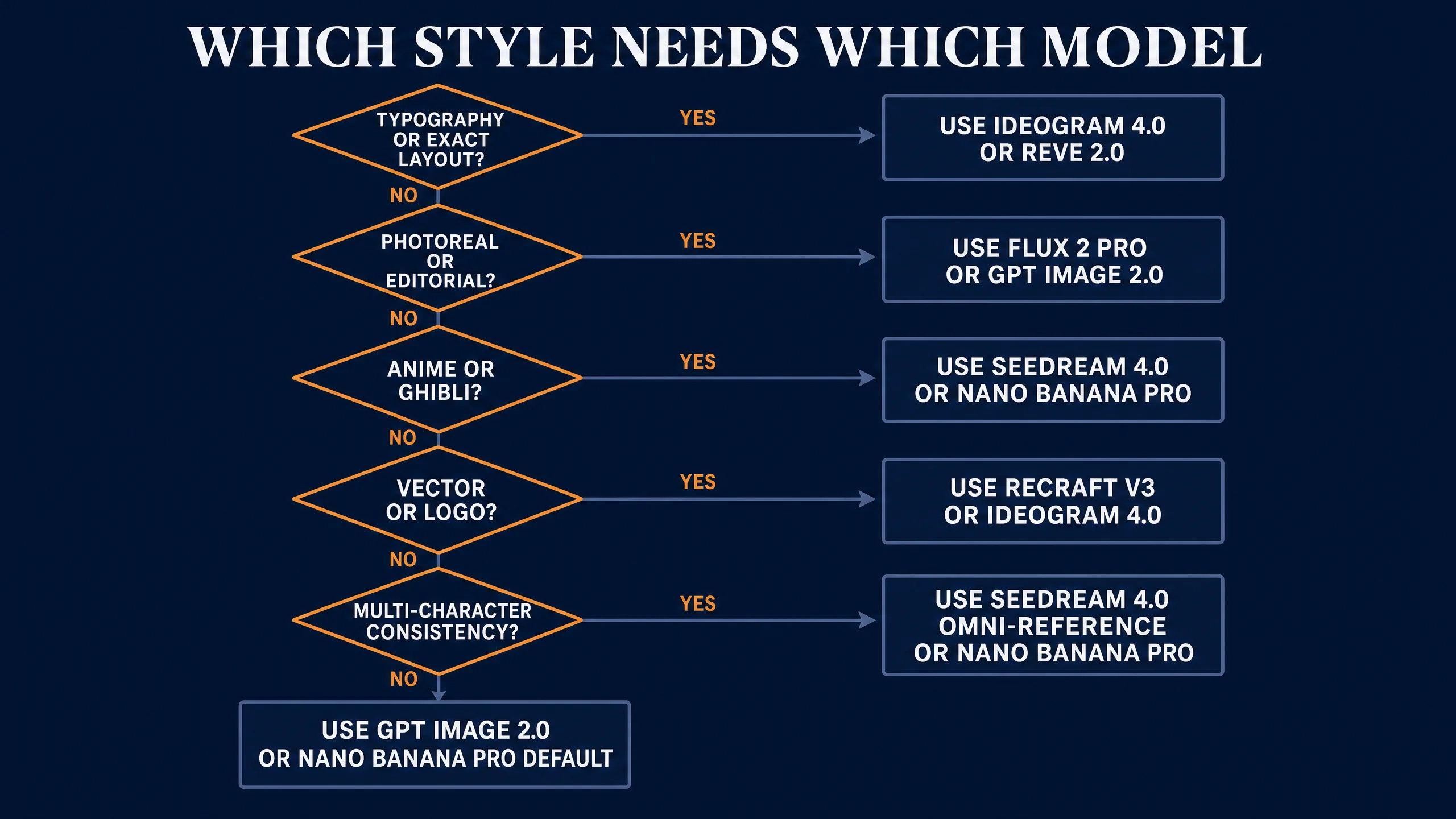
The switch-trigger rule: if typography, exact spatial layout, or specific hex colors are the primary requirement, the operator should reach first for Reve 2.0, Ideogram 4.0, or GPT Image 2.0. Those three constraints are where most of the other models’ aesthetic priors fight the brief.
The 15 Style Cheat-Sheets
Note: some aspect ratios in the worked examples below may not match the listed ratio exactly. AI image generators occasionally drift by a few pixels from the prompted aspect ratio.
This is the heart of the article. Each style ships a visual fingerprint, anchor keywords, a named real-world anchor, the best-fit API-available True Model, two worked prompts in the recommended model’s native syntax, and the failure modes to watch.
1. Photoreal (DSLR and Cinema Look)
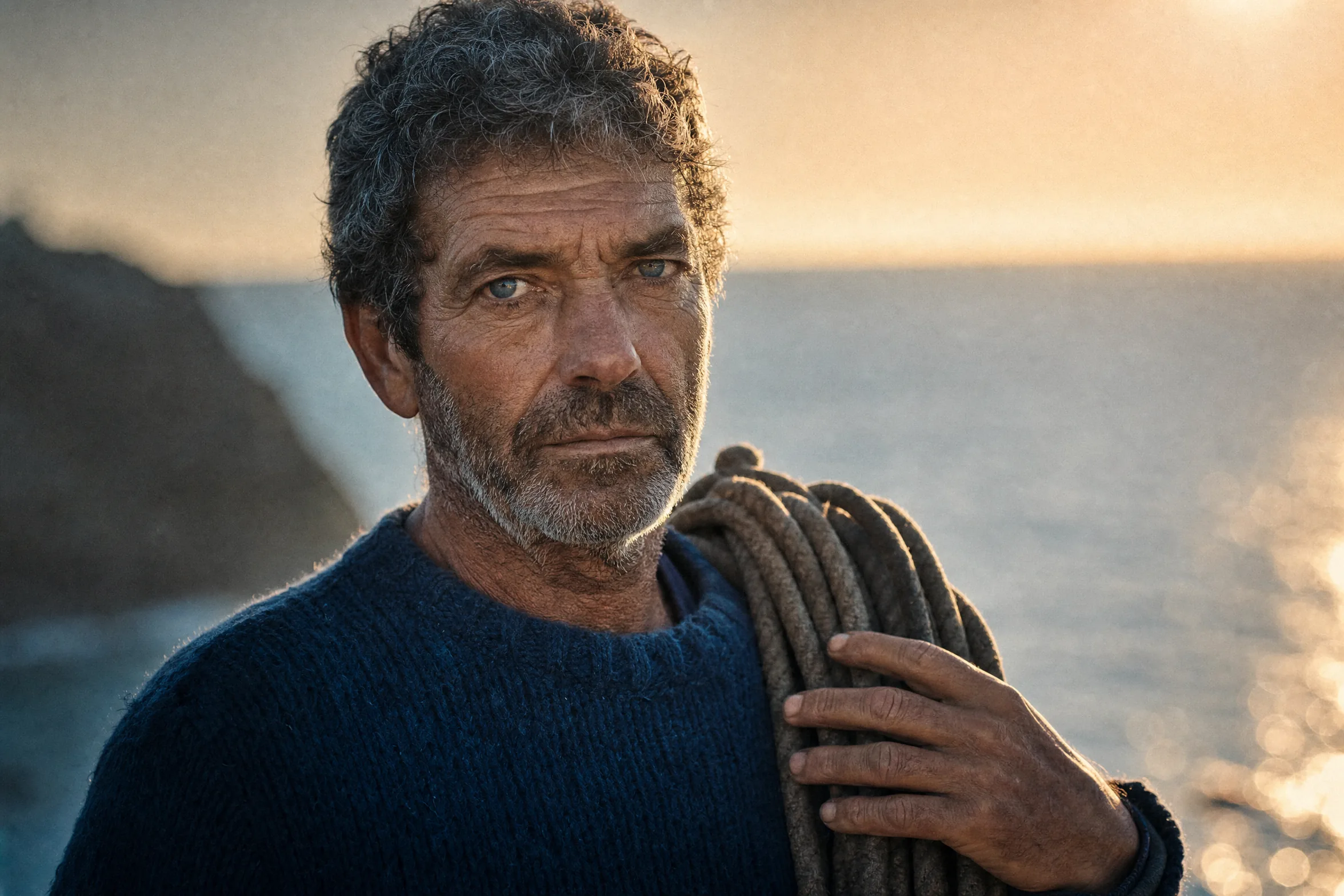
Visual fingerprint. Sharp eye focus, shallow depth of field, believable skin pores, color science that reads like a graded RED or ARRI frame. The dead giveaway is the catch-light in the iris and the gentle fall-off behind the subject.
Anchor keywords. Shot on ARRI Alexa 35, 85mm f/1.4 lens, Kodak Portra 400 film stock, golden hour rim light, Rembrandt lighting, shallow depth of field, skin pore detail.
Named anchor. Roger Deakins for cinematic, Annie Leibovitz for editorial, Peter Lindbergh for natural black and white.
Best-fit True Model. Flux 2 Pro for composition and lens adherence, GPT Image 2.0 for editorial conversational control with legible captions when the deliverable needs embedded text. Flux 2 Pro wins on cinematic color grade and depth-of-field believability; GPT Image 2.0 wins on prose-directed shot control.
Worked examples.
Flux 2 Pro (natural language):
A medium close portrait of a 40 year old woman with a weathered face, captured on an ARRI Alexa 35 with an 85mm f/1.4 lens. Golden hour rim light from behind, soft fill from camera left, Kodak Portra 400 grain. In the cinematic palette of Roger Deakins.
GPT Image 2.0:
Generate a cinematic medium close portrait of a 40 year old woman with a weathered face. Shoot her on an ARRI Alexa 35 with an 85mm f/1.4 lens. Light her with a golden hour rim from behind and a soft fill from camera left. Color grade in Kodak Portra 400 tones in the spirit of Roger Deakins. Render at 4:5.
Failure modes. Flux 2 Pro sometimes adds a fake catchlight in the wrong eye if you ask for side lighting; drop “catchlight” from the prompt and let the lighting model handle it. GPT Image 2.0 occasionally flattens the depth of field if you forget to specify the aperture; always restate f/1.4 or f/2. If you have Midjourney Pro access, you can also try a Discord roll with --raw --s 100 for the editorial color grade. For the deep dive on photoreal prompting, see /blog/photorealistic-ai-prompts-guide-2026/.
2. Anime (Studio Canon)
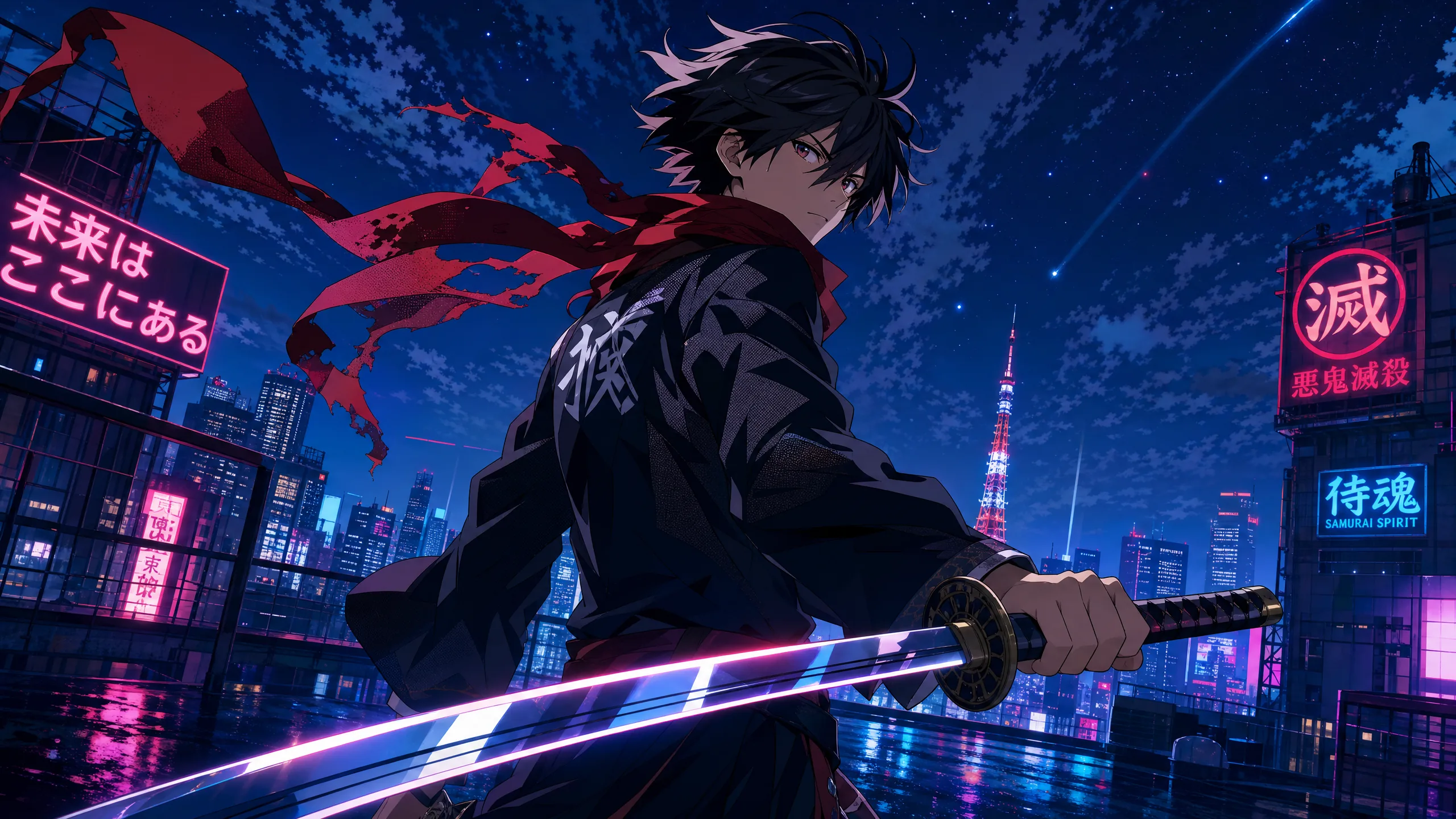
Visual fingerprint. Crisp cel-shaded lines, two or three flat color zones per surface, deliberate shadow shapes, and large reflective eyes with a hard specular dot. Hair reads as ribboned shapes, not strands.
Anchor keywords. Cel shaded, key animation frame, Madhouse studio, Ufotable lighting, clean line work, screen tone shadows, anime eye specular.
Named anchor. Makoto Shinkai for cinematic landscape anime, Madhouse for sharp drama, Studio Trigger for kinetic action, Ufotable for the glowing rim-light look popularized by Demon Slayer.
Best-fit True Model. Seedream 4.0 for stylized poses through its 12-slot omni-reference (best for character consistency across a scene), Nano Banana Pro for cinematic key frames that need legible signage or Japanese text inside the image.
Worked examples.
Seedream 4.0:
Anime key visual: teenage swordsman on a neon Tokyo rooftop at night. Cel shaded with two-tone shadows, sharp clean line work, glowing rim light, screen-tone shadows on the jacket. Cinematic landscape composition in the style of Makoto Shinkai. Aspect ratio 16:9. Reference slot 1: character. Reference slot 2: style.
Nano Banana Pro:
A key animation frame of a teenage swordsman standing on a neon Tokyo rooftop at night. Cel shaded with two-tone shadows, sharp clean line work, glowing rim light reminiscent of Ufotable productions, screen-tone shadows on the jacket. Background neon signage with legible Japanese katakana. In the cinematic landscape style of Makoto Shinkai. Render at 4K.
Failure modes. Seedream 4.0 without populated reference slots collapses to a generic “anime boy” base; always fill at least character and style. Nano Banana Pro can over-render the eyes into semi-realistic territory if you specify “detailed eyes”; use “anime eye, hard specular dot” instead.
3. Studio Ghibli (Painted Landscape)
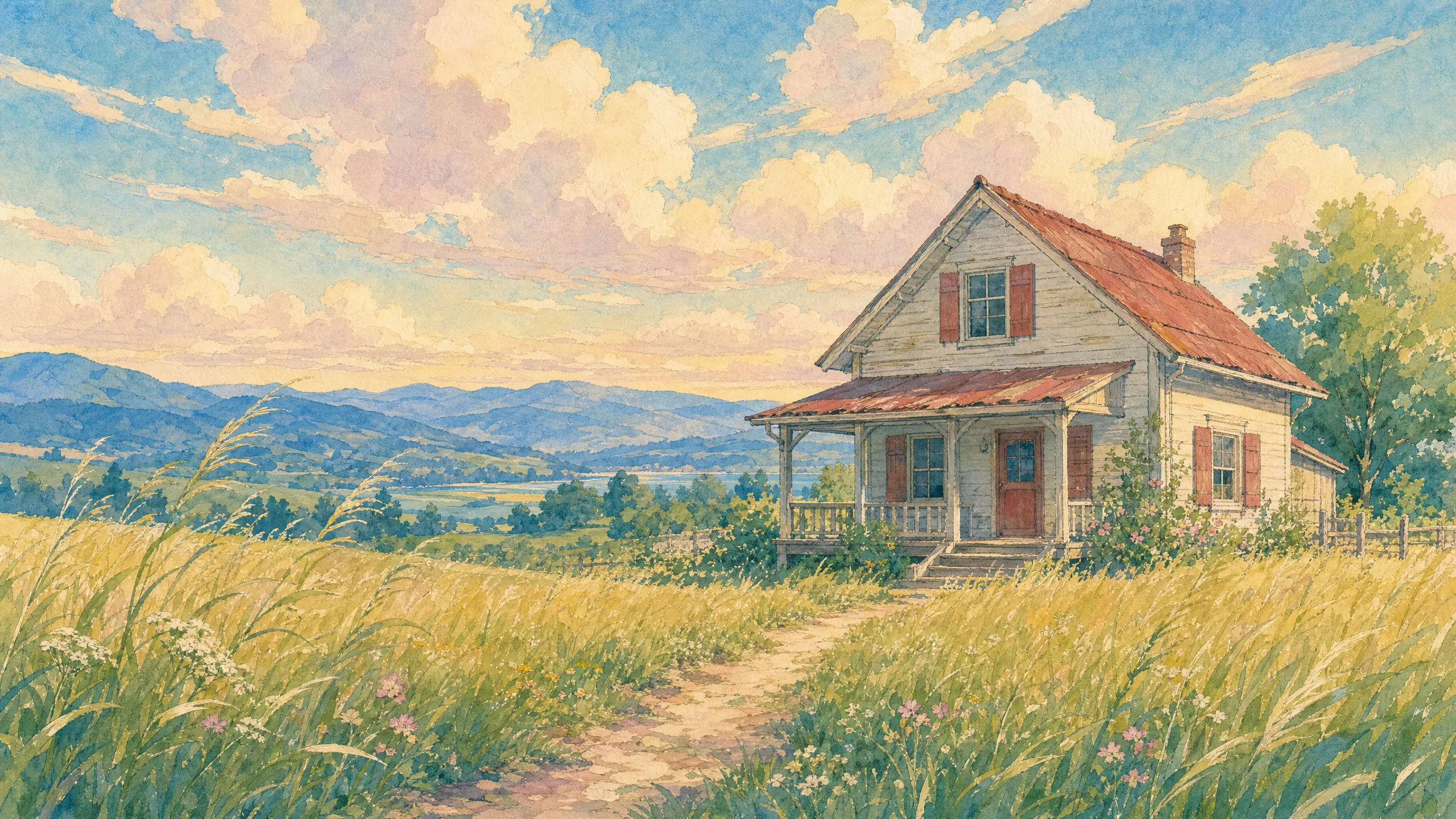
Visual fingerprint. Soft watercolor backgrounds with visible brushwork, hand-drawn character lines that breathe, a pastoral palette of muted greens and warm sky blues, and clouds painted as solid puffy shapes. Landscapes feel slightly windswept.
Anchor keywords. Hand-drawn animation cel, soft watercolor background, painted clouds, pastoral landscape, warm pastel palette.
Named anchor. Kazuo Oga for the painted backgrounds (Ghibli’s longtime background art director). For the character work, describe it as “painterly hand-drawn animation cel” rather than naming Studio Ghibli or Miyazaki directly. The Studio Ghibli reddit banned AI-generated images and Miyazaki has publicly opposed AI art; the safer pattern is to describe the visual fingerprint, not the brand.
Best-fit True Model. Nano Banana Pro anchored on Kazuo Oga for the painted backgrounds and character work, Reve 2.0 when the deliverable needs hand-painted title text overlaid on the landscape (book cover, poster).
Worked examples.
Nano Banana Pro:
A young girl in a yellow dress walks through a tall grass field under painted puffy clouds. Soft watercolor background in the manner of Kazuo Oga, hand-drawn character lines, pastoral warm pastel palette, flat painted shading. No CGI, no 3D rendering. Render at 4K with 16:9 aspect.
Reve 2.0:
Painted landscape poster: a young girl in a yellow dress walking through a tall grass field, painted puffy clouds above, soft watercolor background in the Kazuo Oga tradition, hand-drawn character lines, pastoral warm pastel palette. Title text overlay reads "GRASS FIELD" in hand-painted brushwork, lower third, two-line layout. Native 4K output.
Failure modes. Nano Banana Pro sometimes adds 3D shading; add “flat painted shading, no CGI” to suppress it. Reve 2.0 can over-letter the title if you forget to constrain the line count; specify “two-line layout, no additional text.”
4. Pixar (3D Rendered Animation)
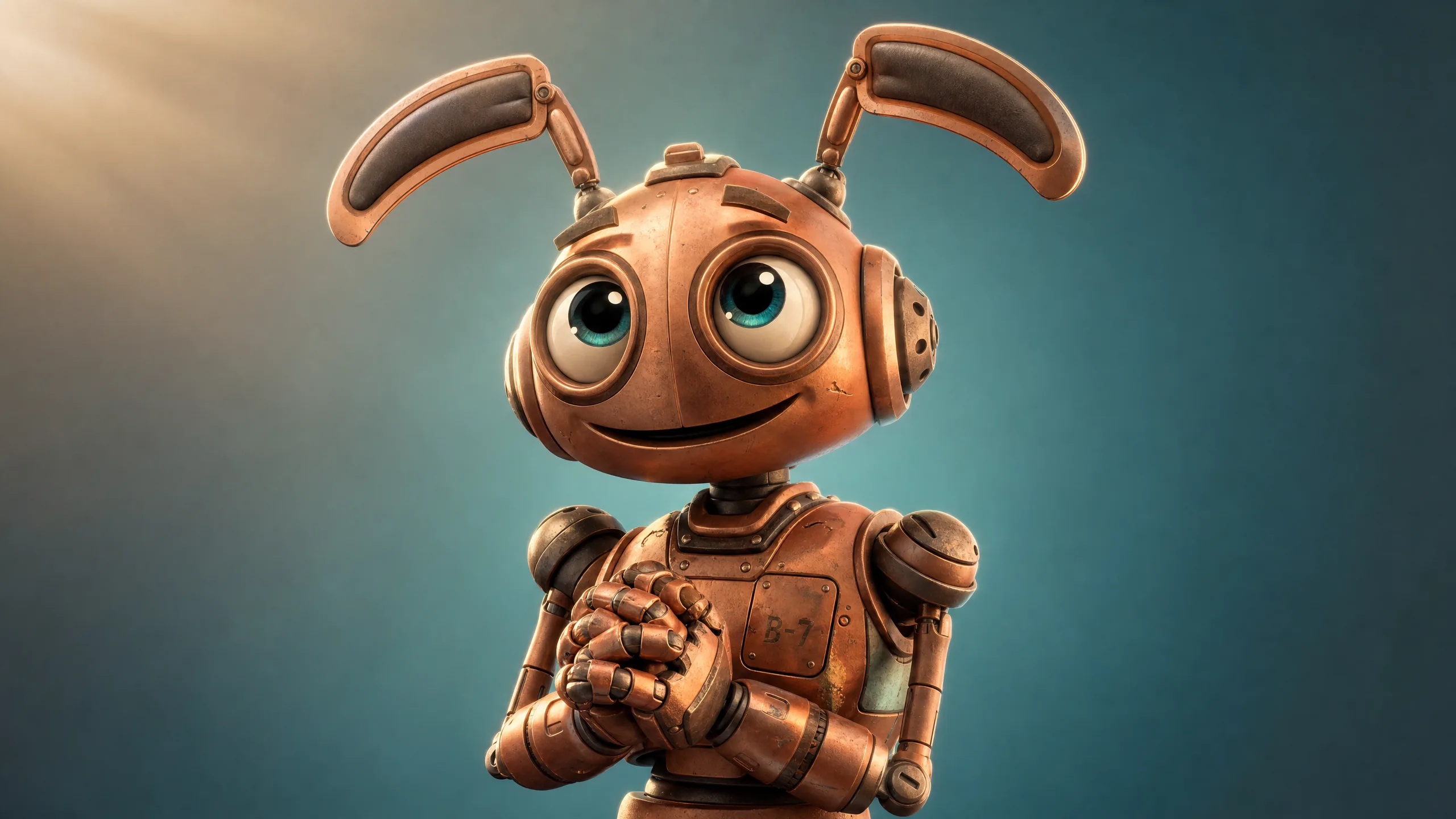
Visual fingerprint. Subsurface scattering in ears and noses, large expressive eyes with full geometry, soft volumetric key light, deliberately exaggerated proportions, and a hero color palette around the main character.
Anchor keywords. 3D rendered, subsurface scattering, volumetric lighting, RenderMan, expressive character, soft global illumination.
Named anchor. Pixar Animation Studios as the studio anchor for the medium, with the caveat that studio-brand prompting is a legal flag (see the IP section). The safer technical substitution: “stylized 3D character render, soft subsurface scattering on the ears, cinematic key lighting, large-eye character proportions.”
Best-fit True Model. GPT Image 2.0. The model handles long-form pose and lighting prose better than any other API-available True Model and is reliable when you need a specific character action described in plain English. Nano Banana Pro is a strong runner-up when the character needs to hold a legible label or sign.
Worked examples.
GPT Image 2.0:
Generate a 3D rendered Pixar-style character: a young inventor holding a glowing gear, with subsurface scattering on the ears, soft volumetric morning light from upper left, large expressive eyes, exaggerated proportions, warm hero palette of teal and orange. Render at 3:2.
Nano Banana Pro:
A stylized 3D character render of a young inventor holding a glowing gear labeled "PROTOTYPE 7". Soft subsurface scattering on the ears, soft volumetric morning light from upper left, large expressive eyes, exaggerated proportions, warm hero palette. Render at 4K with 3:2 aspect.
Failure modes. GPT Image 2.0 will sometimes flatten lighting; explicitly ask for “key light from upper left, soft fill, rim light.” Nano Banana Pro tends to round the gear teeth into a smooth wheel; specify “visible geometric gear teeth, count 12.”
5. Cartoon (Western 2D Animation)
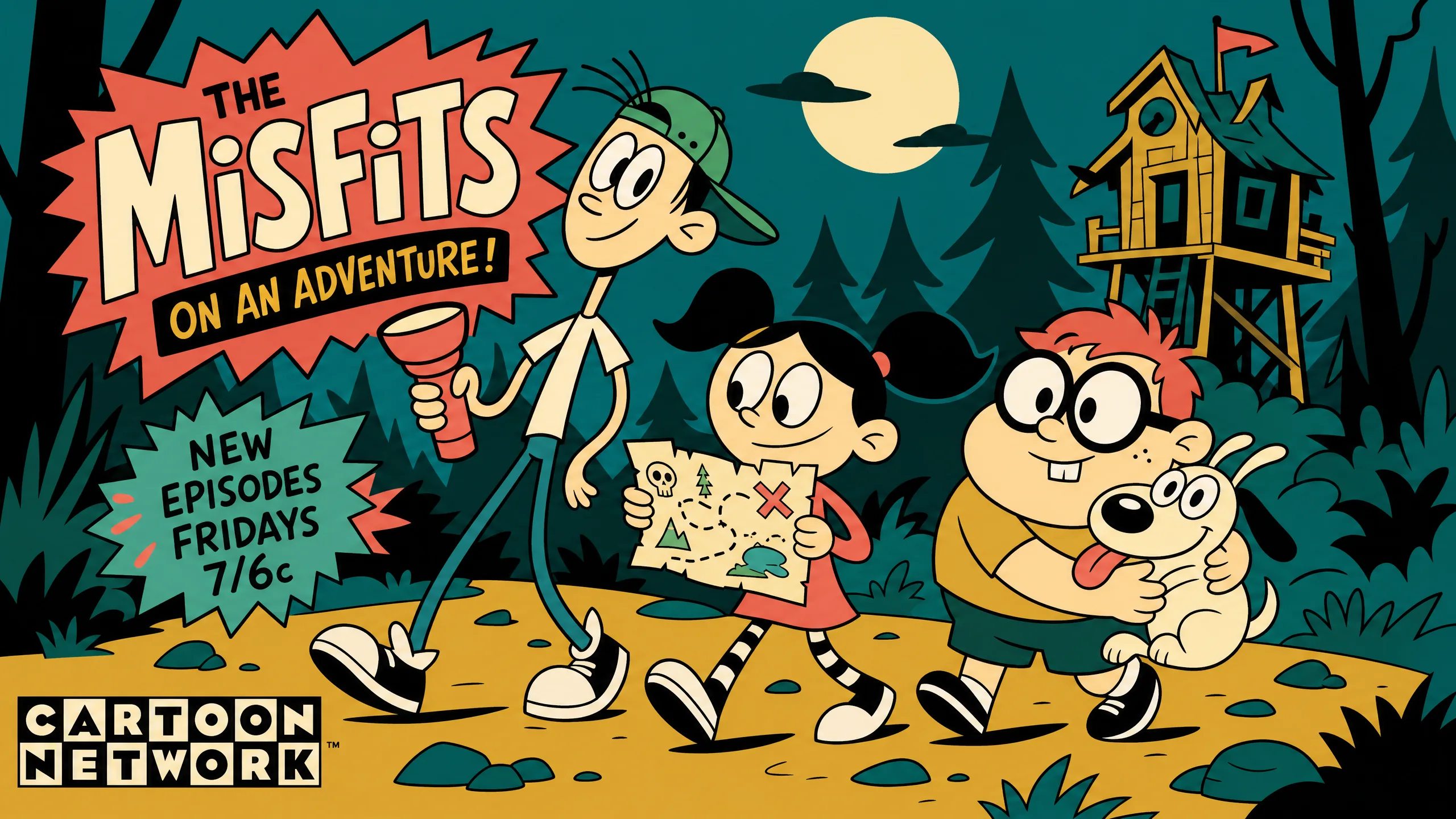
Visual fingerprint. Thick uniform black outlines, flat fill colors with no gradient, bouncy noodle limbs, and a graphic background clearly separate from the character plane. Eyes are dots or simple ovals.
Anchor keywords. Western 2D animation, thick black outline, flat fill color, noodle limbs, vector cartoon shading.
Named anchor. Craig McCracken (Powerpuff Girls, Foster’s Home) for the modern Cartoon Network look, Genndy Tartakovsky for action cartoon, Hanna-Barbera for the classic 1960s version.
Best-fit True Model. Ideogram 4.0 for cartoons that include text, signs, or wordmark logos baked into the scene. Recraft V3 if the deliverable needs to export as vector SVG.
Worked examples.
Ideogram 4.0:
{ "high_level_description": "A goofy detective character running with a magnifying glass, Western 2D cartoon, thick uniform black outline, flat fill color, noodle limbs, graphic background. Sign behind reads CASE CLOSED.", "style_description": "Cartoon Network flat-fill, no gradient, no shading, in the style of Craig McCracken", "compositional_deconstruction": "Wide shot 16:9, character center frame, sign upper right", "palette": ["#0EA5B5", "#F97316", "#FFFFFF", "#111111"] }
Recraft V3:
Western 2D cartoon of a goofy detective running with a magnifying glass. Thick uniform 2 pixel black outline, flat fill colors of teal and orange, noodle limbs, graphic flat background. In the style of Craig McCracken. Style ID: cartoon-flat-fill. Export SVG.
Failure modes. Ideogram 4.0 occasionally drops the sign text if the palette has too many colors; cap the palette at four hex values. Recraft V3 sometimes ignores “thick outline”; specify “2 pixel uniform black outline.”
6. Chibi (Kawaii Proportions)
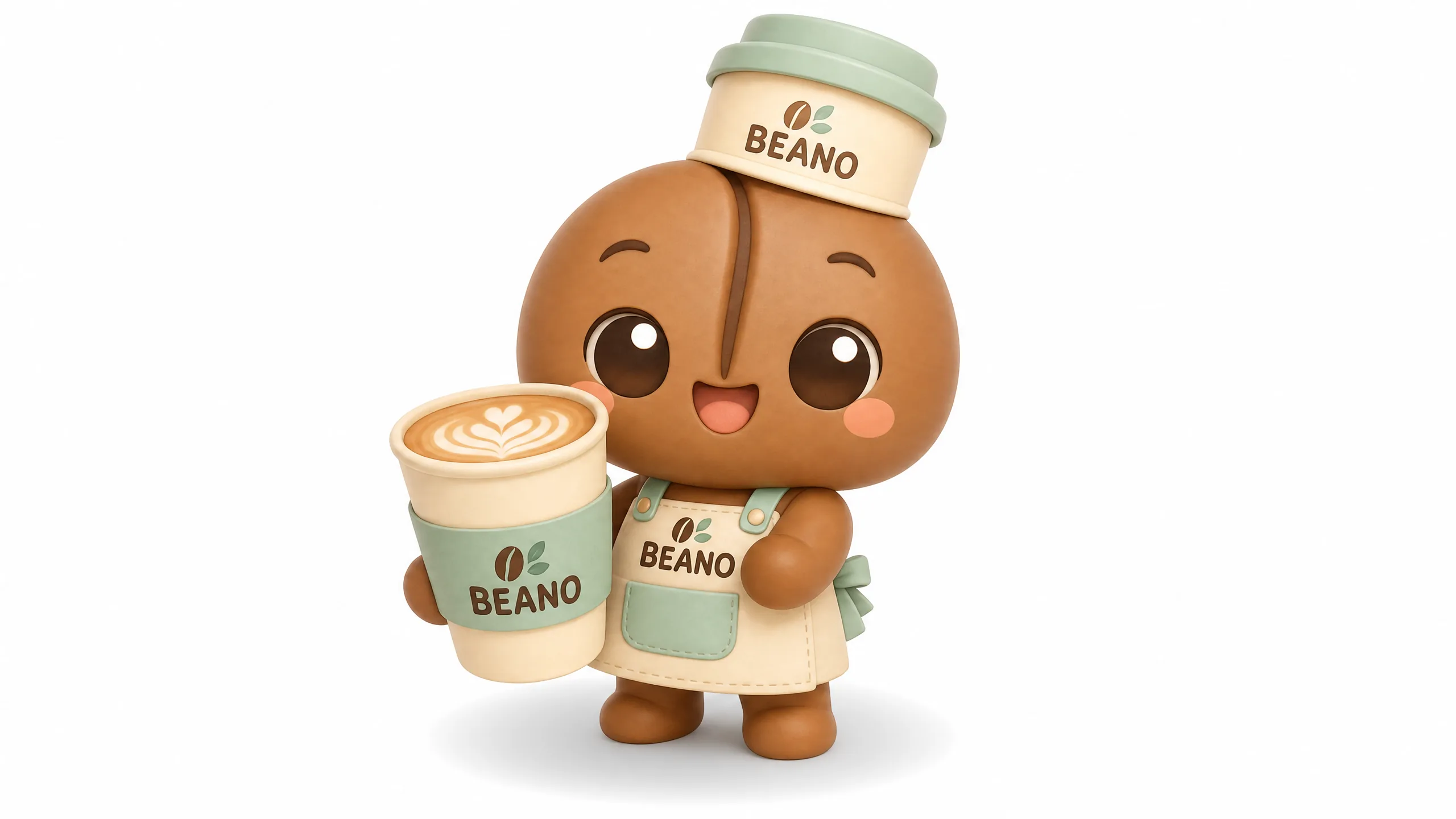
Visual fingerprint. Head is roughly half the total body height, body is two heads tall maximum, tiny hands and feet, oversized eyes, soft pastel palette. Always cute, always rounded.
Anchor keywords. Chibi, 2 head tall body proportions, oversized head, kawaii, soft pastel palette, super deformed, big sparkly eyes.
Named anchor. Good Smile Company (the figurine maker behind the Nendoroid line) is the safest brand anchor for chibi figurine work. Sanrio reads the Hello Kitty kawaii palette.
Best-fit True Model. Seedream 4.0. The omni-reference slots make chibi character consistency repeatable across an entire series. Nano Banana Pro is the fallback for one-off chibi hero shots that need 4K detail.
Worked examples.
Seedream 4.0:
Chibi character set: a tiny astronaut floating with a star balloon. Body proportions strictly two heads tall, oversized head, oversized sparkly eyes, tiny hands and feet, soft pastel palette of mint and pink. Kawaii Nendoroid figurine aesthetic. Reference slot 1 (character) populated, slot 6 (color) populated with mint-pink palette. Aspect ratio 1:1.
Nano Banana Pro:
A chibi astronaut character holding a star balloon. Body proportions strictly two heads tall, oversized head, oversized sparkly eyes with one highlight, tiny hands and feet, soft pastel palette of mint and pink. Kawaii Nendoroid figurine aesthetic. Render at 4K 1:1.
Failure modes. Models default to “anime girl, 6 heads tall.” You must specify “2 head tall body proportions” or chibi gets ignored. Nano Banana Pro also adds detailed pupils; ask for “simple round eyes with one sparkle highlight.”
7. Line Art (Pure Line Work)
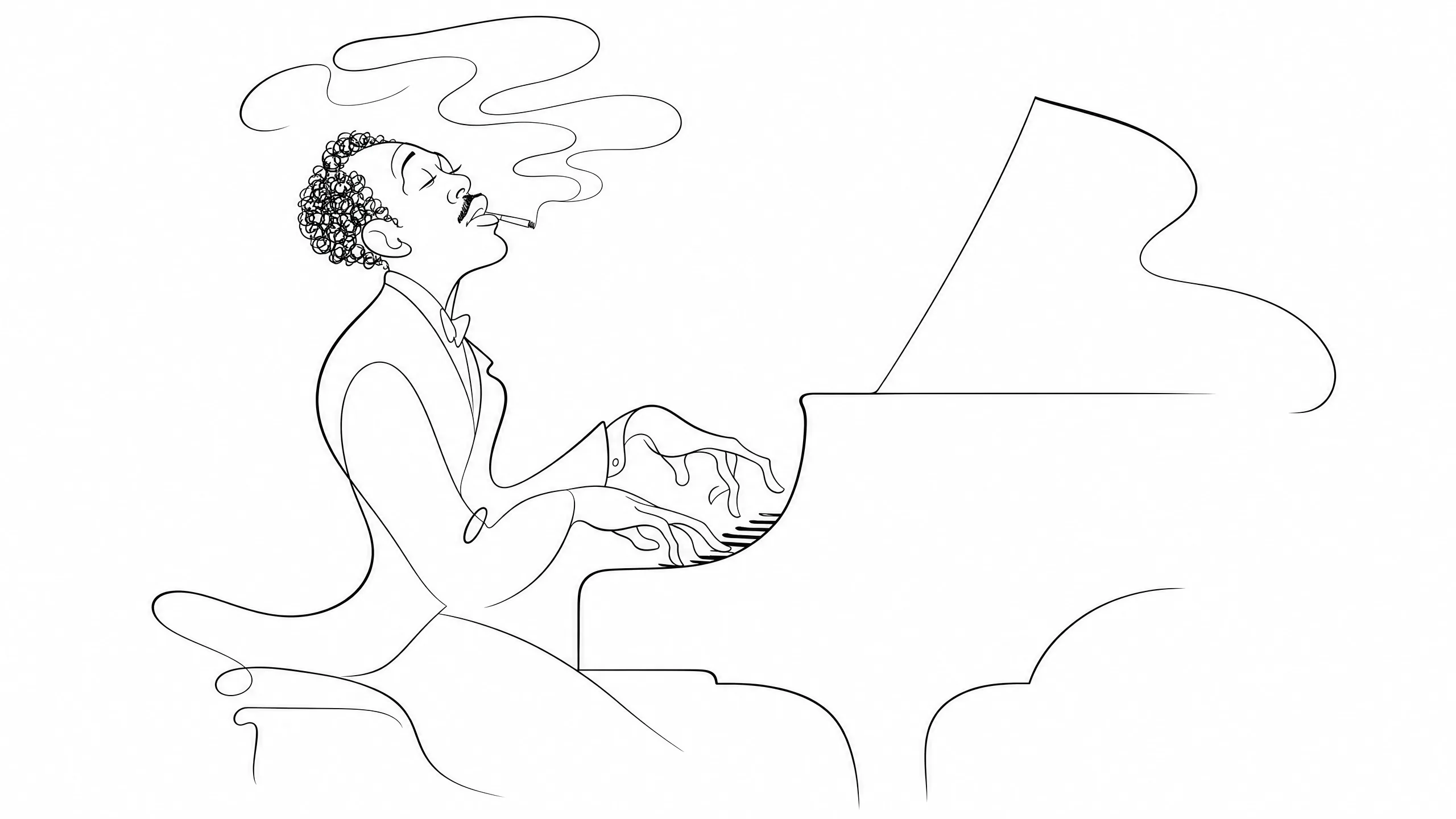
Visual fingerprint. Pure black on white, no fill, no shading, variable line weight from hair-thin to bold, with intentional negative space carrying the form. Reads like a tattoo flash sheet or a botanical illustration.
Anchor keywords. Line art, single weight ink line, no fill, no shading, continuous contour, black on white, sketch line work.
Named anchor. Al Hirschfeld for the elegant theatrical caricature line, Jean Cocteau for elegant continuous line, Egon Schiele for nervous expressive line.
Best-fit True Model. Recraft V3 dominates pure-line vector output and ships SVG natively. Reve 2.0 is the runner-up when the line art deliverable doubles as a poster with title typography sitting next to the line work.
Worked examples.
Recraft V3:
A pure line art portrait of a woman with flowers in her hair. Single continuous contour line, no fill, no shading, variable line weight from thin to bold, black ink on white background. In the style of Al Hirschfeld. Style ID: line-art-continuous. Export SVG.
Reve 2.0:
Line art poster: portrait of a woman with flowers in her hair, single continuous contour, no fill, no shading, variable line weight, black ink on white. Title text "BLOOM" set in elegant serif across the lower third, single line, centered. In the spirit of Al Hirschfeld. Native 4K output.
Failure modes. Every model wants to add a faint gray wash. Negate it: no shading, no gradient, no color, no gray fill. Recraft V3 occasionally outputs a raster preview; check the export format flag is set to SVG.
8. Logo (Flat Vector Mark)
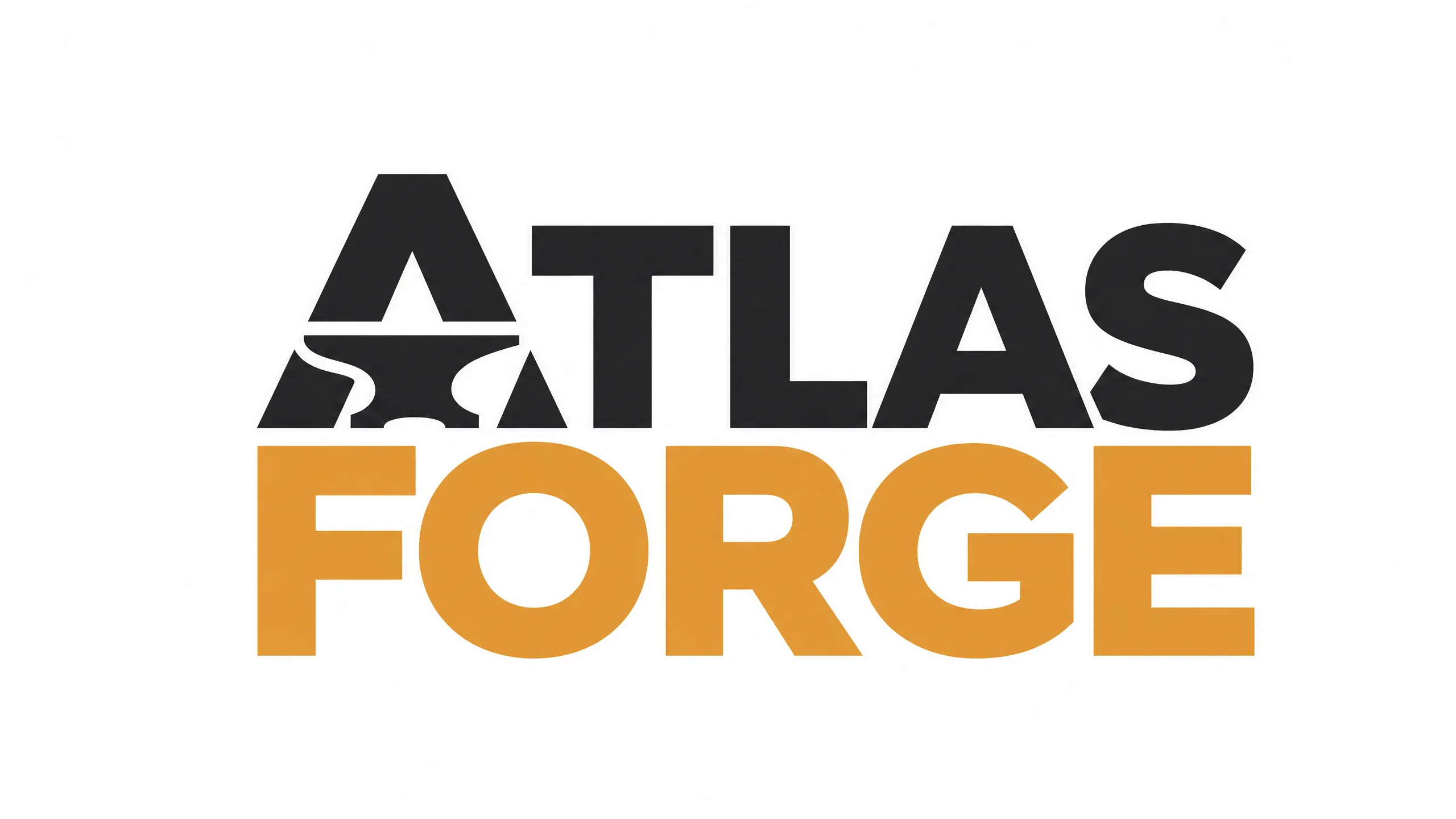
Visual fingerprint. Centered on a flat background, balanced negative space, one to three brand colors, hard edges, often a monogram or wordmark with a tight kern. Reads at 16 pixels and at 16 feet.
Anchor keywords. Flat vector logo, brand mark, monogram, balanced negative space, simple geometric shape, two color palette, centered on white background.
Named anchor. Paul Rand for mid-century corporate, Saul Bass for stripped-down icon work, Pentagram for clean modern marks.
Best-fit True Model. Ideogram 4.0 for anything with text in the logo (wordmarks, monograms). Its glyph engine and palette JSON are still ahead of the pack. Nano Banana Pro is the strongest co-pick when the logo needs to render legible inside a larger product mock or hero scene at 4K.
Worked examples.
Ideogram 4.0:
{ "high_level_description": "A flat vector logo for a coffee brand named NORTH. Bold sans-serif wordmark with the letter N integrated into a geometric mountain shape. Centered on white, balanced negative space.", "style_description": "Mid-century corporate flat vector in the style of Paul Rand", "compositional_deconstruction": "Square 1:1, mark centered, generous negative space", "palette": ["#1B2A4E", "#F4ECD8"], "negative_prompt": "gradient, drop shadow, texture, photoreal" }
Nano Banana Pro:
Flat vector logo for a coffee brand named NORTH. Bold sans-serif wordmark with the letter N integrated into a geometric mountain shape. Two color palette of navy and cream, centered on white, balanced negative space, no gradient, no shadow. In the style of Paul Rand. Render the logo at 2K, sharp edges, vector look.
Failure modes. Both models occasionally add a fake drop shadow; suppress with “flat, no shadow, no gradient.” Generate the wordmark in Ideogram 4.0 and the icon in Recraft V3 if precision matters. For the Ideogram-specific deep dive on logo and typography work, see /blog/ideogram-4-0-complete-guide-2026/.
9. Watercolor (Wet on Wet)
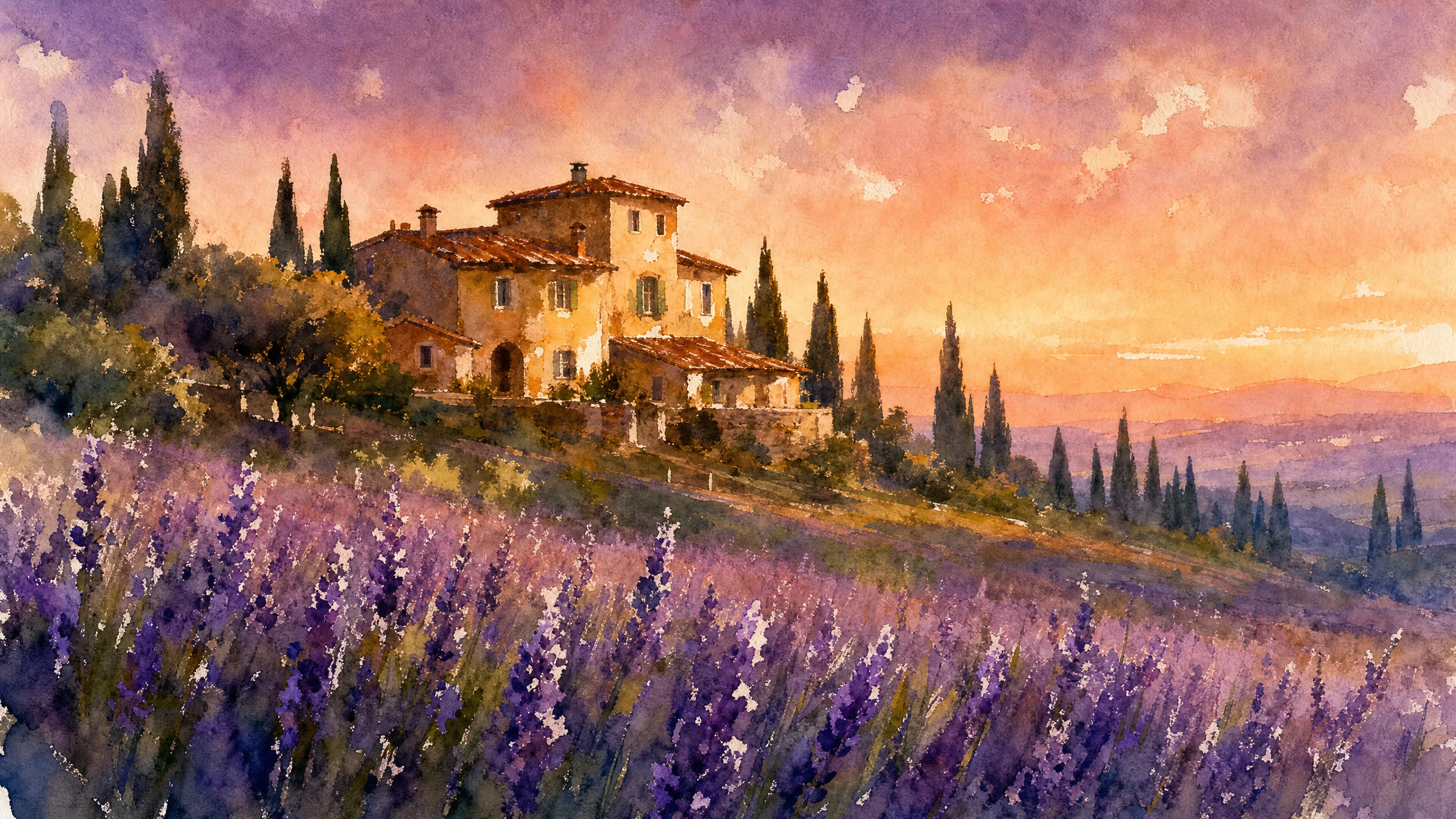
Visual fingerprint. Color bleeds at the edges of shapes, visible paper texture under the wash, hard cauliflower edges where pigment dried first, white paper showing through as the highlight. Backgrounds fade out rather than ending in a hard line.
Anchor keywords. Watercolor on cold press paper, wet on wet, color bleeding, paper texture, soft fade edges, granulation, loose brushwork.
Named anchor. John Singer Sargent for confident loose washes, Winslow Homer for landscape watercolor.
Best-fit True Model. Reve 2.0 for poster and packaging deliverables where the watercolor wraps around a typographic title. Nano Banana Pro when the watercolor scene needs Google-grounded real-world reference (a specific Parisian arrondissement, a named river, a recognized building shape).
Worked examples.
Reve 2.0:
Watercolor illustration on cold press paper: a Parisian cafe scene at golden hour, wet on wet color bleeding at the edges of each awning, paper texture underneath, white paper showing through as highlights on the cups, loose brushwork in the John Singer Sargent tradition. Title text "CAFE DE FLORE" set in elegant serif across the top third, single line, centered. Native 4K output.
Nano Banana Pro:
A watercolor illustration of a Parisian cafe scene in the 6th arrondissement at golden hour. Wet on wet bleeding edges, cold press paper texture, white paper showing through as highlights on the cups. Loose brushwork in the style of John Singer Sargent. Render at 4K.
Failure modes. Reve 2.0 sometimes hard-edges the typography in a way that fights the watercolor; specify “title in soft watercolor-compatible serif, no hard outline.” Nano Banana Pro can add a fake gallery frame around the painting; say “no frame, paper extends to edges.”
10. Oil Painting (Old Masters)
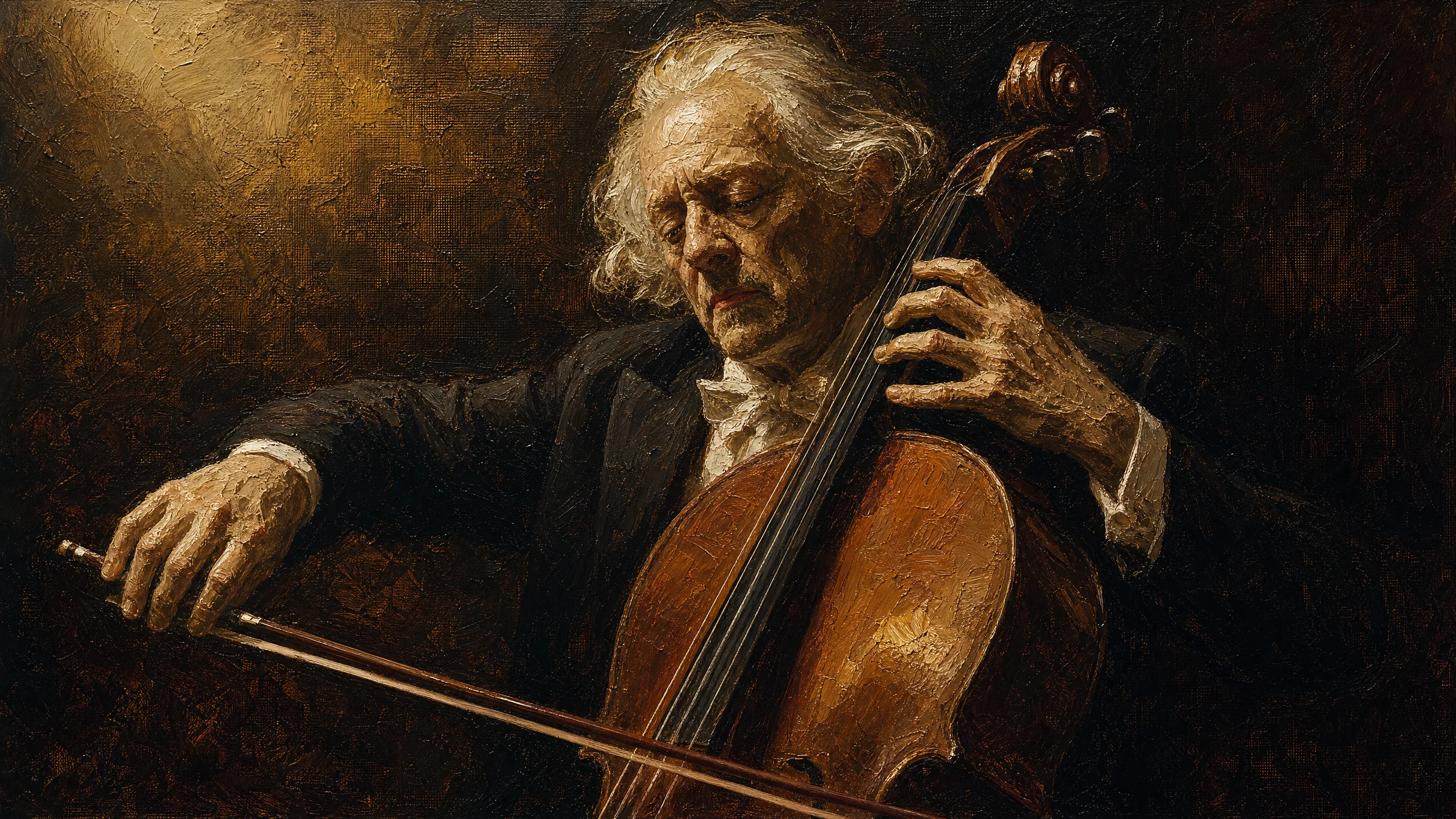
Visual fingerprint. Visible impasto brush strokes, palette knife scrapes, chiaroscuro lighting with deep shadows, warm earth-tone palette, faint canvas weave. Backgrounds melt into darkness.
Anchor keywords. Oil on canvas, impasto brushwork, palette knife texture, chiaroscuro lighting, glazing technique, earth tone palette.
Named anchor. Rembrandt for dramatic chiaroscuro portrait, Vermeer for the light-through-window look. Rembrandt is public domain; the safer pattern is to anchor public-domain masters and describe living-artist work by technique.
Best-fit True Model. GPT Image 2.0 for prose-directed chiaroscuro portrait work where you need precise lighting choreography and palette description. Stable Diffusion (latest) self-host when you need total control over impasto thickness through a LoRA or ControlNet stack.
Worked examples.
GPT Image 2.0:
Render an oil-on-canvas portrait of an old fisherman. Paint with visible impasto brushwork and palette knife strokes across the face. Use chiaroscuro lighting from a single warm window source upper left, deep shadow background, earth tone palette dominated by ochre, sienna, and umber. Render in the spirit of Rembrandt, 4:5 aspect, painterly look not digital painting.
Stable Diffusion (latest):
(oil on canvas:1.3), portrait of an old fisherman, (visible impasto brushwork:1.4), palette knife texture on face, chiaroscuro lighting, single warm window light from upper left, deep shadow background, (earth tone palette:1.2), in the style of Rembrandt, 4:5 Negative prompt: digital painting, smooth, plastic, photoreal, glossy, oversaturated, modern, watermark
Failure modes. Models often render a “digital painting” look instead of true oil. Anchor “oil on canvas” plus the named master to force the shift. Stable Diffusion benefits from a Rembrandt-tuned LoRA if you have one; the base model alone can stiffen the brush texture.
11. Isometric (30-Degree Axonometric)
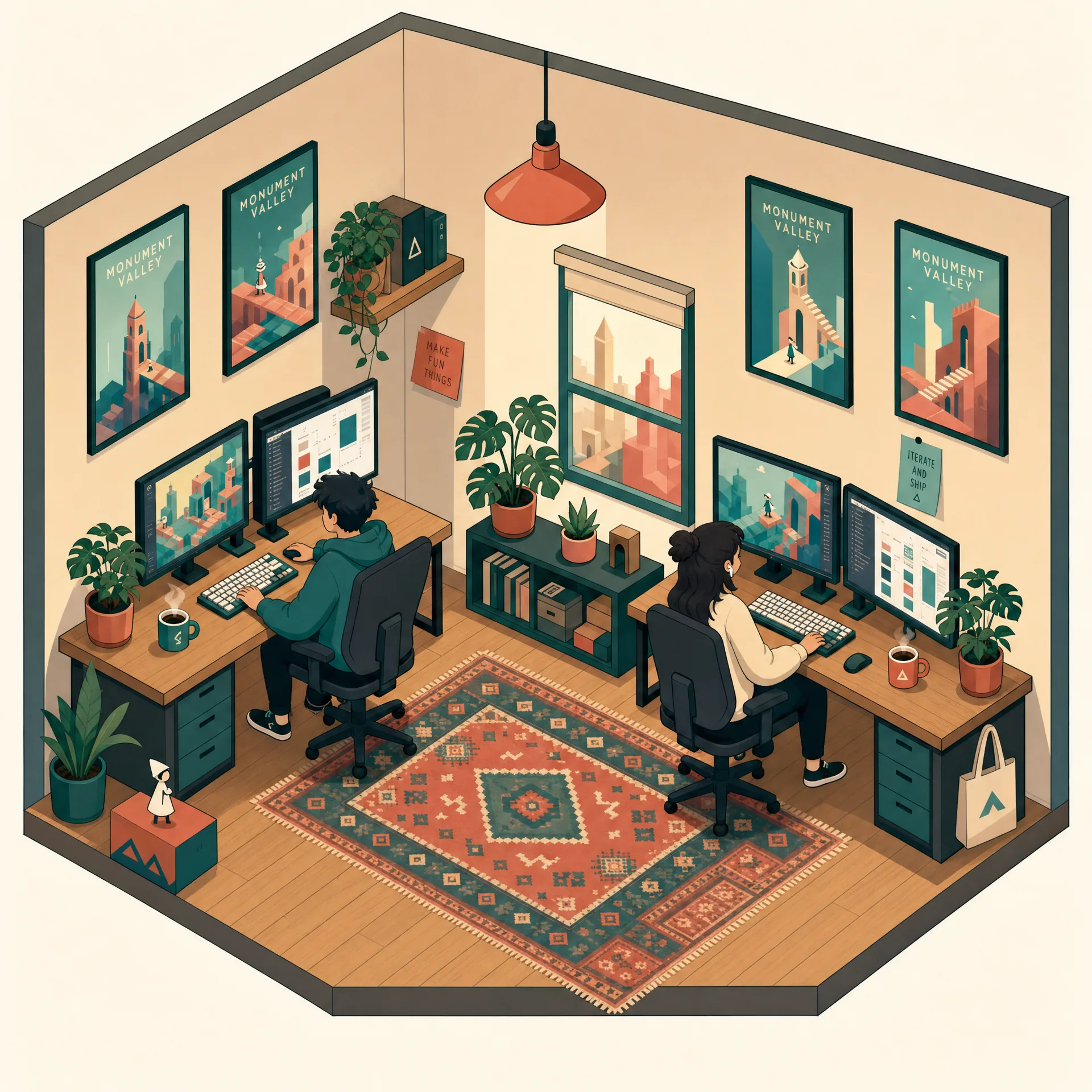
Visual fingerprint. Three visible faces of every object, parallel lines that never converge, the classic 30 degree angles on the horizontal axes, flat color blocks with one shadow tone per surface, soft ambient occlusion in the corners. Reads like a technical illustration.
Anchor keywords. Isometric view, 30 degree axonometric projection, flat color blocks, no perspective, parallel lines, technical illustration, two-tone shading.
Named anchor. Monument Valley (the Ustwo game) is the canonical anchor for clean stylized isometric, Wired magazine for the infographic look.
Best-fit True Model. Flux 2 Pro for clean architectural isometric renders where lens and angle adherence matter. MAI-Image-2.5 for enterprise teams on Azure Foundry who need isometric infographics at production scale. Recraft V3 if the deliverable must export as SVG.
Worked examples.
Flux 2 Pro (natural language):
A 30 degree isometric axonometric illustration of a small smart home. Three visible faces of each object, parallel lines with no perspective convergence, flat color blocks with one shadow tone per surface, soft ambient occlusion in corners. In the visual language of Monument Valley. 1:1 aspect, 4MP native.
MAI-Image-2.5 (Azure Foundry):
Isometric infographic of a smart home, 30 degree axonometric projection, three visible faces, parallel lines no perspective, flat color blocks with one shadow tone per surface, soft ambient occlusion corners. Monument Valley visual language. Square 1:1.
Failure modes. Models sometimes confuse isometric with “low poly 3D”; add “flat 2D, no 3D rendering” to suppress. Flux 2 Pro occasionally breaks the parallel-line rule on busy scenes; reduce object count or generate in Recraft V3 if geometric accuracy is non-negotiable.
12. Vector (Flat Brand Identity Illustration)
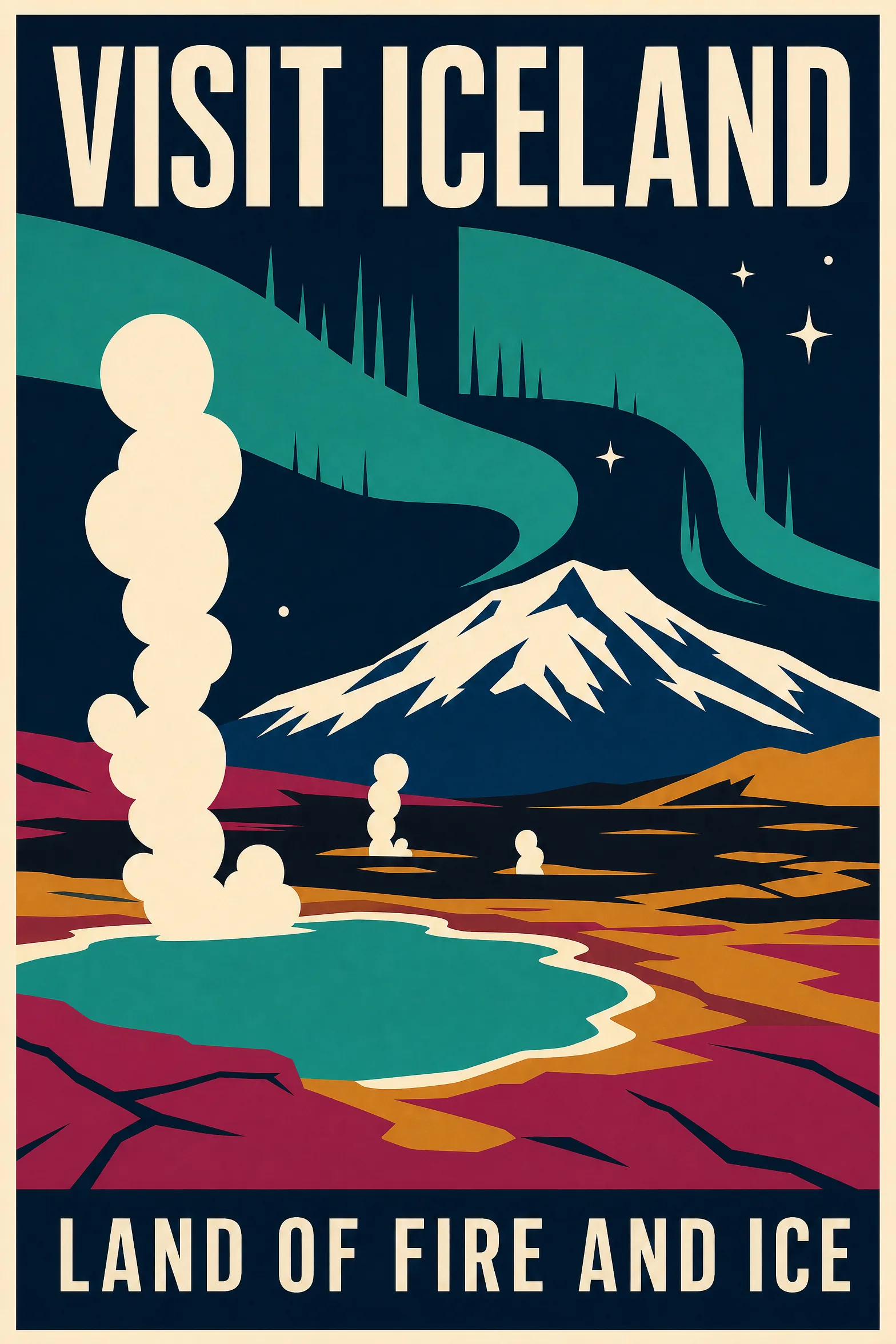
Visual fingerprint. Hard crisp edges at any zoom level, flat color fills with optional one-tone shading, limited brand palette, characters with simple geometric construction. Reads confident and modern.
Anchor keywords. Flat vector illustration, hard edges, limited brand palette, geometric shape construction, one-tone shading, sticker style, marketing illustration.
Named anchor. Saul Bass for stripped graphic mid-century vector, Tom Froese for editorial vector, Christoph Niemann for clever conceptual vector.
Best-fit True Model. Recraft V3, by a wide margin. It was the first model to ship SVG natively. Ideogram 4.0 is the runner-up when the vector illustration needs to carry typographic text inside the composition.
Worked examples.
Recraft V3:
A flat vector illustration of a person working at a laptop. Hard crisp edges, limited brand palette of coral, navy, cream, and mint. Geometric character construction, one tone of flat shading, no gradient, no noise. In the style of Saul Bass. Style ID: flat-vector-brand. Palette hex: #FF6B6B, #1B2A4E, #F4ECD8, #6EE7B7. Export SVG.
Ideogram 4.0:
{ "high_level_description": "A flat vector illustration of a person working at a laptop, one-tone shading, geometric character construction. Caption below reads FOCUS TIME.", "style_description": "Flat vector marketing illustration in the style of Saul Bass", "compositional_deconstruction": "4:3, character center, caption lower third", "palette": ["#FF6B6B", "#1B2A4E", "#F4ECD8", "#6EE7B7"] }
Failure modes. Recraft V3 occasionally outputs raster instead of SVG if you forget to set the output format; check the export. Ideogram 4.0 sometimes adds a subtle gradient that breaks the flat aesthetic; suppress with "negative_prompt": "gradient, noise, texture".
13. Vaporwave (Pink Cyan 80s Mall)
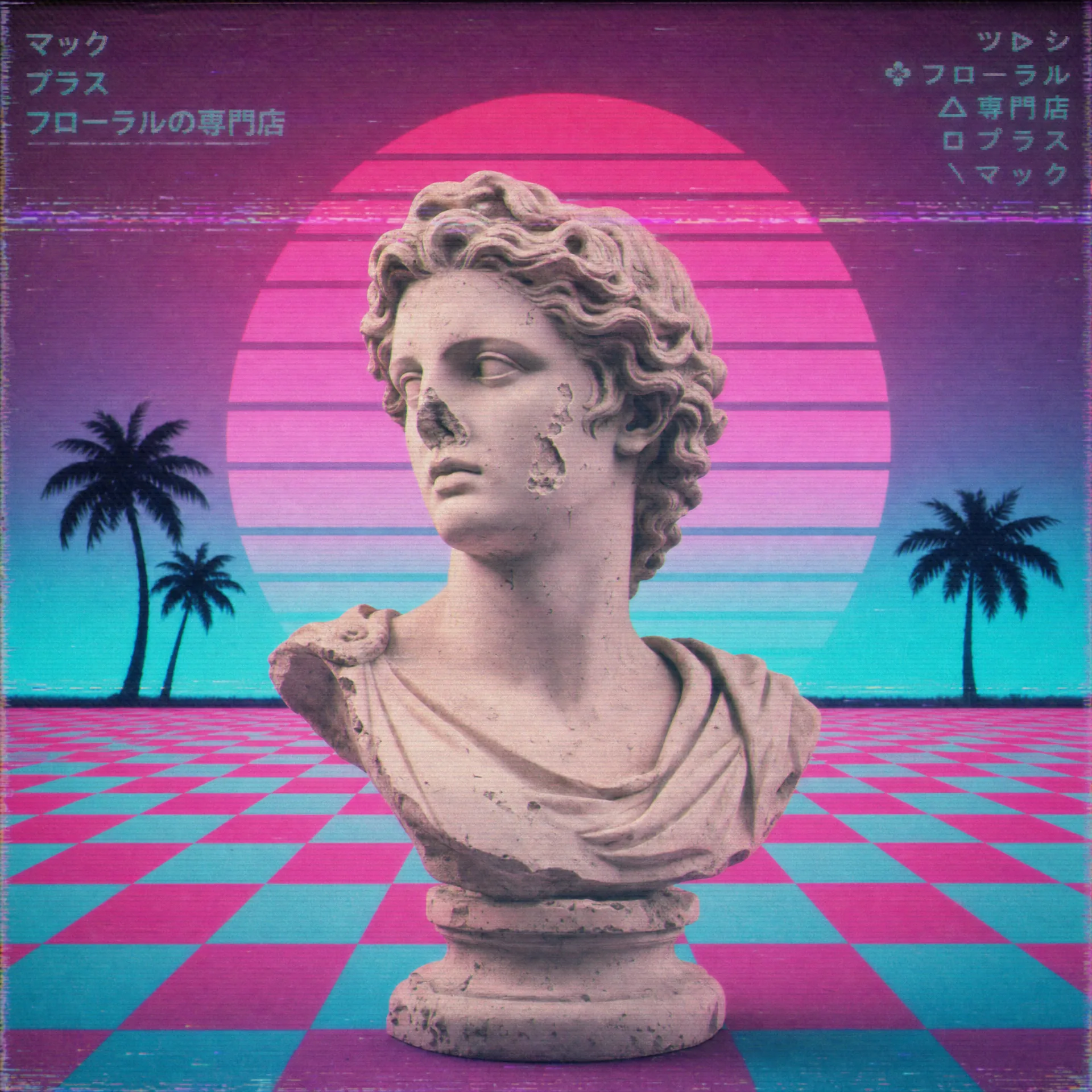
Visual fingerprint. Hot pink and cyan dominant palette, Roman or Greek marble statues, glitched VHS scan lines, palm trees in silhouette, a checkerboard floor receding to infinity. Often has Japanese katakana or wingdings as decoration.
Anchor keywords. Vaporwave aesthetic, hot pink and cyan palette, Greek marble bust, VHS glitch scan lines, checkerboard floor, palm tree silhouette, 80s mall.
Named anchor. Macintosh Plus album art (Floral Shoppe) is the foundational anchor, Vektroid for the original look, James Ferraro for the lo-fi adjacent variant.
Best-fit True Model. Reve 2.0 for poster and album-cover deliverables where vaporwave wraps around a typographic title in chrome 3D or pink neon. GPT Image 2.0 for client work where the brief asks for a “subtle vaporwave hint” rather than full Floral Shoppe maximalism.
Worked examples.
Reve 2.0:
Vaporwave aesthetic poster: a Greek marble bust against a hot pink and cyan sunset gradient. Checkerboard floor receding to the horizon, palm tree silhouettes, faint VHS glitch scan lines across the image, lo-fi 80s mall feel. Title text "FLORAL SHOPPE 2026" set in chrome 3D type, upper third, two-line layout. Visual reference Macintosh Plus. Native 4K output.
GPT Image 2.0:
Generate a poster with a subtle vaporwave hint. Greek marble bust against a hot pink and cyan sunset gradient, checkerboard floor receding to a horizon, palm tree silhouettes, very faint VHS scan lines. Lo-fi 80s mall mood. Render at 1:1, no title text.
Failure modes. Reve 2.0 sometimes routes the chrome 3D type as flat text; specify “glossy chrome 3D type with hard reflections.” GPT Image 2.0 occasionally goes too subtle; bump the saturation by adding “saturated hot pink, saturated cyan.”
14. Polaroid (Instant Film Aesthetic)
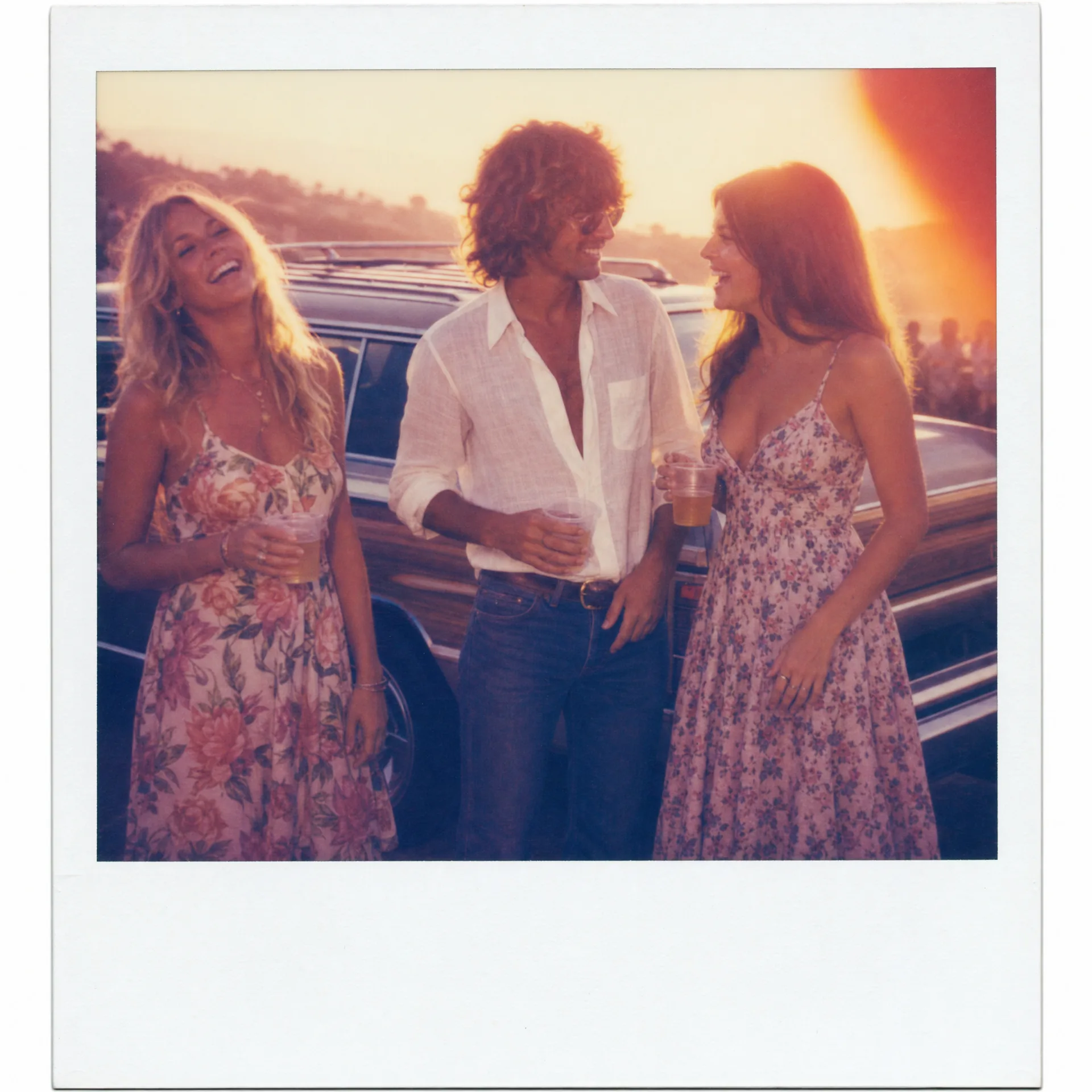
Visual fingerprint. White rectangular frame with thicker border at the bottom, slightly washed colors with warm cast, soft focus with small depth of field, occasional light leaks, the unmistakable square 1:1 format. Looks scanned, not photographed.
Anchor keywords. Polaroid 600 instant film, soft focus, warm color cast, white border with thicker bottom, light leak, scanned grain, square format.
Named anchor. Andy Warhol’s Polaroid portrait work (the Big Shot Polaroid series from the 1970s and 80s) is the canonical anchor; Stephen Shore for everyday Americana; William Eggleston for color-saturated.
Best-fit True Model. Flux 2 Pro renders the film color science most convincingly thanks to its photoreal training emphasis. Nano Banana Pro is the runner-up when the Polaroid scene needs a recognizable real-world location (Tokyo street, Lisbon viewpoint, Brooklyn rooftop).
Worked examples.
Flux 2 Pro:
A Polaroid 600 instant film photo of two friends at a beach in 1987. Soft focus, warm color cast with slightly washed highlights, white rectangular frame with thicker border at the bottom, subtle light leak in the upper right, scanned grain texture. In the spirit of Andy Warhol's Polaroid portrait work. 1:1 aspect, 4MP native.
Nano Banana Pro:
A Polaroid 600 instant film photo of two friends at a beach in Cascais, Portugal in 1987. Soft focus, warm color cast, white rectangular frame with thicker bottom border, subtle light leak upper right, scanned grain. In the spirit of Andy Warhol's Polaroid portrait work. Render at 4K 1:1.
Failure modes. Flux 2 Pro can render the frame as cream instead of white; specify “pure white frame.” Nano Banana Pro sometimes adds a “Polaroid” word inside the frame; suppress with “no text, no logo on frame.”
15. 80s Retro (Synthwave Sunset)
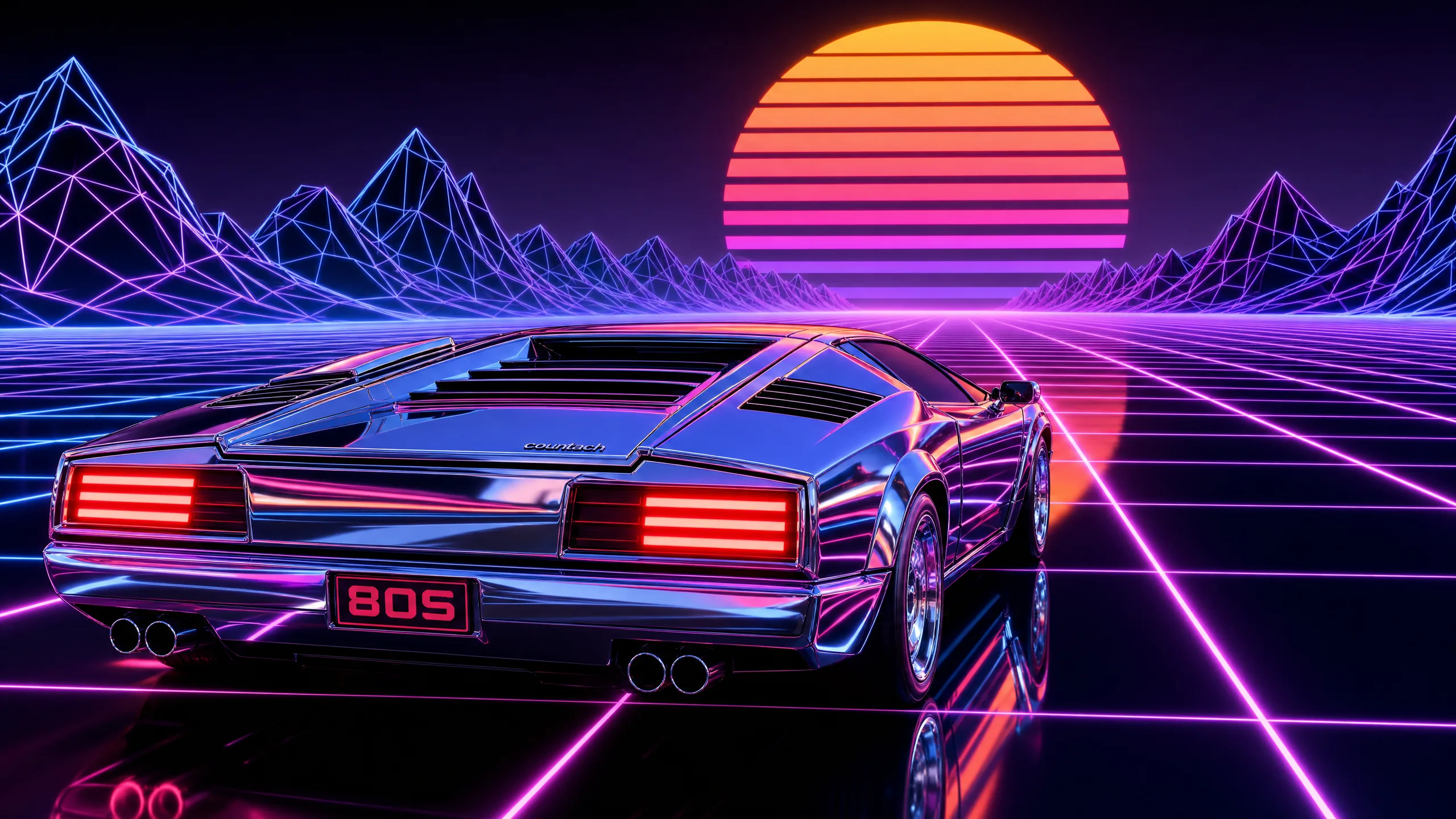
Visual fingerprint. Neon magenta and electric blue dominant, chrome 3D type, sunset gradient from orange to purple, grid lines vanishing to the horizon, wireframe mountains, either a sports car silhouette or a setting sun cut into bands. Glossy and high-energy, not lo-fi.
Anchor keywords. 80s retro synthwave, chrome 3D type, neon magenta and electric blue, sunset gradient, grid floor to horizon, wireframe mountains, glossy.
Named anchor. Hajime Sorayama for the chrome and pin-up futurism that defined the look, Patrick Nagel for the print-illustration version, Kavinsky album art for the music version.
Best-fit True Model. Nano Banana Pro for native 4K synthwave landscapes with crisp chrome typography baked into the composition. Ideogram 4.0 is the runner-up when the title text is the hero element and the landscape is a supporting backdrop.
Worked examples.
Nano Banana Pro:
An 80s retro synthwave poster with the title MIDNIGHT DRIVE in glossy chrome 3D type with hard reflections. Sunset gradient background from orange to purple, grid floor receding to a horizon, wireframe mountains, neon magenta and electric blue accents, sports car silhouette in the middle ground. In the chrome futurism of Hajime Sorayama. Render at 4K, 16:9.
Ideogram 4.0:
{ "high_level_description": "An 80s retro synthwave poster, title MIDNIGHT DRIVE in glossy chrome 3D type. Sunset gradient, grid floor, wireframe mountains, sports car silhouette.", "style_description": "Synthwave glossy, chrome 3D type with hard reflections, in the chrome futurism of Hajime Sorayama", "compositional_deconstruction": "16:9, title upper third spanning full width, landscape lower two thirds", "palette": ["#FF2EA6", "#3B82F6", "#F97316", "#7C3AED"] }
Failure modes. Nano Banana Pro sometimes renders chrome as plastic; add “polished chrome with hard reflections, no plastic.” Ideogram 4.0 can drift into vaporwave (lo-fi) if you forget the glossy cue; specify “glossy, high contrast, no VHS scan lines.”
Negative Prompts and Weighting Syntax
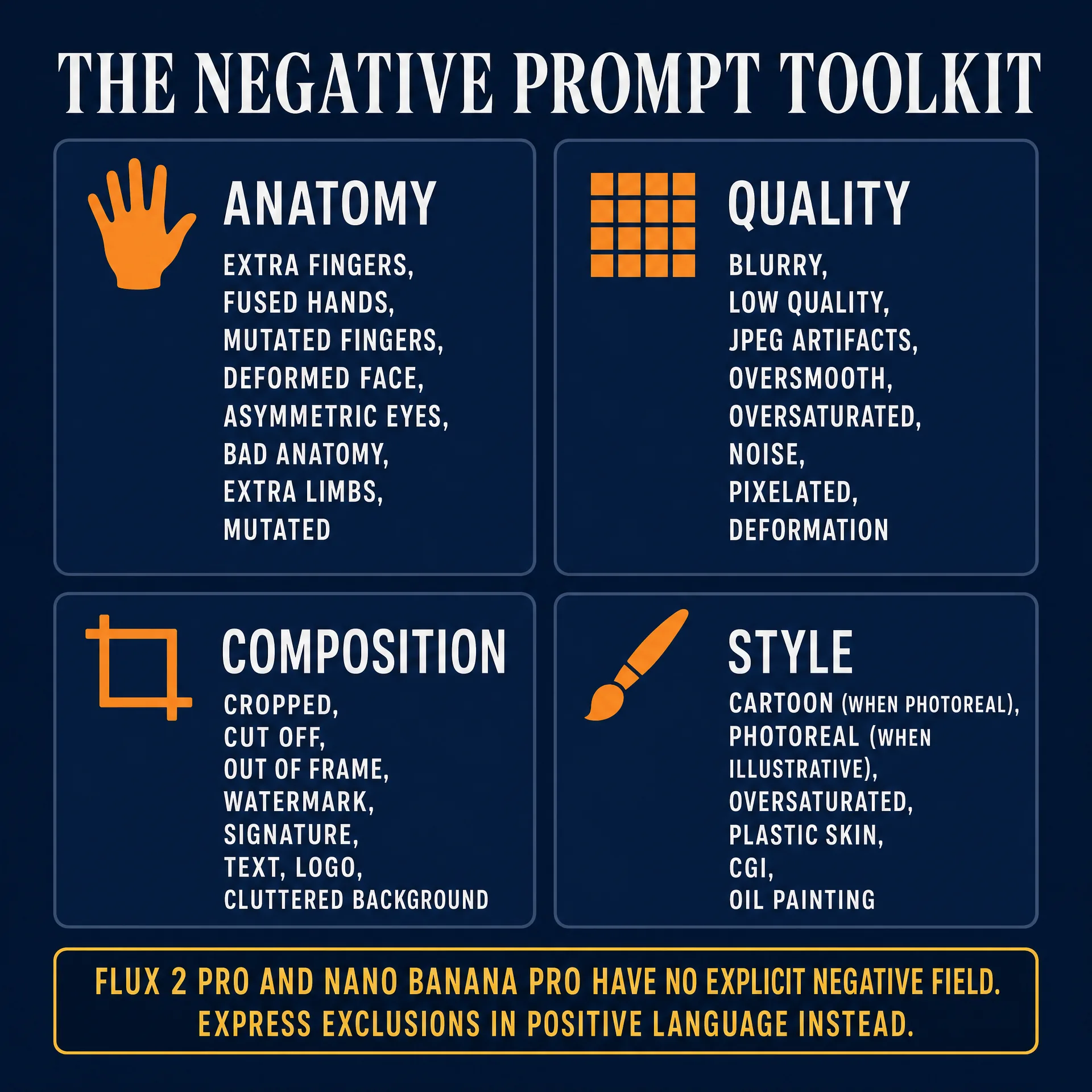
A negative prompt is an explicit list of tokens the model is told to push away from at sampling time. In diffusion models with classifier-free guidance, the sampler predicts a score conditioned on the positive prompt, predicts a second score on the negative, and moves the latent toward the first while away from the second. In transformer or vision-language models with no second branch, the negative folds into the natural-language prompt as an exclusion clause and routes through the same text encoder.
The token-budget economics matter. Image models accept a finite conditioning signal per generation. Every token spent on “highly detailed, ultra realistic, masterpiece, 8K, crisp, sharp focus, best quality” is a token not spent describing the actual image. Most of those quality boosters are LAION caption tags that conflate “tagged high quality on Pinterest” with “has good anatomy.” The result is style drift toward overlit CGI portraiture. Reserve positive tokens for content. Reserve negation for what to avoid.
Per-model syntax splits into three families:
| Model | Negative mechanism |
|---|---|
| Stable Diffusion (latest) | Full negative_prompt field, supports (token:1.4) weighting inside the negative |
| Flux 2 Pro | No dedicated field. Express exclusions as positive descriptive language. “Matte unretouched skin” beats “no plastic skin.” |
| GPT Image 2.0 | No dedicated field. Conversational exclusion in prose. Honors literal “do not” language. |
| Nano Banana Pro | No dedicated field. Count-specific positives (“exactly five fingers each”) outperform anatomy negatives. |
| Nano Banana 2 | Same family behavior as Pro. Positive count-specific language. |
| Reve 2.0 | No dedicated field. Layout-locked positive prose with explicit “no X” sentence at the end. |
| MAI-Image-2.5 | API supports an exclusion field; behavior closest to GPT Image 2.0. |
| Ideogram 4.0 | Dedicated negative_prompt field inside the JSON request, comma-separated, ~12 effective terms |
| Seedream 4.0 | Optional negative_prompt field on API and web UI. Bilingual Chinese-English. |
| Recraft V3 | No dedicated field. Disable the prompt-enhancement pipeline when you need exact control. |
| Grok Imagine image | No dedicated field. Conversational exclusion in prose. |
The standard 30 to 50 term toolkit, organized by purpose:
Anatomy negatives. extra fingers, missing fingers, fused fingers, mutated hands, extra limbs, missing limbs, deformed face, asymmetric eyes, crossed eyes, bad anatomy, malformed hands, elongated neck.
Quality negatives. blurry, low quality, jpeg artifacts, compression artifacts, oversaturated, oversharpened, noise, grain (only when undesired), pixelated, low resolution.
Composition negatives. cropped, cut off, out of frame, watermark, signature, text (unless text rendering is the goal), logo, copyright, timestamp, duplicate.
Style negatives. Use the inverse of the target style. cartoon (when targeting photoreal), 3D render (when targeting photoreal), photoreal (when targeting anime), plastic skin, HDR over-processing.
If you only paste three lines: extra fingers, fused fingers, mutated hands for anatomy, blurry, low quality, jpeg artifacts for quality, watermark, signature, text, cropped for composition.
The flow-matching wrinkle is academically important enough to flag. Flux 2 Pro and the newer Stable Diffusion checkpoints use flow matching, not classifier-free guidance, which means there is no architectural mechanism for a traditional negative prompt to push the model away from anything. Black Forest Labs has stated this publicly. The 2025 to 2026 academic literature names the mitigation techniques: Value Sign Flip (VSF), Safe Flow Matching with barrier functions, and Contrastive Classifier-Free Guidance (CCFG). The operator-side translation is simple: on Flux 2 Pro and modern Stable Diffusion checkpoints, rewrite your negative as a positive descriptive instruction. “Plastic skin” becomes “matte unretouched skin with visible pores.” “Extra fingers” becomes “exactly five clearly separated fingers.” On Ideogram, SDXL, and Seedream 4.0, the dedicated negative field still works.
The five-prompt benchmark below uses the same positive prompt across iterations and three API-available True Models to show the lift from progressively richer negatives. Positive (constant across all five): “Cinematic medium shot of a woman in a red leather jacket, standing in a neon-lit Tokyo alley at night, 35mm anamorphic lens, shallow depth of field.” Fixed seed, fixed sampler, identical aspect ratio.
Iteration 1, no negative. Stable Diffusion: six fingers on left hand, faint watermark texture, JPEG banding in shadows. Flux 2 Pro: hands tucked into pockets (avoidance pose), background sign reads “T0KY0” with garbled letters. Ideogram 4.0: clean composition and anatomy, but background signs carry watermark-style attribution text.
Iteration 2, add anatomy negatives (extra fingers, fused fingers, mutated hands, deformed face, asymmetric eyes). Stable Diffusion: hands resolve to five fingers, face symmetry improves, jacket fit cleans up. Flux 2 Pro (rewrite as positive: “exactly five clearly separated fingers each, symmetric face, clean jacket fit”): hands come out of pockets, fingers resolve. Ideogram: no visible delta because anatomy was already clean.
Iteration 3, add quality negatives. Stable Diffusion: banding gone, shadow detail improves, leather grain visible. Flux 2 Pro: saturation drops to realistic range. Ideogram: slight contrast softening, not strictly an improvement.
Iteration 4, add composition negatives. Stable Diffusion: watermark gone, frame composition tightens. This is the largest single jump across the benchmark. Flux 2 Pro: garbled background text removed; signs now read as illegible neon glow rather than failed text. Ideogram: background watermark text gone.
Iteration 5, add style negatives (plastic skin, CGI render). Stable Diffusion: skin texture pulls toward film-realistic pores. Flux 2 Pro: skin shifts off the default oversmoothed render. Ideogram: minimal delta.
The summary: the largest single lift is iteration 4 (composition negatives), driven by watermark and text removal. The smallest is iteration 5. Operator rule: anatomy and composition negatives are mandatory on SD and Ideogram, useful (as positive rewrites) on Flux 2 Pro, redundant on Nano Banana Pro and GPT Image 2.0 because the underlying models already handle anatomy and embedded text well. Quality negatives are high-value on SD, low-value on Ideogram. Style negatives are model-specific.
Midjourney V8.1 Parameter Reference (Discord-Only Sidebar)
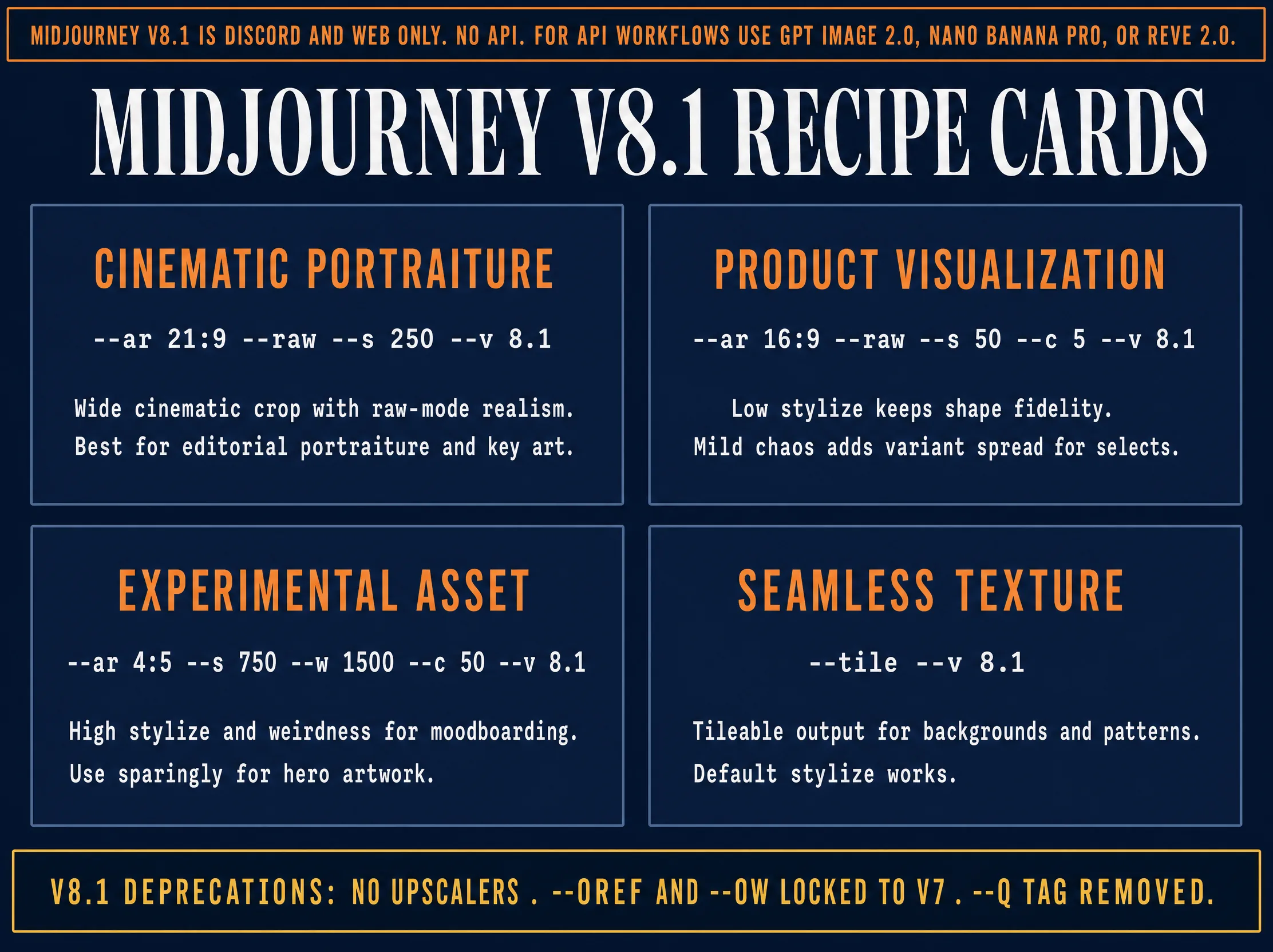
Midjourney V8.1 is NOT API-available. The parameter reference below is for operators using the Discord or web interface. If your workflow requires an API call (fal.ai, n8n, Zapier, your own backend), use GPT Image 2.0, Nano Banana Pro, Reve 2.0, Ideogram 4.0, Flux 2 Pro, or any other Tier 1 or Tier 2 API model documented in the porting guide. We keep this reference because a meaningful chunk of the AVB community still runs Midjourney for editorial cinematic work on the Discord bot, and the V8.1 parameter surface changed enough at the June 10, 2026 default switch to deserve documentation.
Midjourney V8 entered internal testing in January 2026. V8 Alpha shipped to the website on March 17, 2026. V8.1 Alpha followed on April 14, 2026, and V8.1 released April 30, 2026. V8.1 was promoted to the default model on June 10, 2026.
V8 was a ground-up GPU-native rewrite. Jobs render roughly 4 to 5 times faster than V7 on equivalent prompts. The compute economics work out to about 1.33 GPU minutes per HD job and native 2048-pixel output without an upscaling pass.
Three V8.1 deprecations matter operationally and are the cause of most “why isn’t my prompt working” reports inside r/midjourney since the June 10 default switch.
First, V8.1 does NOT support the Midjourney upscalers. The upscale buttons that worked on V7 are not present on V8.1 outputs. Use --hd at generation time instead.
Second, --oref (omni-reference) and --ow (omni-weight) are locked to V7. They do not run on V8.1. Use --cref plus --cw for character continuity on V8.1.
Third, the --q quality tag is deprecated on V8.1. V8.1 jobs compute at the GPU-native quality of the model; the --q parameter is silently ignored.
Midjourney V8.1’s parser counts words (not tokens). Prompts beyond roughly 60 words trigger the built-in Prompt Shortener, which compresses to fit. Aim for tight, descriptive prompts under that limit. Operators who paste 200-word ChatGPT-generated prompts find the back half ignored.
The 15 primary parameters:
--ar W:Haspect ratio. Default 1:1. Full range 1:14 to 14:1.--sstylize. Range 0 to 1000. Default 100. Lower for prompt fidelity, higher for the house style.--cchaos. Range 0 to 100. Default 0. Varies the four-image grid.--wweird. Range 0 to 3000. Default 0. Pushes off-distribution.--vversion. Default 8.1 as of June 10, 2026.--ppersonalize. Applies the account’s trained profile. The V8.1 sweet spot is--p 50.--rawstyle raw. Disables the aesthetic beautification pass. Photoreal default.--niji 7routes to the anime sub-model.--seedinteger 0 to 4294967295. Locks the noise field for reproducibility.--stop10 to 100. Cuts rendering early for softer outputs.--tileboolean. Produces seamless tileable textures.--sref URLstyle reference. Pair with--sw0 to 1000.--cref URLcharacter reference. Pair with--cw0 to 100.--no token1, token2negative prompt.--iw0 to 3. Weight of image reference vs text.
Three AVB-tested combination recipes for Discord-bound operators:
Cinematic portraiture. [subject description] --raw --s 100 --ar 4:5 --hd --no plastic skin, overlit, retouched, beauty filter. Why it works: --raw turns off the aesthetic bias, --s 100 keeps the model honest, the 4:5 frame matches editorial portrait conventions, --hd delivers 2K for print.
Product visualization. [product description] on [surface] under [light source] --raw --s 50 --ar 3:2 --hd. Why it works: low stylize forces accurate material rendering, the 3:2 ratio matches DSLR sensor framing, --hd recovers fine-grained surface texture.
Experimental asset. [subject] --weird 1500 --c 50 --ar 1:1 --s 400. Why it works: high weird plus high chaos plus high stylize lets the model push past its defaults. Use for album covers, gallery prints, music posters, anything where surprise is the goal.
The bottom line: Midjourney V8.1 is operationally useful for cinematic editorial work but it cannot anchor an API-driven workflow. The next section documents the 11 API-available True Models that can.
Per-Model Syntax Porting Guide (11 API-Available True Models)
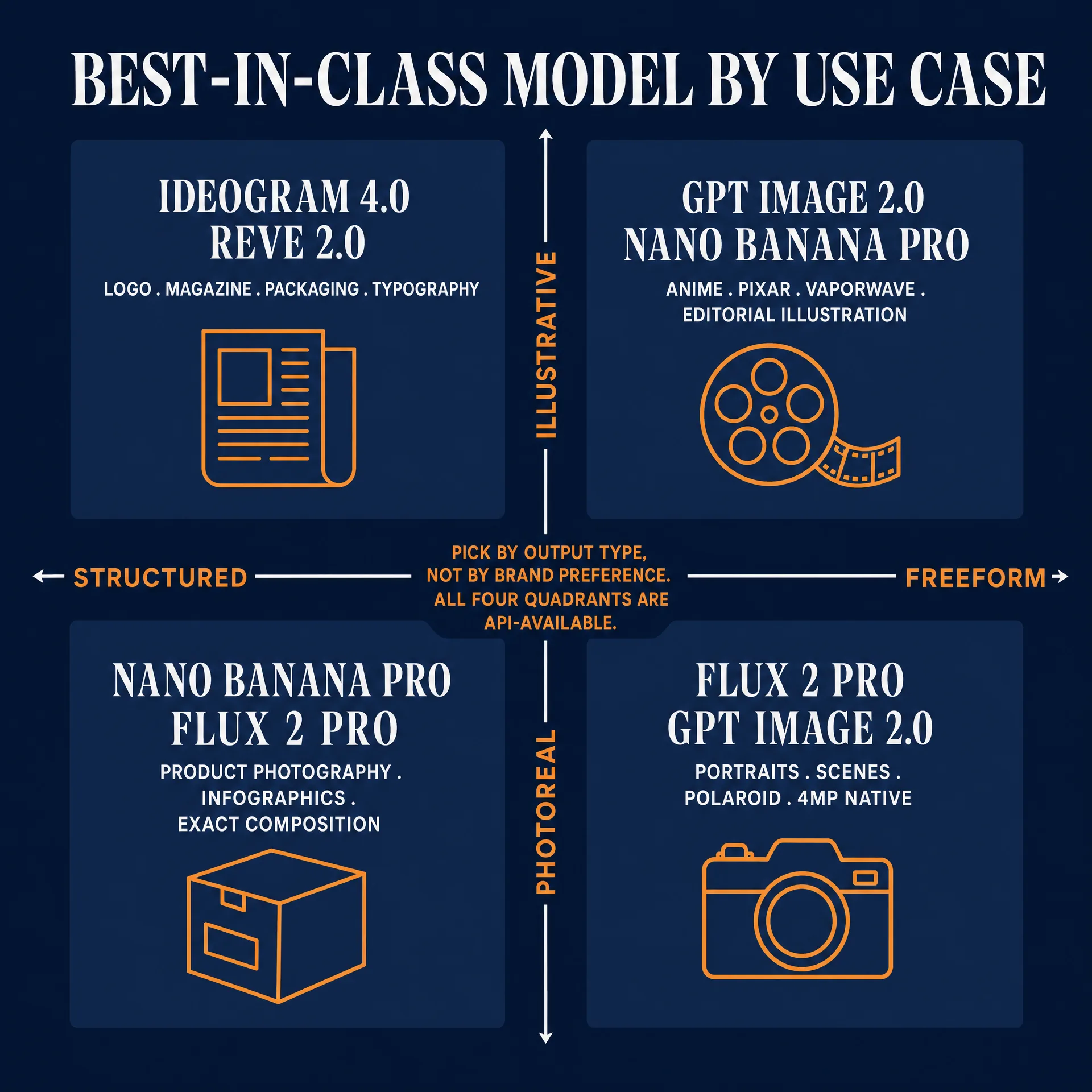
The same prompt intent must be rewritten across the 11 API-available True Models because every model parses through a different text encoder, tokenizer, and attention budget. The porting work is in the Style and Technical slots, not the Subject slot.
Consider this intent across the table: “a 40-year-old fisherman, weathered face, golden hour portrait, shot on 85mm f/1.4, Kodak Portra 400 grade, shallow depth of field.”
| Model | Input paradigm | Word budget | AR mechanism | Negative mechanism | Reference mechanism | Best-in-class use | fal.ai or official price |
|---|---|---|---|---|---|---|---|
| GPT Image 2.0 | Conversational paragraph | No practical limit | size API param or in-prompt | Conversational exclusion | Image input as visual context | Composition, edit fidelity, legible embedded text, conversational control | OpenAI Images API; ChatGPT Enterprise indemnified |
| Nano Banana Pro | Conversational natural language | 50 to 80 | aspect_ratio API param | Positive count-specific language | Multi-image Gemini interface, up to 14 refs | Legible long-form text, native 4K, Google real-world knowledge, infographics | fal.ai $0.15/img at 1K-2K, $0.30/img at 4K |
| Nano Banana 2 | Conversational natural language | 50 to 80 | aspect_ratio API param | Positive count-specific language | Multi-image Gemini interface | Fast and cheap iteration loop, multi-reference editing | fal.ai $0.06/img at 512px, $0.08/img at 1K |
| Reve 2.0 | Layout-first prose plus typography pass | ~120 words | size or layout JSON | Positive prose with “no X” tail | Reference image upload (app) | Posters, packaging, UI mockups, native 4K typography | App-only: Lite $7.99/mo, Pro $19.99/mo, ~$0.01/img via credit packs |
| Ideogram 4.0 | JSON schema plus prose | ~300 tokens in prose | aspect_ratio or layout JSON | Dedicated negative_prompt field | style_reference | Typography, structured layouts, hex-color palettes | fal.ai $0.03 Turbo / $0.06 Balanced / $0.10 Quality per MP |
| Flux 2 Pro | Hybrid prose plus tokens | 100 to 150 | aspect_ratio API param | Positive descriptive language | image_prompt with strength 0 to 1 | Composition adherence on complex scenes, photoreal, 4MP native | fal.ai $0.03/MP |
| MAI-Image-2.5 | Natural language Azure native | 100 to 150 | size API param | Exclusion field plus prose | Image-to-image input | Azure-native enterprise, photoreal, controllable i2i at scale | Azure Foundry: hourly from $0.36/hr; tokens $5/M input + $33/M image output |
| Seedream 4.0 | Hybrid plus omni-reference | ~80 to 120 | aspect_ratio API enum | Optional negative_prompt | 12-slot omni-reference | Anime, character consistency across scenes | fal.ai ~$0.04/img |
| Recraft V3 | Prose plus style ID plus palette | ~60 to 100 | size API param | Optional negative_prompt | style_id library plus brand palette | Vector graphics, brand-locked campaigns, SVG export | Pro Plan API tier |
| Grok Imagine image | Conversational natural language | ~80 words | aspect_ratio API param | Conversational exclusion | Limited reference support | X-native distribution, punchy lifestyle, cheapest tier | xAI API $0.02/img at 1K/2K base, $0.05 to $0.07/img quality tier |
| Stable Diffusion (latest) | Comma tokens with (token:1.3) weighting | 75 tokens per CLIP chunk, 512 on T5 | width and height integers | Full dedicated negative_prompt field | ControlNet ecosystem, IP-Adapter, LoRA | Open-source flexibility, ControlNet conditioning, self-host privacy | Self-host or fal.ai-hosted variants |
The Ideogram 4.0 hex-vs-name color rule deserves its own line. “Deep navy blue” in the prose prompt produces an unpredictable muddy wash. #1B2A4E in the palette array guarantees brand accuracy. If the brand book says #0F1F3D, put #0F1F3D in the palette. Color language is suggestive; hex is contractual.
Eight quick porting traps to watch:
GPT Image 2.0 to Flux 2 Pro is the cheapest port because both speak prose, but Flux 2 Pro weights Composition harder; restate framing and lens explicitly or the render drifts. GPT Image 2.0 to Nano Banana Pro: keep the embedded-text instructions; both models render legible copy well, but Nano Banana Pro weights Subject and Technical harder. Anything to Reve 2.0: the typography pass means you should pre-specify every text element (line count, font feel, position) or Reve will lay out text its way. Anything to Ideogram 4.0: move the spatial logic out of prose and into the layout JSON. Anything to Seedream 4.0: use the reference slots; a Seedream prompt without omni-reference leaves the main feature on the table. Anything to Recraft V3: lock the style ID first, then write the prompt. Anything to MAI-Image-2.5: ensure your Azure content filters are configured before generation or the API returns blocked outputs. Anything to Stable Diffusion: restore the aggressive negative. The natural-language True Models train operators out of long negation; SD demands it back. Grok Imagine image: do not ship client deliverables on it (no indemnification on consumer or API tiers); use it for X distribution where the workflow accepts that risk. For the per-model deep dives across every image generator in 2026, see the sibling pillar at /blog/ai-image-generators-az-encyclopedia-2026/. For the Grok-specific deep dive, see /blog/grok-imagine-complete-guide-2026/.
Reverse-Engineering Images Into Prompts
When the reference is a real-world image (client moodboard frame, competitor ad, Pinterest grab, film still) and the operator needs a prompt for any of the True Models, the bad answer is to eyeball it and type a guess. The good answer is a reverse-vision pipeline.
Six tools and methods with cost tier and best-fit use:
| Tool | Cost tier | Best-fit use |
|---|---|---|
| CLIP Interrogator (local) | Free | NDA client work, runs offline on local GPU |
| GPT-4o Vision (in ChatGPT) | Free with limits, $20/mo Plus | Cinematographic look you cannot articulate; pairs natively with GPT Image 2.0 |
| Gemini 2.5 Vision | Free with quota, $20/mo Advanced | Technical photographic references, lighting setups; pairs natively with Nano Banana Pro |
| img2prompt.io | Freemium, $9/mo unlimited | Quick one-off lookups |
| PromptHero / Civitai | Freemium | When the reference is itself an AI generation |
| EXIF / PNG-info | Free | Reading embedded generation metadata from fresh SD or Flux outputs |
Sort the tools by NDA exposure. NDA-safe (image never leaves your hardware): CLIP Interrogator local install, EXIF/PNG-info readers. NDA-risky (image uploads to a third-party server): GPT-4o Vision (OpenAI servers), Gemini Vision (Google servers), img2prompt.io, PromptHero, Civitai.
The tier-3 lift workflow is the AVB standard when the reference is a real-world image and the target is GPT Image 2.0 or Nano Banana Pro:
Step 1. Feed the image to GPT-4o Vision in ChatGPT. Ask for a single-paragraph prompt covering subject, composition, lens, lighting, color palette, mood, and texture. Save as your base.
Step 2. Feed the same image to Gemini 2.5 Vision. Ask Gemini to identify the era cues, named lighting setups, and any real-world location or product references that GPT-4o did not surface.
Step 3. Combine. Paste the GPT-4o paragraph into GPT Image 2.0 (for composition-led work) or Nano Banana Pro (for text-led or 4K work), then append the strongest 2 to 4 era and lighting anchors from Gemini.
Step 4. Roll 4 variations. Pick the closest. Use it as a reference image on the next roll to lock the style. Iterate 2 to 3 more times.
Total time: roughly 15 minutes for a result that working blind would take 2 hours to reach.
The privacy warning: every web-based image-to-prompt tool uploads your reference to a remote server. For NDA client work, an unreleased product render, a competitor’s pre-launch creative, an unreleased film still, USE LOCAL CLIP INTERROGATOR ONLY. That is the only tool that runs end-to-end on your machine with no network call. The one-sentence rule: if you would not send the reference image to your personal Gmail, do not send it to a web-based image-to-prompt tool either.
Named Operators to Follow
Six named voices worth citing, ranked by signal strength and by how directly their teaching maps to the article’s spine.
Linus Ekenstam (@LinusEkenstam). Around 199,900 followers on X as of June 2026. Bearly AI founder. Runs the Inside My Head newsletter on Substack. Signature technique: alt-text prompt logging. Every image he posts to X has the full prompt embedded in the alt text field. The community treats it as the canonical “show your work” pattern. Preferred models: Flux 2 Pro for photoreal brand work, GPT Image 2.0 for conversational edits.
Nick St. Pierre (@nickfloats). Around 200,000 followers across X and Instagram. Creative Director at OCA with client work for Meta, Google, Ogilvy, McKinney, and Nike. Signature technique: Additive Prompting and extreme multi-prompting via concept-weight balancing. His Maven cohort course had a 1,000-plus waitlist at launch. Preferred models: rotates between GPT Image 2.0, Nano Banana Pro, and Reve 2.0 depending on the brief.
Bilawal Sidhu (@bilawalsidhu). 1.4 million followers across platforms, 360 million-plus views. Former Google product manager (XR and 3D Maps), TED curator. Signature: blending AI image generation with spatial computing and 3D workflows, plus conversational image editing prompts that treat the model as a copy editor on a photo rather than a generator from scratch. Preferred model: Nano Banana Pro for conversational editing and 4K hero shots.
Ammaar Reshi (@ammaar). Roughly 54,000 to 100,000 followers across platforms. Product and Design Lead at Google AI Studio, previously design director at Brex. Signature: brand-system prompting (locking a small set of brand variables into a reusable template and varying only the subject across hundreds of assets) plus showcasing bleeding-edge Nano Banana Pro capabilities. Preferred models: GPT Image 2.0 and Nano Banana Pro for typographic and brand-asset work.
Heather Cooper (@HBCoop_). Creative Director at Prime Video and runs the most disciplined AI visual-content tutorial feed on X. Signature technique: controlled-variable comparison grids. Same prompt, same reference where applicable, four to ten models run in parallel, results posted as a 2x5 grid with one-line takes underneath mapping syntax differences. Teaches the reader to evaluate models by what they fail at, not by what looks pretty in isolation. Preferred model: rotates by use case across GPT Image 2.0, Nano Banana Pro, Reve 2.0, and Ideogram 4.0.
PJ Accetturo (@PJaccetturo). CEO of Genre.ai. The prompt engineer behind the Kalshi spot that aired during Game 3 of the 2025 NBA Finals (roughly $2,000 production cost over two days). Signature technique: brand-aligned strategic prompt engineering plus the five-prompts-at-a-time rule with full scene re-description. No prompt relies on context from the previous shot; each prompt fully re-describes setting, character, and tone every time. Pair with the 300-to-400-generations-for-15-usable-clips rule for the real production economics. Preferred models: GPT Image 2.0 and Flux 2 Pro for storyboard frames.
The Active 2026 Community Debates
The image-AI conversation in mid-2026 has consolidated into five live arguments.
1. Natural language vs comma-token prompting. The split now maps cleanly to model architecture. Flux 2 Pro, Nano Banana Pro, Nano Banana 2, GPT Image 2.0, Reve 2.0, MAI-Image-2.5, and Ideogram 4.0 use T5-class encoders trained on prose and reward grammatical English sentences. Stable Diffusion checkpoints (SDXL and earlier) route through CLIP-L and still tolerate tag stacks. Verdict: write in sentences for the natural-language True Models, keep tag stacks for SDXL and SD 1.5 LoRA workflows.
2. The “negative prompt is dead” debate on flow-matching models. The case for dead: Flux 2 Pro uses flow matching, not classifier-free guidance, so there is no architectural mechanism for a negative prompt to push the model away from anything. The 2025 VSF (Value Sign Flip) paper frames negative guidance in few-step models as an open research problem; Safe Flow Matching and Contrastive CFG (CCFG) are the proposed mitigations. The case for alive: r/StableDiffusion power users insist negatives are load-bearing in SD 1.5 LoRA workflows, in SDXL with ControlNet stacks, and in custom Flux distillations. Verdict: state both the architectural truth and the operational truth. Recommend compact targeted negatives in SDXL and Stable Diffusion. Leave them out of Flux 2 Pro, Nano Banana Pro, and GPT Image 2.0.
3. Nano Banana 2 vs Nano Banana Pro. The active fight inside r/GoogleAI since the November 20, 2025 dual launch. Users running high-volume social content prefer Nano Banana 2 because $0.06 per image at 1K beats $0.15 per image at the same resolution from Pro by a factor of 2.5. Users shipping packaging mockups and 4K hero shots stay on Pro for the legible long-form text and native 4K. Workaround: route the first 50 iterations through Nano Banana 2 to find the right composition, then re-render the winner on Nano Banana Pro at 4K. Both share the same SynthID watermarking and the same Google Cloud indemnity scope on enterprise Vertex.
4. Prompt-stealing ethics. CLIP interrogators can reverse-engineer any image in seconds. Three stable camps. Majority view: copying a prompt verbatim is fine, copying a named living artist’s style is not. Loud-on-X minority: even named styles are fine because style is not copyrightable in the United States. Smallest position, loudest on X #AIart: nothing is okay because source artists were never consented. The Disney v Midjourney filing (June 2025) and the live Andersen v Stability case have shifted this debate. Operator-side guidance: prompt by technique, era, lens, lighting, or art movement, never by named living artist or copyrighted character.
5. Folk-wisdom tokens. “Trending on artstation,” “4k 8k masterpiece,” “Unreal Engine 5,” “highly detailed,” and “ultra realistic” appear hundreds of thousands of times in the top-5000 Stable Diffusion prompts dataset. They were load-bearing on SD 1.5 because the training set associated them with curated outputs. On modern True Models they range from placebo to actively harmful. “Trending on artstation” is the strongest single placebo to retire: it biases the model toward a 2020 ArtStation hero illustration look most operators no longer want.
IP Indemnification by Model
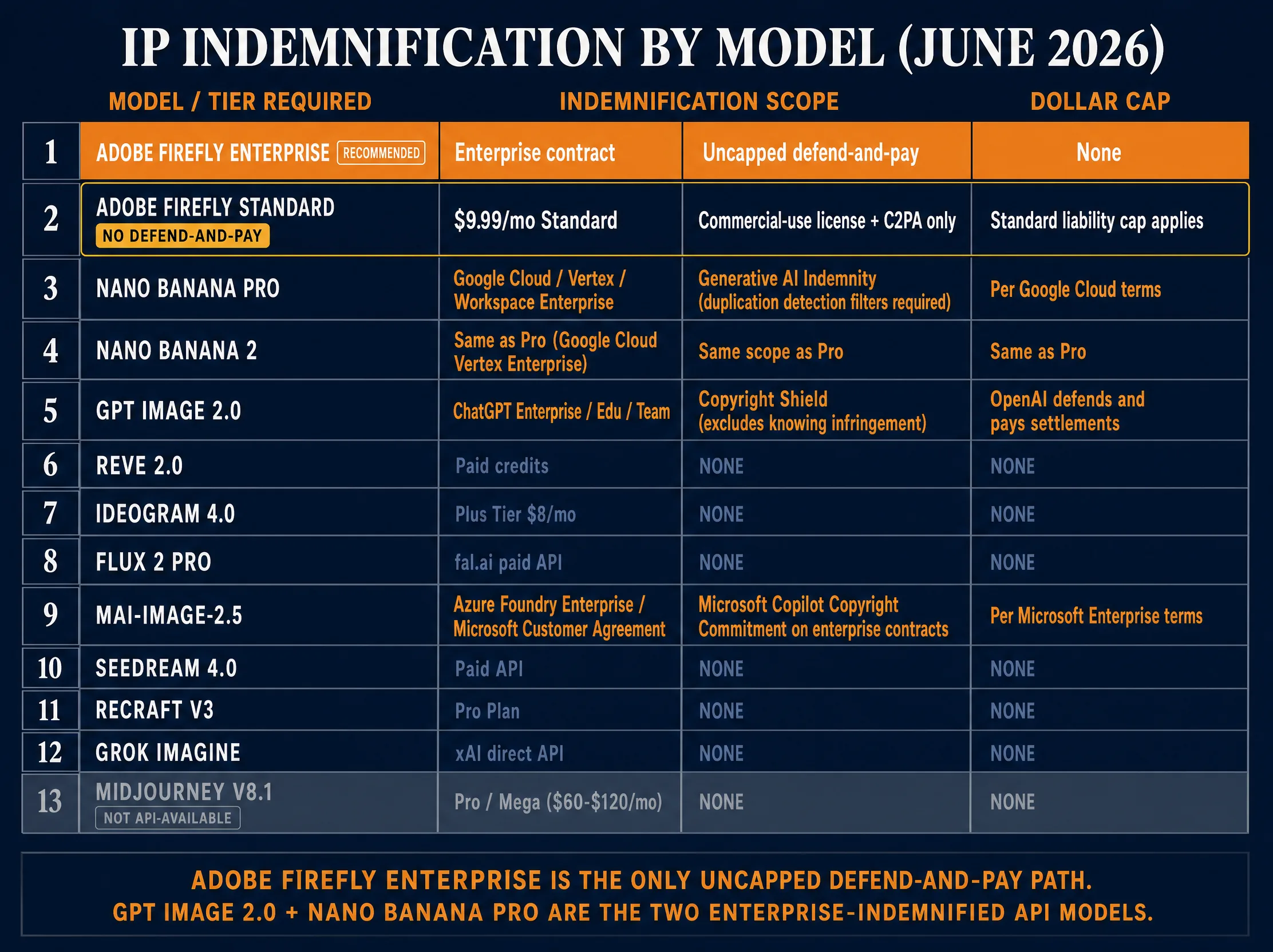
Indemnification is the operator’s seatbelt. If a client gets sued over a delivered image, the model provider defends the case and pays the judgment. Default tiers for most models offer no indemnification at all. Scopes vary sharply by provider and by tier inside the same provider.
The single most important distinction in 2026, and the one most often gotten wrong: Adobe Firefly Enterprise is not Adobe Firefly Standard.
Adobe Firefly Standard ($9.99 per month), Pro, and Premium consumer tiers buy a commercial-use license and access to Firefly’s clean training data (Adobe Stock licensed, openly licensed, public domain). They do NOT include defend-and-pay coverage. Adobe’s standard liability cap (typically 12 months of fees) applies. These tiers are excellent for commercially-safe training data, default C2PA embedding, and a $9.99 price point accessible to a solo operator. They are not legal defense.
Adobe Firefly Enterprise (custom pricing, 5-figure annual minimum) is a different product. Per Adobe Enterprise ToU Section 5 (Intellectual Property Indemnification for Firefly Generated Output), Adobe defends the customer against third-party claims that Firefly Generated Output infringes copyright, trademark, or rights of publicity. The standard liability cap is EXPLICITLY REMOVED for this indemnity. This is the “uncapped” indemnification the trade press writes about, and it is Enterprise-only.
Don’t conflate the two. Adobe Firefly Enterprise is the only commercial-image-model path in 2026 that ships with uncapped contractual IP indemnification. Adobe Firefly Standard at $9.99 per month gets you safe training data and C2PA, not defend-and-pay.
The full breakdown across the 11 API-available True Models plus Adobe Firefly and Midjourney:
| Model | Indemnification |
|---|---|
| Adobe Firefly Standard ($9.99/mo), Pro, Premium | Commercial-use license. Clean training data. NO defend-and-pay. Standard liability cap (12 months’ fees) applies. |
| Adobe Firefly Enterprise (custom pricing, 5-figure annual minimum) | “Uncapped” IP indemnification per Adobe Enterprise ToU Section 5. Adobe defends against copyright, trademark, and publicity claims on Firefly Generated Output. Standard liability cap removed. |
| GPT Image 2.0 (ChatGPT Enterprise, Edu, Team) | Copyright Shield. Excludes knowing infringement or disabling citations. Per-customer cap is contract-specific. |
| Nano Banana Pro (Google Cloud / Workspace Enterprise / Vertex AI) | Generative AI Indemnity per Google Cloud terms. Must use duplication detection filters. Two-part indemnity covers training data and generated output. |
| Nano Banana 2 (Google Cloud / Workspace Enterprise / Vertex AI) | Same Google Cloud Generative AI Indemnity scope as Nano Banana Pro. Enterprise Vertex AI or Workspace tier only. None on consumer Gemini AI Plus. |
| Reve 2.0 | NONE currently. Reve commercial-use license on paid credits and subscriptions. No public defend-and-pay tier from the independent lab. |
| Ideogram 4.0 | NONE on consumer Pro tier. Bespoke indemnification available only under a direct enterprise commercial license. |
| Flux 2 Pro (fal.ai default) | NONE. BFL grants commercial rights but does not publish a customer-facing indemnification commitment. fal.ai enterprise contracts can include riders. |
| MAI-Image-2.5 (Azure Foundry) | Microsoft Customer Agreement Copilot Copyright Commitment applies to Azure AI Foundry outputs (same indemnity umbrella as Azure OpenAI), subject to content filters being enabled. Cheapest indemnified tier: Azure Foundry hourly billing from $0.36/hr inside a Microsoft Customer Agreement. |
| Seedream 4.0 | NONE. ByteDance does not publish standard customer-facing indemnification. Enterprise licensing through BytePlus. |
| Recraft V3 | NONE (Free tier outputs owned by Recraft post-August 2024; paid tiers grant commercial ownership but no defense). |
| Grok Imagine image | NONE on consumer or API tiers. xAI Enterprise Customer Agreement is the only tier with IP indemnification. |
| Stable Diffusion (Stability Community License or Enterprise) | NONE on Community License. Indemnity is an Enterprise contract feature. |
| Midjourney V8.1 | NONE. Commercial rights granted on basic paid tiers. Over $1M revenue requires Pro ($60/mo) or Mega ($120/mo) tier. No legal defense. |
The five indemnification safe paths for client work:
- Adobe Firefly Enterprise contract. Uncapped defense on Firefly Generated Output. Clean licensed training data. Default C2PA emission.
- OpenAI ChatGPT Enterprise / Team / Edu for GPT Image 2.0 with Copyright Shield. C2PA-conformant since May 19, 2026, SynthID watermarked.
- Google Cloud / Vertex AI for Nano Banana Pro or Nano Banana 2. Two-part indemnity (training and output) per Service Specific Terms. SynthID by default, C2PA on Google image surfaces.
- Microsoft Customer Agreement covering Azure AI Foundry for MAI-Image-2.5. Standard Microsoft Copilot Copyright Commitment scope.
- A negotiated enterprise contract with BFL, Ideogram, ByteDance, Stability, Recraft, Reve AI, or xAI when the big four don’t cover the workflow.
For the full compliance deep dive, see /blog/ai-disclosure-compliance-2026-c2pa-eu-ai-act/.
Training Data Transparency by Model
The more a client deliverable can demonstrate clean lineage, the more defensible the engagement is under doctrines tested in Andersen v Stability AI and Getty v Stability AI.
| Model | Training data status | Opt-out mechanism | Embedded watermarking |
|---|---|---|---|
| Adobe Firefly | Clean. Adobe Stock licensed + openly licensed + public domain. Does not train on subscribers’ personal content. | N/A (no scraped content) | C2PA Content Credentials by default since launch |
| GPT Image 2.0 | Proprietary mix: licensed partnerships (AP, newsroom deals on text side), web-crawled | Partial through OpenAI’s data opt-out | C2PA conformant since May 19, 2026, SynthID watermarked |
| Nano Banana Pro | Proprietary mix: licensed partnerships (Shutterstock, Getty), web-crawled, synthetic | Partial through Google’s ai.txt support | SynthID by default, C2PA on Google surfaces |
| Nano Banana 2 | Proprietary mix; shares the Google generative training pipeline scope with Nano Banana Pro | Partial through Google’s ai.txt support | SynthID by default, C2PA on Google surfaces |
| Reve 2.0 | Undisclosed. Reve AI does not publish a training data card. | None published | None native (no default watermarking). C2PA mention status unconfirmed. |
| Ideogram 4.0 | Undisclosed. Open-weight release ships without a full dataset card | None published | None native |
| Flux 2 Pro | Mixed. BFL has stated training is weighted toward licensed datasets with some web-scraped material | Spawning.ai’s “Have I Been Trained” honored, ai.txt protocol supported | None native |
| MAI-Image-2.5 | Microsoft proprietary training. No public training-data disclosure. | None published | C2PA emission status: unconfirmed at publication. |
| Seedream 4.0 | Undisclosed. ByteDance does not publish sources | None published | None native |
| Recraft V3 | Undisclosed. | None published | None native |
| Grok Imagine image | Training includes the X corpus per xAI public disclosure; broader sources undisclosed. | None published | None native (no default watermarking). |
| Stable Diffusion (latest) | Mixed. SD 1.x and 2.x trained on LAION-5B and adjacent scraped sets. SD 3 and later use undisclosed proprietary mixes | Spawning.ai honored across Stability releases | None native on Stability checkpoints; SynthID available through Vertex AI hosting |
| Midjourney V8.1 | Undisclosed | None published | None native |
Spawning.ai’s “Have I Been Trained” portal at haveibeentrained.com is the canonical opt-out infrastructure as of 2026. Artists submit their work, the portal returns whether it appears in known training sets, and registered opt-outs propagate to participating providers. The ai.txt protocol (site-root file declaring training-data preferences, modeled on robots.txt) has been adopted by Spawning, Stability, BFL, and several smaller providers.
C2PA (Content Authenticity Initiative) is the leading interoperable provenance standard. As of June 2026, Adobe Firefly, GPT Image 2.0, and Google image surfaces emit C2PA manifests by default. Other True Models including Flux 2 Pro, Reve 2.0, Ideogram 4.0, Seedream 4.0, Recraft V3, Grok Imagine image, and Stability checkpoints do not emit C2PA natively. MAI-Image-2.5 C2PA emission status is unconfirmed at publication. SynthID is Google’s invisible watermarking system, embedded by default in both Nano Banana Pro and Nano Banana 2 output.
Style-Copying Legal Exposure
The 2026 docket has not overturned the longstanding “style is not protectable, but distinctive characters and identical outputs are” doctrine, but it has narrowed the safe operating window sharply.
Disney Enterprises Inc. et al. v. Midjourney Inc. (2:25-cv-05275, C.D. Cal.). Filed June 11, 2025. Statutory damages of $150,000 per infringed work under 17 U.S.C. 504(c). Expert discovery cut-off November 9, 2026. The complaint catalogues Midjourney user outputs of Darth Vader, Yoda, Iron Man, Spider-Man, Shrek, Homer Simpson, Minions, and other Disney and Universal characters. The core theory is not “Midjourney trained on copyrighted material” (the harder fair-use question) but “Midjourney produced, distributed, and profited from images of named copyrighted characters in response to prompts that named those characters.” That risk lands on the operator who shipped the image, not just on the model provider.
Getty Images v. Stability AI UK ([2025] EWHC 2863 (Ch)). November 4, 2025 judgment. The court found that the model itself is not an “infringing copy” under UK section 27 (the “no copies in the model” doctrine), giving a partial all-clear on training data. The court did find limited trademark infringement where earlier Stable Diffusion versions reproduced visible Getty or iStock watermarks under realistic prompting. Operator takeaway: a partial all-clear on training data, a clear warning on brand marks. If a model regurgitates a watermark or logo, the trademark cause of action is live even where copyright is not.
Andersen v. Stability AI (N.D. Cal., 3:23-cv-00201). Ongoing class action testing “in the style of” liability. The Third Amended Complaint moved forward in February 2026 with direct and induced infringement claims surviving. The court has allowed the style-theft theory past pleadings on the reasoning that prompts invoking a named artist may produce outputs substantially similar to that artist’s protected works. The doctrine is “style is not protectable”; Andersen says “if your prompt induces a substantially similar output, the style framing does not save you.”
The prevailing doctrine: style itself is not protectable, but distinctive characters and identical outputs are.
The five highest-risk prompting patterns that should NEVER appear in client deliverables:
- Named copyrighted characters (Mickey Mouse, Pikachu, the Mandalorian, Iron Man, Bart Simpson).
- Named living artists (the canonical example: “in the style of Greg Rutkowski”).
- Studio-brand style prompts (Disney style, Pixar style, Marvel cinematic style).
- Trade-dress descriptions that invoke a recognizable franchise without naming it (“the bounty hunter from the Star Wars spin-off with the silver helmet”).
- Watermark-bearing outputs from SD 1.5 or SDXL on prompts close to Getty’s evidentiary set.
The three safe alternative workflows:
First, substitute living artists with deceased masters in the public domain. Rembrandt (1606 to 1669), John Singer Sargent (1856 to 1925), Al Hirschfeld (1903 to 2003), Andy Warhol (1928 to 1987), Saul Bass (1920 to 1996), Paul Rand (1914 to 1996). Public domain or estate-managed names carry sharply lower exposure than living artists.
Second, describe visual fingerprints directly. “Chiaroscuro lighting, thick impasto strokes, warm earth-tone palette” not “in the style of Rembrandt.” Photographic technique, lens, lighting, era, and movement are not protectable. Names are.
Third, cite broad public-domain movements: Bauhaus, Art Deco, Impressionism, Cubism, Ukiyo-e woodblock, International Typographic Style, Memphis. Movement names carry the lowest legal exposure of any style anchor.
2026 Compliance Deadlines
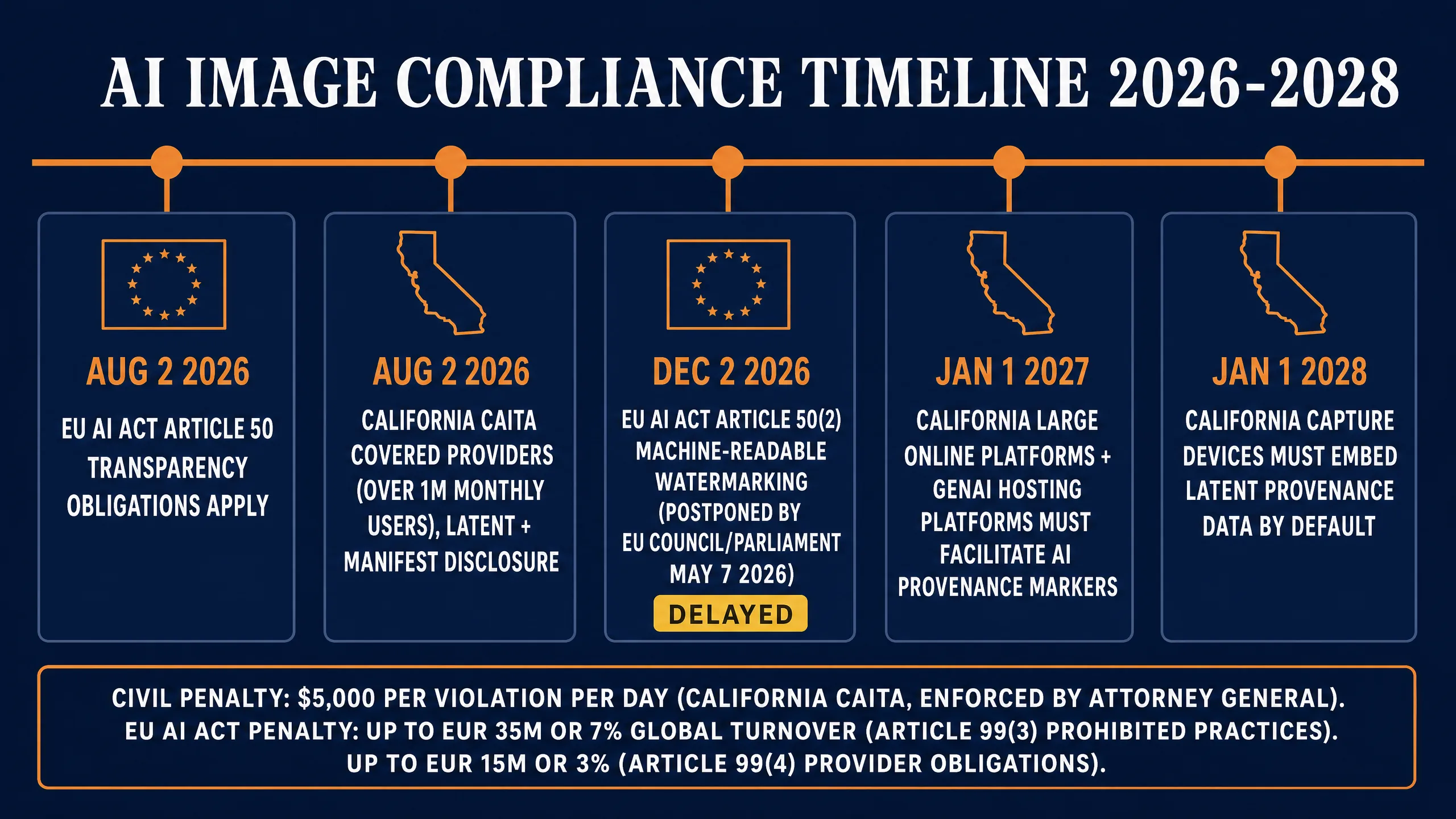
Three binding regulatory frameworks govern AI image disclosure for operators serving EU and California audiences.
EU AI Act Article 50 transparency obligations: August 2, 2026. Article 50(1), (3), and (4) require disclosure to natural persons interacting with AI systems, disclosure of emotion-recognition or biometric-categorization use, and disclosure of deepfake content representing real people, places, or events. For an image-prompting operator the binding part is Article 50(4): generated content that constitutes a deepfake must be disclosed as artificially generated or manipulated.
EU AI Act Article 50(2) machine-readable watermarking: postponed to December 2, 2026. Per the Digital Omnibus on AI provisional agreement reached at the EU Council and Parliament trilogue on May 7, 2026 under the Cypriot Council Presidency, the Article 50(2) machine-readable marking obligation for generative AI outputs is pushed from August 2 to December 2, 2026. From that date, providers must emit outputs marked in machine-readable format as artificially generated or manipulated, and the marking must be effective, interoperable, robust, and reliable as technically feasible.
California CAITA (SB 942 amended by AB 853). AB 853 was signed in October 2025. It delays SB 942’s effective date from January 1, 2026 to August 2, 2026 (deliberately aligned with the EU AI Act Article 50 date) and expands scope. The phased schedule:
- August 2, 2026: covered providers (over 1 million monthly users) must offer a free AI detection tool, embed latent (machine-readable) disclosures, and offer manifest (visible) disclosures.
- January 1, 2027: requirements extend to generative AI hosting platforms and large online platforms.
- January 1, 2028: capture-device manufacturers (camera and smartphone makers) must support provenance metadata at capture.
Penalties:
| Framework | Penalty |
|---|---|
| California CAITA | $5,000 per violation per day, enforced by the California Attorney General |
| EU AI Act Article 99(3) (prohibited practices) | Up to EUR 35 million or 7 percent of total worldwide annual turnover, whichever is higher |
| EU AI Act Article 99(4) (provider obligations non-compliance, including Article 50 transparency failures) | Up to EUR 15 million or 3 percent of total worldwide annual turnover, whichever is higher |
C2PA Content Credentials is the leading interoperable standard for satisfying both EU Article 50(2) and California CAITA latent-disclosure requirements. It is NOT explicitly mandated by either framework, but it is the de facto standard the major image providers are converging on. Adobe Firefly emits C2PA by default. GPT Image 2.0 has been C2PA-conformant since May 19, 2026. Google image surfaces emit C2PA plus SynthID for both Nano Banana Pro and Nano Banana 2. Other True Models including Flux 2 Pro, Reve 2.0, Ideogram 4.0, Seedream 4.0, Recraft V3, Grok Imagine image, and Stability checkpoints do not emit C2PA natively as of mid-2026.
Operator playbook: ship C2PA via Adobe Firefly, GPT Image 2.0 since May 2026, and all Google image surfaces. For models that do not emit, inject Content Credentials post-generation through Adobe’s CAI tooling before client handoff. Write training-data lineage and indemnification flow-down into your client contract. Specify the model, attach the provider’s terms or Copyright Shield reference, attest that the output carries Content Credentials, and require the client to maintain those credentials through publication.
US Business Framing for Operators Selling Client Work
The operator-side playbook collapses to four decisions.
Prompt by photographic technique, era, lens, lighting, or art movement. Never by named living artist, copyrighted character, or studio brand. Run every client prompt through the five-pattern substitution table in the legal section before generating.
Use Adobe Firefly Enterprise for indemnified commercial output, or contract directly with OpenAI (ChatGPT Enterprise / Team / Edu for GPT Image 2.0), Google Cloud (Nano Banana Pro or Nano Banana 2 via Vertex AI), or Microsoft (MAI-Image-2.5 via Azure AI Foundry under a Microsoft Customer Agreement) for their enterprise indemnity tiers. Adobe Firefly Standard at $9.99 per month is excellent for commercially-safe training data and C2PA embedding but is not legal defense; don’t sell it as such to clients.
Embed C2PA on every deliverable. For models that don’t emit natively (Flux 2 Pro, Reve 2.0, Ideogram 4.0, Seedream 4.0, Recraft V3, Grok Imagine image, Stability, Midjourney), inject Content Credentials before handoff.
Write training-data lineage and indemnification flow-down into your client contract. Specify the model used for each deliverable, attach the provider’s terms or Copyright Shield reference, attest C2PA carriage, and require the client to maintain the manifest through publication. For the freelance and agency career framing, see /blog/ai-video-career-guide-2026/.
The Cloud-Managed Path: PromptWise
PromptWise is AI Video Bootcamp’s own all-in-one AI creative studio, and it is only fair to say plainly that we built it. It exists for operators who want the 5-element grammar baked into the workflow, the newest API-available True Models routed automatically, and consistent characters held across every scene without the operator hand-managing reference slots.
The four positioning points:
Consistent characters across every scene. The omni-reference workflow that Seedream 4.0 ships, generalized across the True Models that support reference inputs, with the character pinned at the project level.
Newest models first. When a True Model updates, PromptWise routes new jobs through the current generation by default: Nano Banana Pro and Nano Banana 2, GPT Image 2.0 and 1.5, Flux.2 Pro, and the Seedream 5.0 Pro, 4.5 and 4.0 line. Operators do not have to chase release notes.
Purpose-built flows for ads and commercials. Templates pre-loaded for product hero, social tile, video storyboard frame, brand identity asset, and editorial portrait. Each template ships the 5-element prompt grammar with the right API-available True Model already selected.
C2PA by default on every export. Provenance manifests are injected on output regardless of which underlying model produced the frame, so deliverables ship compliance-ready for August 2, 2026.
PromptWise is the cloud-managed path for operators who want the playbook in a tool, not a notebook.
FAQ
What is the 5-element prompt grammar?
Subject, Style, Composition, Technical, Negatives, in that order. Subject is the noun and concrete descriptors. Style is the rendering medium plus one named anchor. Composition is framing and angle. Technical is lens, lighting, film stock, and color grade. Negatives are the exclusions. The grammar is portable across GPT Image 2.0, Nano Banana Pro, Nano Banana 2, Reve 2.0, Ideogram 4.0, Flux 2 Pro, MAI-Image-2.5, Seedream 4.0, Recraft V3, Grok Imagine image, and the latest Stable Diffusion.
Is Midjourney V8.1 the best AI image model overall?
No. Midjourney V8.1 produces excellent editorial cinematic work, but it has no API. Operators run it only through Discord or the Midjourney web interface, which removes it from any workflow that requires automation through fal.ai, n8n, Zapier, or a custom backend. For API-driven production workflows, the overall best models in 2026 are GPT Image 2.0 (composition, edit fidelity, embedded text), Nano Banana Pro (legible text, native 4K, Google real-world knowledge), and Reve 2.0 (layout and typography engineering). Pick by use case. Midjourney belongs in the editorial-cinematic toolbox but not at the center of an API-driven workflow.
What’s the difference between Nano Banana 2 and Nano Banana Pro?
They launched the same day (November 20, 2025) as a deliberate two-SKU family, not as sequential versions. Nano Banana 2 is the fast and cheap variant (Gemini 3.1 Flash Image), priced on fal.ai at $0.06 per image at 1K. Nano Banana Pro is the reasoning and 4K variant (Gemini 3 Pro Image), priced on fal.ai at $0.15 per image at 1K-2K and $0.30 per image at 4K. Use Nano Banana 2 for the first 50 iteration rolls and high-volume social content. Promote to Pro when you need 4K, legible long-form text, or the strongest Google real-world knowledge grounding. Both share SynthID watermarking and the same Google Cloud generative AI indemnity scope on enterprise Vertex AI or Workspace.
Should I use Reve 2.0 or GPT Image 2.0 for typography work?
Reve 2.0 if the deliverable is typography-first: posters, packaging, UI mockups, album covers, anything where the headline or wordmark is the hero and multi-line typography has to render legibly at native 4K. Reve runs a dedicated typography engineering step late in the diffusion pipeline that no other API-available True Model matches. GPT Image 2.0 if the deliverable is composition-first with a typographic element nested inside (a magazine cover where the photo dominates and the title sits over it, a hero shot with a small embedded caption). GPT Image 2.0 has the strongest edit fidelity of the API True Models so you can refine the typography over multiple turns inside ChatGPT. Reve 2.0 is currently app-only at app.reve.com; GPT Image 2.0 is available through the OpenAI Images API and ChatGPT.
Which AI image model gives me IP indemnification at the lowest price?
Adobe Firefly Enterprise is the only model with uncapped contractual indemnification, but it requires a custom enterprise contract with a 5-figure annual minimum. The cheapest indemnified tier among the API-available True Models is ChatGPT Team for GPT Image 2.0 Copyright Shield (around $30 per user per month, billed annually), followed by Google Workspace Enterprise for Nano Banana Pro and Nano Banana 2, and Azure AI Foundry hourly billing from $0.36/hour for MAI-Image-2.5 under a Microsoft Customer Agreement. Adobe Firefly Standard at $9.99 per month gets you clean training data and C2PA, but it does NOT include defend-and-pay coverage.
Can I prompt “in the style of Greg Rutkowski” for client work?
No. Named living artist style prompts are the highest-risk category in 2026. Andersen v Stability AI allowed the style-theft theory past pleadings, and the operator who shipped the image carries the exposure. Substitute with deceased public-domain masters (Rembrandt, Sargent, Hirschfeld), or describe the visual fingerprint directly (chiaroscuro lighting, thick impasto, warm earth tones).
Why do my negative prompts make Flux 2 Pro images worse?
Flux 2 Pro uses flow matching, not classifier-free guidance. There is no architectural mechanism for a traditional negative to push the model away from anything. T5-XXL parses your negation tokens as nouns to render, not concepts to suppress. Rewrite negatives as positive descriptive language: “matte unretouched skin with visible pores” instead of “no plastic skin.”
How do I prompt for Ghibli style without invoking Studio Ghibli?
Describe the visual fingerprint directly: “hand-drawn animation cel, soft watercolor background by Kazuo Oga, pastoral warm pastel palette, painted clouds, flat painted shading, no CGI.” Kazuo Oga (Ghibli’s background art director) is a safer anchor than the studio brand. Avoid naming Miyazaki or Studio Ghibli in commercial work; the studio has publicly opposed AI art and the brand-anchor pattern is a legal flag.
What’s the cheapest path to C2PA-stamped commercial output?
Adobe Firefly Standard at $9.99 per month emits C2PA Content Credentials by default. GPT Image 2.0 inside ChatGPT Plus at $20 per month has been C2PA-conformant since May 19, 2026 and embeds SynthID. Google’s Gemini app at the AI Plus tier ships SynthID by default with C2PA on Google surfaces for both Nano Banana Pro and Nano Banana 2. Note that C2PA emission does not equal indemnification: Firefly Standard gets you C2PA without defend-and-pay coverage.
Does Stable Diffusion give me any IP defense?
No on the Community License. Output ownership is retained by the user. Indemnification is an Enterprise contract feature negotiated with Stability AI. SD 1.x and 2.x training on LAION-5B is the legacy exposure driving the Andersen plaintiffs’ claims; using SD 1.5 or SDXL for client work in 2026 carries the highest open-source training-data risk.
What changes on August 2, 2026 for AI image creators?
Two frameworks take effect on the same date by design. EU AI Act Article 50(1), (3), and (4) transparency obligations enter application: deepfake content representing real people, places, or events must be disclosed as artificially generated. California CAITA covered providers (over 1 million monthly users) must offer a free AI detection tool, embed latent disclosures, and offer manifest disclosures. EU Article 50(2) machine-readable watermarking is postponed from this date to December 2, 2026.
How do I reverse-engineer a target image into a prompt?
For NDA-safe work, use CLIP Interrogator locally. For real-world reference images and an API-driven target, run the tier-3 lift: feed the image to GPT-4o Vision for a single-paragraph base prompt, run Gemini 2.5 Vision for era and lighting anchors, combine and append the strongest 2 to 4 anchors, then run the result in GPT Image 2.0 or Nano Banana Pro depending on whether the brief is composition-led or text-led.
Is Adobe Firefly Standard $9.99/mo enough for paid client work?
For commercially-safe training data and C2PA embedding, yes. For the defend-and-pay IP indemnification that lets you contractually promise legal defense to a client, no. That coverage is Adobe Firefly Enterprise only, and it carries a 5-figure annual minimum. Don’t conflate the tiers when you write client contracts.
The Verdict
If you take one thing from this cheat-sheet, take this. The 5-element grammar is the system: Subject, Style, Composition, Technical, Negatives, in that order, in every prompt, across every API-available True Model. The 15 cheat-sheets are the playbook for translating the system into specific style targets from photoreal portraiture to vaporwave poster work, with named real-world anchors and ready-to-paste examples in each model’s native syntax. The porting guide is the translation layer that ships one prompt intent across all 11 API-available True Models in 90 seconds per port.
GPT Image 2.0 and Nano Banana Pro are the production workhorses. Reve 2.0 is the typography and layout specialist. Adobe Firefly Enterprise is the indemnification floor for client work. Adobe Firefly Standard at $9.99 per month is excellent for clean training data and C2PA emission but is not legal defense. OpenAI ChatGPT Enterprise for GPT Image 2.0, Google Cloud for Nano Banana Pro and Nano Banana 2, and Microsoft Customer Agreement for MAI-Image-2.5 on Azure Foundry are the other indemnified paths. Every other True Model is a draft tool, not a deliverable tool, until you have a negotiated enterprise contract in hand. Midjourney V8.1 belongs in the editorial-cinematic toolbox but not at the center of an API-driven workflow, because it has no API and operators can only run it through Discord or the Midjourney web interface.
The August 2, 2026 EU AI Act Article 50 date is binding. The December 2, 2026 machine-readable watermarking date is binding. California CAITA covered-provider obligations land the same August day by design. Ship C2PA on every commercial deliverable. Write training-data lineage and indemnification flow-down into every client contract.
PromptWise is the cloud-managed path for operators who want the playbook baked into the tool, with consistent characters across scenes, the newest API-available True Models routed automatically, and C2PA on every export.
The 23,000 creators in the AI Video Bootcamp community test these prompts daily. The cheat-sheet works because the grammar is portable, the porting rules are explicit, and the legal posture is documented in writing instead of inferred from screenshots. Run the system, ship the work.
Daniel Riley, June 16, 2026.