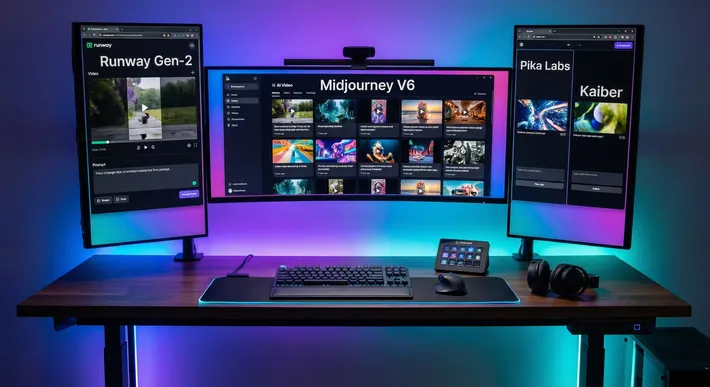
I Tested Every AI Video Generator in February 2026 — Here’s What Actually Won
February 2026 was the biggest month in AI video history. Kling dropped 4K/60fps. ByteDance launched Seedance 2.0 and Hollywood lost its mind. Hailuo 2.3 landed literally this week. The entire landscape reshuffled in under 30 days.
I spent the last three weeks testing every major AI video generator side by side. Same prompts. Same use cases. Same standards. I compared pricing, output quality, audio capabilities, ease of use, and real-world results for actual creators (not tech demos).
This isn’t a listicle slapped together from press releases. I generated hundreds of clips, read through dozens of Reddit threads, watched every comparison video on YouTube, and cross-referenced pricing against official sites.
Here’s what I found.
Quick Overview: The Final Rankings
Before we dive deep, here’s where everything landed:
| Rank | Tool | Best For | Starting Price | Audio? |
|---|---|---|---|---|
| 🥇 | Kling 3.0 | Best overall value + quality | Free | Yes |
| 🥈 | Seedance 2.0 | Creative control | Free (credits) | Yes (reference) |
| 🥉 | Veo 3.1 | Audio + cinematic polish | $7.99/mo | Yes (best) |
| 4 | Sora 2 | Physics + longest clips | $20/mo | Yes |
| 5 | Runway Gen-4 | Pro editing + VFX | $12/mo | No |
| 6 | Luma Dream Machine | Speed + beginners | Free | Limited |
| 7 | Pika 2.5 | Fun + social clips | Free | No |
| 8 | Hailuo (MiniMax) | Budget cinematic | Free (credits) | Limited |
| 9 | Wan 2.6 | Budget / open-source | ~$0.05/sec API | Yes |
| 10 | HeyGen | Talking head avatars | $24/mo | Yes (TTS) |
| 11 | Synthesia | Corporate training | $29/mo | Yes (TTS) |
Now let’s break every single one down.
🥇 1. Kling 3.0 — Best Overall
The bottom line: The people’s champion. Kling 3.0 is the first model to hit native 4K at 60fps, and it has a free tier that actually works. That combination is almost unfair.
Kuaishou dropped Kling 3.0 on February 4th and quietly changed the game. While Sora and Runway get the headlines, Kling has been steadily building the most complete package in AI video.
Specs
- Resolution: 4K (3840x2160) native. No other model does this.
- Frame rate: 60fps. Again, nobody else.
- Max duration: 15 seconds native, 60+ seconds with auto-stitching
- Audio: Native generation with lip-sync in 8 languages
- Inputs: Text, image(s), Motion Brush
Pricing
| Tier | Monthly Cost | What You Get |
|---|---|---|
| Free | $0 | 66 credits/day (several generations) |
| Standard | $6.99/mo | More credits, faster processing |
| Pro | $12-15/mo | Priority queue, extended features |
| Premier | $30-92/mo | Maximum quality, bulk generation |
API pricing: ~$0.029/sec via fal.ai (cheapest in class), ~$0.10/sec for Kling 3.0 Pro.
What Makes It Special
The 6-cut multi-shot system lets you generate narrative sequences where your character stays consistent across different camera angles. This is the feature that makes Kling irreplaceable for storytelling. If you’ve ever tried to make a character look the same across multiple AI-generated clips, you know the pain. Kling handles it better than anything else available.
Motion Brush lets you paint motion paths directly onto still images. Point at a character’s arm and draw where you want it to go. It’s intuitive and surprisingly precise.
The voice reference feature lets you upload a video clip to establish a consistent character voice. Combined with 8-language lip sync, you can create multilingual content from a single generation.
For a deeper look at how character consistency works across tools, check out our guide on how to keep your AI characters consistent across every scene.
Weaknesses
Audio quality can sound muffled. One Reddit user described it as “a sheet of aluminum over the microphone.” It’s not bad, but put it next to Veo 3.1’s audio and you hear the gap instantly.
There’s no video reference input, so you can’t teach it motion patterns from existing footage (Seedance 2.0 can do this). And there’s a distinctive visual aesthetic that some describe as “late 90s Asian art house.” It’s stylish, but not always what you want.
What Reddit Says
“Kling’s underrated for sure, character consistency is clutch.” Multiple creators on r/generativeAI lean toward Kling for personal projects because of the quality-to-price ratio. One user called it “the dark horse that deserves more hype.”
Verdict
If I could only recommend one tool, this is it. The free tier alone gives you 4K/60fps output that would have cost thousands in production value two years ago. The paid tiers are reasonably priced, the feature set is comprehensive, and the character consistency is best-in-class.
Best for: Social media creators, budget-conscious production, rapid prototyping, anyone who wants 4K without paying premium prices.
🥈 2. Seedance 2.0 — Most Creative Control
The bottom line: The most innovative tool in the lineup. Its 12-file multimodal input system is genuinely revolutionary. But it’s brand new, the community is small, and there’s a real learning curve.
ByteDance launched Seedance 2.0 on February 8th and immediately made CNN and TechCrunch headlines. Then Hollywood unions formally condemned it on February 15th. It’s that kind of tool.
Specs
- Resolution: Up to 2K (2560x1440), though some modes cap at 1080p
- Frame rate: 24fps
- Max duration: 15 seconds
- Audio: Reference-based (upload audio to match) plus native generation
- Inputs: Up to 9 images + 3 videos + 3 audio files + text (12 files total)
Pricing
| Tier | Cost | Notes |
|---|---|---|
| Free | $0 | Limited credits |
| Paid | Credit packages | No monthly commitment required |
| $20/mo tier | $20/mo | Caps at 720p (frustrating) |
API pricing: ~$0.05 per 5-second clip through budget providers, ~$0.60 for a 10-second 1080p clip with audio via WaveSpeed.
What Makes It Special
The @ reference system is unlike anything else. You can tag specific uploaded files for character reference, camera movement, environment, and audio. Upload a photo of your character, a video showing the camera motion you want, an image of the setting, and an audio track for the mood. Seedance processes all of it simultaneously.
Beat-sync is the killer feature for music creators. Upload a song, and the video cuts land on the beat automatically. Nobody else does this natively. For TikTok and Reels creators, this alone might justify the switch.
Camera control scored 9/10 in independent benchmarks. Highest of any model. You can upload a reference video and Seedance will replicate that exact camera movement with your content.
Weaknesses
The 15-second hard cap means no auto-stitching like Kling offers. The learning curve is real. Throwing 9 images at it doesn’t produce magic automatically. You need to understand which references to tag for which purpose.
The $20/mo tier being capped at 720p feels insulting in February 2026. The English-language community is still small, so finding tutorials and troubleshooting is harder than with established tools.
And then there’s the elephant in the room: Hollywood’s formal condemnation raises real questions about the training data and the long-term brand perception.
What the Community Says
Hacker News praised the 4-modality input as groundbreaking. Reddit called it “a notch above the rest” for creative control. But Curious Refuge tempered expectations: “powerful but overhyped. Lacks resolution and stability for major studio work.”
Verdict
Seedance 2.0 is the most forward-looking tool on this list. If you work with reference materials (mood boards, sample footage, music tracks), nothing else comes close. But it’s new, the community is thin, and you’ll spend time learning the reference system before it clicks.
Best for: Advertising agencies, music video creators, content remixing, anyone with specific reference materials they want to match.
🥉 3. Veo 3.1 — Best Audio + Cinematic Quality
The bottom line: If audio matters to your project, this is the only serious choice. Veo 3.1 generates dialogue, sound effects, ambient noise, and background music alongside the video in one pass. Nothing else sounds this good.
Specs
- Resolution: 1080p (4K on paid tiers)
- Frame rate: 24fps (cinema standard)
- Max duration: 8 seconds native (60+ seconds extended)
- Audio: Full native generation including dialogue, SFX, ambient, and music
- Inputs: Text + optional images, first-and-last-frame control
Pricing
| Tier | Monthly Cost | What You Get |
|---|---|---|
| Google AI Plus | $7.99/mo | Limited Veo access |
| Gemini Advanced | ~$20/mo | ~50 Veo 3.1 Fast videos |
API pricing: ~$0.10/sec via third-party (fal.ai), ~$0.20/sec with audio, up to $0.75/sec via Google’s direct API.
What Makes It Special
The audio pipeline is not bolted on after the fact. Audio and video are generated together, which means the sync is natural. A scene with waves crashing on rocks will automatically have ocean sounds, seagulls, wind. You don’t need to prompt for it.
First-and-last-frame control is a Veo exclusive. Define your starting image and ending image, and the AI generates the transition between them. This is phenomenal for controlled storytelling where you know exactly where a shot needs to start and end.
The overall visual quality has a broadcast “film” look with natural color grading and professional depth of field. It genuinely looks like it came out of a professional color suite.
For more on using AI audio in your video workflow, see our guide on AI voiceovers and sound design for short-form videos.
Weaknesses
The 8-second maximum is the shortest of any major tool. That’s a serious creative constraint. You’re looking at 4, 6, or 8-second fixed durations with no granular control.
Pricing gets expensive fast at the premium tier. And one Reddit user on r/advertising summed up the value question perfectly: “Veo 3.1 is impressive but honestly overkill for most marketing use cases. Unless you’re doing super high-end stuff the price jump isn’t worth it.”
Generation takes 2-3 minutes per clip, which adds up when you’re iterating.
Verdict
Veo 3.1 is the tool for projects where audio quality is non-negotiable. Commercials, dialogue scenes, cinematic shorts. The 8-second limit means you’ll be stitching clips in post, but each clip will sound and look professional enough for broadcast. The $7.99 Google AI Plus tier makes it surprisingly accessible for testing.
Best for: Dialogue-heavy content, commercials where audio matters, professional cinematography, broadcast-ready output.
4. Sora 2 — Best Physics + Longest Clips
The bottom line: Still the king of realistic physics simulation and the longest native clip duration. But the pricing is brutal and full quality requires a $200/month subscription.
Specs
- Resolution: 720p (Plus), 1080p (Pro)
- Frame rate: 24-30fps variable
- Max duration: 20-25 seconds (longest single clip in the market)
- Audio: Yes, including dialogue, foley, and ambient
- Inputs: Text + optional image
Pricing
| Tier | Monthly Cost | What You Get |
|---|---|---|
| ChatGPT Plus | $20/mo | 720p, ~50 generations, limited |
| ChatGPT Pro | $200/mo | 1080p, 10,000 credits, unlimited Sora |
There is no free tier. There is no standalone Sora subscription. You need a ChatGPT plan.
API pricing: $0.10/sec (Standard, 720p), $0.30-0.50/sec (Pro, up to 1792x1024).
What Makes It Special
Physics simulation is unmatched. Objects have real weight. Water flows correctly. Collisions look natural. If your content depends on realistic physical interactions (product demos, scientific visualization, action sequences), Sora handles it with a confidence no other tool matches.
The 20-25 second native clip length eliminates the stitching problem for short-form content. A single Sora generation can cover an entire TikTok or Reel without editing.
Storyboard mode lets you place different prompts at specific timestamps within one video, enabling timeline-based editing directly in the generation process.
Weaknesses
Let’s talk about the elephant in the room. $200/month for full-quality 1080p output. That’s the most expensive consumer option by a wide margin. The Plus tier at $20/month caps you at 720p, which feels stingy when Kling gives you 4K for free.
API access is more limited than competitors. No multimodal reference input. Audio quality is solid but clearly below Veo 3.1.
The community consensus is telling: “Sora 2 leads on brand” but “faced criticism for limited availability and high cost.” Name recognition far exceeds actual usage.
Verdict
Sora 2 is the right tool if you need physics accuracy and can stomach the price. For product demos where objects need to interact realistically, or action sequences where motion needs to feel grounded, nothing else comes close. But $200/month for 1080p is a hard sell when the competition offers 4K for free.
Best for: Product demos, scientific visualization, action sequences, physics-accurate content for creators who can afford the premium.
5. Runway Gen-4 — Best Editing Suite
The bottom line: Hollywood’s favorite for a reason. Aleph editing is genuinely game-changing for post-production. But no native audio in 2026 is a serious gap, and pricing runs steep.
Specs
- Resolution: 4K
- Max duration: 8-16 seconds (depending on model version)
- Audio: No native audio generation
- Key features: Aleph editing, Act-Two mocap, Workflows
Pricing
| Tier | Monthly Cost | What You Get |
|---|---|---|
| Free | $0 | 125 one-time credits (Gen-4 Turbo only) |
| Standard | $12/mo (annual) | Gen-4 access, 100GB storage |
| Pro | $28/mo (annual) | 2,250 credits, custom voice |
| Unlimited | $76/mo (annual) | Unlimited generations (relaxed rate) |
Monthly pricing runs higher: $15, $35, and $95 respectively without annual commitment.
API pricing: ~$0.05-0.15/sec via credits system. Gen-4 Turbo is 60% cheaper than standard.
What Makes It Special
Aleph is revolutionary. Generate a video, then edit it with text prompts after the fact. Add rain. Change the lighting. Remove an object. Swap the background. This is real-time VFX accessible to anyone who can type.
Act-Two captures motion from your smartphone camera and transfers it to any AI character. You literally perform the motion yourself, and the AI character mirrors it. This democratizes motion capture in a way that would have been unthinkable even a year ago.
Runway also has a Lionsgate partnership and is valued at $1.5 billion. The Hollywood legitimacy is real and the Workflows feature (node-based custom AI pipelines) puts it in a class of its own for professional post-production.
If you’re exploring the full editing and production pipeline, check out our complete beginner guide to making AI videos.
Weaknesses
No native audio generation is the biggest gap. In February 2026, when Veo, Kling, Sora, and Seedance all generate audio, Runway’s silence feels like a missing limb. You’ll need a separate audio tool for every clip.
Pricing at the Unlimited tier ($76-95/month) is expensive. And the output, while technically excellent, gets a specific criticism from Reddit: “Too polished, lacks character.” Another user noted “the quality is cinematic, but the 8-second limit is a major creative bottleneck.”
Verdict
Runway Gen-4 is the best tool for people who care about post-production control. Aleph editing is something nobody else offers. But the lack of audio means you’re always adding an extra step, and the pricing puts it out of reach for casual creators.
Best for: Filmmakers, VFX artists, marketing agencies needing post-production control, anyone who values editing capabilities over raw generation.
6. Luma Dream Machine — Fastest + Most Beginner-Friendly
The bottom line: The friendliest entry point into AI video. Sub-10-second generation times and a conversational interface mean you can go from idea to video faster than any other tool.
Specs
- Resolution: 720p (free), 1080p (paid)
- Max duration: 5-10 seconds (up to 60 seconds with Ray2 extensions)
- Audio: Limited
- Speed: Under 10 seconds generation (fastest in class)
Pricing
| Tier | Monthly Cost | What You Get |
|---|---|---|
| Free | $0 | 30 generations/mo, 720p, watermarked |
| Standard | $29.99/mo | 500 fast generations, 1080p, commercial use |
| Pro | Higher tier | 2,000 generations, priority processing |
API pricing: ~$0.34 per 5-second video. Available via Amazon Bedrock for enterprise.
What Makes It Special
Speed. Under 10 seconds from prompt to video. When you’re iterating on ideas and need quick visual feedback, Luma’s turnaround is unmatched.
The conversational interface strips away complexity. No prompt engineering degree required. Tell it what you want in plain language and it delivers something usable. Brainstorm mode suggests creative variations, which helps when you’re stuck.
With 25 million registered users, the community is massive. Finding help, inspiration, and shared prompts is easy.
If you’re just starting out, our best AI video tools for beginners guide walks through exactly how to build your first AI video stack.
Weaknesses
The 5-10 second clip limit per generation is restrictive. The credit system can get expensive for heavy users ($29.99/month adds up fast if you burn through 500 generations). And while Ray2 is solid for general use, it lacks the advanced editing features of Runway or the audio quality of Veo.
No Android app is a notable gap for mobile-first creators.
Verdict
Luma is where you start, not necessarily where you stay. It’s perfect for learning the ropes, rapid prototyping, and quick social media clips. Once your needs get more specific (better audio, longer clips, more control), you’ll likely graduate to a specialized tool.
Best for: Beginners, social media creators who need speed, rapid prototyping, anyone who hates complex prompting.
7. Pika 2.5 — Most Fun + Best Budget Entry
The bottom line: The most enjoyable tool to use. Great for social clips and experiments. Won’t compete with the top tier for serious production, but at $8/month, it doesn’t need to.
Specs
- Resolution: 1080p
- Max duration: 8 seconds
- Audio: No native generation
- Key feature: “Ingredients” (reference image system), Pikaframes for scene chaining
Pricing
| Tier | Monthly Cost | What You Get |
|---|---|---|
| Free | $0 | Limited generations |
| Standard | $8/mo | Solid generation allowance |
| Pro | $28/mo | Extended features, more credits |
What Makes It Special
Pika has the most “playful” energy of any tool. The interface is fun, the community (especially the Discord) is active and helpful, and features like Pikaframes for chaining scenes make experimentation easy.
At $8/month for the Standard tier, it’s the cheapest paid option on this list. Upgraded lip-sync in version 2.5 makes it surprisingly capable for talking-head-style social clips.
The “Ingredients” feature lets you upload a reference image to influence the generation style. It’s simpler than Seedance’s multi-file system, but also much easier to learn.
Weaknesses
8-second maximum duration. No native audio. Limited to one reference image via Ingredients. The quality ceiling is noticeably lower than Kling, Sora, or Veo for photorealistic content.
For serious production work, Pika is an appetizer, not the main course.
Verdict
If you’re on a tight budget and mainly creating social media content (TikTok, Reels, Shorts), Pika at $8/month is hard to beat. It won’t blow you away technically, but it’ll keep you creating consistently without draining your bank account.
Best for: Social media clips, quick experiments, beginners on a budget, TikTok/Reels content.
8. Hailuo AI (MiniMax) — The Underrated Pick
The bottom line: Genuinely competitive quality at budget pricing, with a team that ships fast. MiniMax just dropped Hailuo 2.3 this week. If you’ve never heard of it, you’re not alone, and that’s exactly why it’s underpriced.
Specs
- Resolution: 1080p native
- Max duration: 6-10 seconds
- Audio: Limited
- Latest model: Hailuo 2.3 (launched February 21, 2026)
Pricing
| Tier | Cost | Notes |
|---|---|---|
| Free | $0 | Limited credits |
| Pro | Subscription | Credit-based system |
| API | ~$0.08/sec | Via fal.ai |
Hailuo 2.3 Fast offers up to 50% cheaper batch creation.
What Makes It Special
MiniMax follows a “more for the same price” philosophy. Character rendering is excellent, motion quality is smooth, and the team iterates quickly. First/last frame workflows give you control over shot composition.
The rapid release cadence (2.3 dropped literally today) shows a team that’s actively pushing boundaries rather than coasting on brand recognition.
Weaknesses
Smaller community means fewer tutorials and less documentation. Audio capabilities are limited compared to the top three. The feature set is narrower than Kling or Runway.
Verdict
Hailuo is the sleeper pick on this list. If you want good quality at a low price and don’t need advanced features, it deserves a spot in your rotation. Keep an eye on 2.3.
Best for: Budget-conscious creators, character animation, anyone wanting solid quality without premium pricing.
9. Wan 2.6 (Alibaba) — Best Budget + Open Source
The bottom line: The cheapest cloud API option and the only major model you can self-host. Quality is a step below the leaders, but for high-volume work, the economics are unbeatable.
Specs
- Resolution: 1080p native
- Max duration: 5-10 seconds
- Audio: Yes (via API)
- Open source: Yes, fully self-hostable
Pricing
| Option | Cost | Notes |
|---|---|---|
| Cloud API (Alibaba) | $0.10-0.15/sec | Official pricing |
| Cloud API (fal.ai) | ~$0.05/sec | Budget third-party |
| Self-hosted | Free | Requires your own GPU |
At ~$0.25 per 5-second video, Wan 2.6 is the cheapest option for batch processing.
What Makes It Special
Open source means you can fine-tune it, self-host it, and integrate it into custom workflows without per-generation costs. For developers building AI video into apps or services, this is the obvious starting point.
The cloud API via fal.ai at $0.05/sec makes it viable even without your own hardware.
Weaknesses
Quality ceiling is noticeably below Kling, Sora, and Veo. The output is good for social media but lacks the cinematic polish of premium tools. The community skews technical/developer, so beginners may find less hand-holding.
For more on free and budget options, see our honest guide to free AI video generators.
Verdict
If you’re a developer, a high-volume creator, or someone who needs the cheapest per-clip cost, Wan 2.6 is your best friend. It’s a workhorse, not a show horse.
Best for: Developers, high-volume batch processing, budget projects, self-hosting enthusiasts.
10. HeyGen — Best for Talking Head Videos
The bottom line: A different animal entirely. HeyGen creates AI avatar videos for presentations, training, and marketing. It’s not a creative video generator. If you need a photorealistic human delivering a script, this is the gold standard.
Specs
- Type: AI avatar/talking head platform
- Resolution: 1080p+
- Max duration: Up to 3 minutes per video
- Audio: Full TTS with voice cloning, lip-sync in 175+ languages
Pricing
| Tier | Monthly Cost | What You Get |
|---|---|---|
| Free | $0 | Limited (3 min/video max) |
| Creator | $24-29/mo | Unlimited avatar videos |
| Business | $149/mo + $20/seat | Team features |
| Enterprise | Custom | Full customization |
What Makes It Special
Custom avatar creation lets you build a digital version of yourself (or a brand spokesperson) that can deliver any script in any of 175+ languages. Video translation/localization means you can take one video and automatically produce versions for global markets.
When to Use It (and When Not To)
Use HeyGen when you need a person talking to camera: product demos, course content, internal communications, sales outreach, multilingual marketing.
Don’t use HeyGen expecting Sora-style creative video generation. Comparing it to Kling is like comparing a teleprompter to a film camera. Both useful, completely different tools.
Verdict
If your use case is “I need a realistic human delivering a script,” HeyGen is the best option. Period. Just understand what it is and isn’t.
Best for: Corporate training, product demos, multilingual content, sales videos, course creation.
11. Synthesia — Best for Corporate Training
The bottom line: The enterprise version of HeyGen. More polished, more expensive, more focused on corporate and L&D use cases.
Specs
- Type: Enterprise avatar video platform
- Max duration: No hard limit (minutes-long videos)
- Audio: Full TTS in 140+ languages
Pricing
| Tier | Monthly Cost | What You Get |
|---|---|---|
| Starter | $29/mo ($18/mo annual) | Basic avatar videos |
| Creator | $89/mo ($64/mo annual) | Full feature set |
| Enterprise | Custom | Custom avatars, SSO, analytics |
What Makes It Special
Synthesia is built for organizations. SCORM compliance for LMS integration, enterprise SSO, analytics dashboards, custom branded avatars. If your company’s L&D team needs to produce training videos at scale, Synthesia streamlines the entire pipeline.
Verdict
The same caveat as HeyGen applies but more so: Synthesia is an enterprise avatar platform. Comparing it to Sora is like comparing PowerPoint to Photoshop. Both create visual content. Completely different purposes.
Best for: L&D teams, HR training, corporate communications, customer onboarding videos.
The Audio Scorecard: The Biggest Differentiator in 2026
Six months ago, most AI video generators produced silent output. Audio has become THE competitive differentiator, and the gap between leaders and laggards is massive.
| Model | Dialogue | Sound FX | Music | Lip-sync Languages | Audio Input |
|---|---|---|---|---|---|
| Veo 3.1 | ✅ Excellent | ✅ Excellent | ✅ Yes | 8+ | No |
| Seedance 2.0 | ✅ Via reference | ⚠️ Limited | ✅ Via reference | 8+ | ✅ Yes (unique) |
| Sora 2 | ✅ Good | ✅ Good | ✅ Yes | Limited | No |
| Kling 3.0 | ✅ Good | ✅ Good | ⚠️ Limited | 8 | No |
| Runway Gen-4 | ❌ No | ❌ No | ❌ No | N/A | No |
| Pika 2.5 | ❌ No | ❌ No | ❌ No | N/A | No |
| Luma Ray2 | ⚠️ Limited | ⚠️ Limited | ❌ No | N/A | No |
The takeaway is clear: if your content needs sound (and most content does), your shortlist is Veo 3.1, Seedance 2.0, Sora 2, or Kling 3.0. Runway and Pika’s silence is becoming a real liability.
For a deeper dive on building audio into your AI video workflow, check out our guide on AI voiceovers and sound design.
What You’ll Actually Spend: Real Cost Scenarios
Let’s get specific. Here’s what different workflows actually cost per month.
Scenario: 10 Short Videos Per Week for Social Media (5 seconds each)
| Tool | Monthly Cost | Quality Level |
|---|---|---|
| Kling 3.0 Free | $0 | Excellent (4K/60fps) |
| Wan 2.6 API | ~$2.50 | Good (1080p) |
| Pika Standard | $8/mo | Good (1080p) |
| Kling Pro | $12-15/mo | Excellent |
| Veo (Gemini Advanced) | $20/mo | Premium (with audio) |
| Sora (ChatGPT Plus) | $20/mo | Great (but 720p!) |
| Luma Standard | $29.99/mo | Very Good |
| Runway Unlimited | $95/mo | Premium (no audio) |
| Sora (ChatGPT Pro) | $200/mo | Premium (1080p) |
Look at that spread. Kling gives you 4K for free while Sora charges $200 for 1080p. The value equation isn’t even close.
API Cost Per 5-Second Video (With Audio Where Available)
| Model | Cost | Notes |
|---|---|---|
| Wan 2.6 | ~$0.25 | Cheapest |
| Kling 3.0 | ~$0.50 | Best value for quality |
| Seedance 2.0 | ~$0.60 | With full multimodal input |
| Sora 2 Standard | ~$0.50 | 720p only |
| Veo 3.1 | ~$1.00 | Audio included |
| Sora 2 Pro | ~$1.50-2.50 | Full quality |
For a broader perspective on turning AI video into revenue, read our AI video monetization models guide.
The “Best For” Awards
After testing everything, here are my picks for specific use cases:
🏆 Best Overall: Kling 3.0
The most complete package at the best price. 4K/60fps, native audio, character consistency, generous free tier. No other tool checks this many boxes.
🆓 Best Free Option: Kling 3.0
66 free credits per day at 4K/60fps quality with native audio. The free tier on most other tools is either too limited (Runway’s 125 one-time credits) or too low-resolution (Sora at 720p for $20/month). Kling’s free tier is genuinely usable for real work.
👶 Best for Beginners: Luma Dream Machine
Sub-10-second generation, conversational interface, no prompt engineering required. The learning curve is the gentlest in the industry. Start here, then branch out.
For a complete beginner’s path, see our getting started with AI video creation guide.
🎬 Best for Action/Physics: Sora 2
Nothing simulates physics like Sora. Objects have weight, collisions look real, gravity works. If your content depends on realistic physical interactions, Sora is worth the premium.
🗣️ Best for Talking Heads: HeyGen + Veo 3.1
For AI avatars delivering scripts: HeyGen ($24/month). For AI-generated characters with natural dialogue: Veo 3.1. Two different approaches, both excellent.
💰 Best Value: Kling 3.0 (consumer) / Wan 2.6 (API)
Kling delivers the best quality-per-dollar at consumer pricing. Wan 2.6 wins on raw cost-per-clip for API and batch workflows.
🎵 Best for Music/Creative: Seedance 2.0
Beat-sync, multi-file reference input, camera motion replication. If you’re creating music videos or heavily stylized content, Seedance’s creative control is unmatched.
🎙️ Best Audio: Veo 3.1
Not close. Integrated audio/video generation produces natural dialogue, contextual sound effects, and ambient noise that sounds like it was recorded on set.
What Real Creators Are Actually Using
Based on Reddit threads, YouTube comments, and community surveys, the picture of actual usage is different from the hype cycle.
Most Used by Real Creators
- Kling — The silent majority. Character consistency plus a real free tier equals massive organic adoption.
- Runway — Hollywood and agencies. Despite constant price complaints, the editing suite keeps pros locked in.
- Sora — High awareness but surprisingly low actual usage due to the $200 barrier for full quality.
- Veo — Growing fast through the Gemini ecosystem. The $7.99 Google AI Plus plan is expanding access to people who’d never pay Runway prices.
Most Hyped (But Less Used)
- Seedance 2.0 — Massive buzz from CNN and TechCrunch. Very new, small English community, steep learning curve for the reference system.
- Sora — Name recognition exceeds actual usage by a wide margin. The brand is doing heavy lifting.
- Runway Gen-4.5 — Highest benchmark scores but the $95/month unlimited plan limits who actually uses it.
The Sleepers
- Hailuo/MiniMax — Quality is competitive, pricing is right, awareness is low. Textbook undervalued.
- Wan 2.6 — Open source, dirt cheap, but requires more technical knowledge than most beginners want.
- Pika — Large community, fun features, overshadowed by the big four.
The Reddit consensus that keeps coming up: most experienced creators pay for 2-3 subscriptions and use each tool where it’s strongest. The fragmentation is real and expensive. Multi-model platforms like fal.ai (600+ models, lowest API prices) and Higgsfield (Kling + Veo + Sora in one place) are gaining traction specifically because nobody wants five separate subscriptions.
Key Trends Shaping AI Video Right Now
1. Audio Is the New Battleground
Silent video is dead. Models without native audio (Runway, Pika) are falling behind. Within six months, audio generation will be table stakes, not a differentiator.
2. Multimodal Input Is the Future
Seedance 2.0’s 12-file input system is a preview of where every tool is heading. The ability to reference images, videos, and audio simultaneously will become standard.
3. 4K/60fps Is Here
Kling 3.0 proved it’s possible at consumer pricing. Expect every major competitor to match this within months.
4. Chinese Models Dominate on Value
Kling, Seedance, Hailuo, Wan. Four of the top nine tools come from Chinese companies, and all four offer better price-to-quality ratios than their American competitors. This trend is accelerating.
5. The $200 Paywall Problem
Sora’s best features locked behind ChatGPT Pro is limiting adoption and pushing creators toward more accessible alternatives. OpenAI needs a standalone Sora subscription or a mid-tier pricing option.
6. Multi-Model Platforms Are Rising
Rather than committing to one tool, creators are gravitating toward platforms like fal.ai and Higgsfield that provide access to multiple models through a single interface and billing system.
FAQ
How do I choose between Kling 3.0 and Veo 3.1?
Kling wins on resolution (4K vs 1080p), frame rate (60fps vs 24fps), duration (15 sec + stitching vs 8 sec), and price (free tier vs $7.99/month minimum). Veo wins on audio quality (best in class), visual polish (broadcast “film” look), and start/end frame control. If your project needs great audio and cinematic color grading, go Veo. If you need high resolution, longer clips, or want to pay nothing, go Kling.
Is Sora 2 worth $200/month?
For most creators, no. The $200 ChatGPT Pro tier gets you 1080p output that Kling delivers for free at 4K. Where Sora justifies its price: physics-heavy content (product demos, scientific visualization), 20-25 second native clips that eliminate stitching, and the storyboard feature. If those specific capabilities are central to your workflow, it could be worth it. For general AI video creation, there are better values.
Can I use AI-generated videos commercially?
It depends on the tool and tier. Kling’s paid tiers include commercial rights. Luma’s free tier explicitly restricts commercial use (you need Standard at $29.99/month). Runway’s Standard tier and above include commercial licenses. Sora via ChatGPT includes commercial rights on both Plus and Pro. Always check the specific terms of your plan. Free tiers are almost always non-commercial or require attribution.
Which AI video generator has the best free tier?
Kling 3.0, and it’s not close. 66 credits per day at full 4K/60fps quality with native audio. Luma gives you 30 free generations per month at 720p with watermarks. Pika offers limited free generations. Runway gives 125 one-time credits for Gen-4 Turbo only. Hailuo and Seedance offer limited free credits. Sora has no free tier at all. For a complete breakdown, read our free AI video tools guide.
Do I need multiple subscriptions?
Honestly? Probably. The AI video market is fragmented right now. No single tool excels at everything. A common power-user stack is Kling (visual quality + free tier) combined with Veo 3.1 (audio-critical shots) and either Runway (post-production editing) or Seedance (creative control with references). Multi-model platforms like fal.ai are a smart alternative if you’re comfortable with APIs, since you pay per generation across 600+ models instead of maintaining separate subscriptions.
What about ComfyUI, Stable Diffusion, or other local/open-source tools?
This guide covers browser-based tools only. If you have the GPU hardware and technical knowledge, local tools like ComfyUI with Wan 2.6 or other open models offer maximum control and zero per-generation costs. But they require significant setup time, hardware investment, and technical comfort. For most creators reading this, the browser-based tools on this list will get you better results faster.
How fast is the AI video space changing? Will this guide be outdated soon?
Extremely fast. This article reflects the landscape as of February 21, 2026. Hailuo 2.3 literally launched today. Seedance 2.0 launched two weeks ago. The rankings can shift with any major release. We update our AI video generators ranked guide regularly to reflect new launches and pricing changes. Follow AI Video Bootcamp for real-time updates.
The Bottom Line
February 2026 gave us the clearest picture yet of where AI video is heading: native audio, 4K resolution, multimodal inputs, and increasingly aggressive pricing from Chinese competitors.
If you’re just getting started, open Kling 3.0 in your browser right now. The free tier gives you better output than what professionals paid thousands for just two years ago. Generate a few clips. See what’s possible.
If you’ve been in the game for a while, it’s time to reassess your stack. The tools that were best six months ago may not be best today. Kling’s 4K/60fps, Seedance’s multimodal input, and Veo’s audio pipeline are genuine leaps forward.
And if you’re still on the fence about whether AI video is “ready” for real work: the market is $4.8 billion with 42% Fortune 500 adoption. It’s not coming. It’s here.
The only question left is which tool fits your specific workflow. I hope this guide helped you figure that out.
Pricing and features verified as of February 21, 2026. This market moves fast. When in doubt, check official pricing pages before committing to a subscription.
Want to go deeper? Start with our complete beginner guide to AI video creation or explore our guide to AI video visuals and character consistency.