
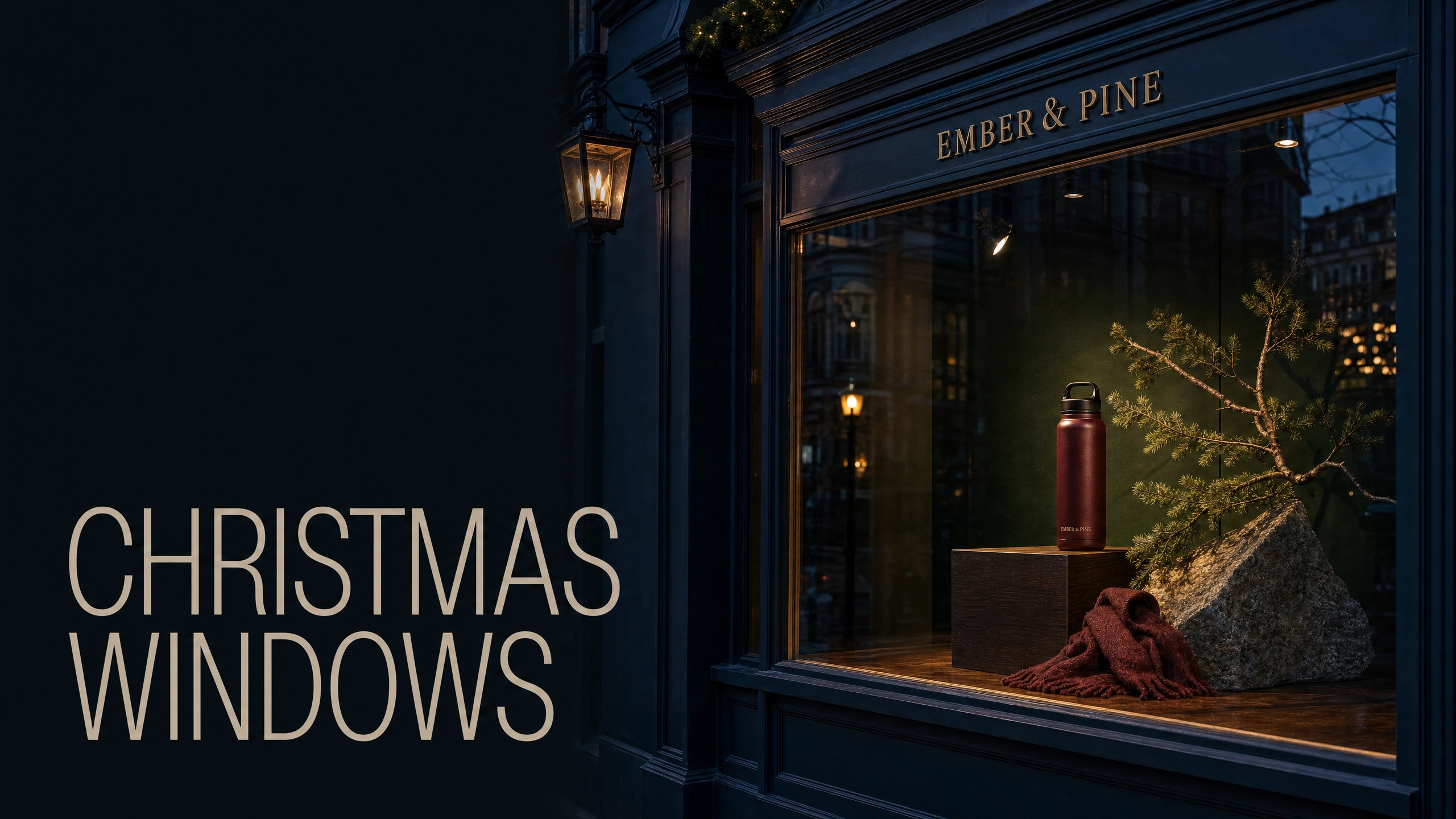
Stop buying all those Christmas decorations. Make a picture of the window you really want to have. Add your main product to it. Can you still tell what the shop sells?
An AI concept for you to consider would be useful as you could test out various different sets of props, printing and installation before committing to anything. Providing the shop owner with something tangible to look at and comment on would be really useful and would provide a solid starting point for discussion.
EMBER & PINE is a fictional outdoor brand with only one product to launch through shop windows for Christmas. Here is a possible first shop window concept to introduce the EMBER & PINE burgundy insulated flask to audiences for winter. It includes a dark wood setting with a single fir branch, a stone, and a wool scarf, and has a headline that reads “TAKE THE LONG WAY HOME”.
There is an even more elaborate version of this window, with lots of trees and lots of gifts and lots of baubles and lots of lights. But for this brief, with just one product to introduce, I would go with the simpler version of the window. It’s got lots of room for the flask to be seen as a gift for someone who enjoys winter walks.
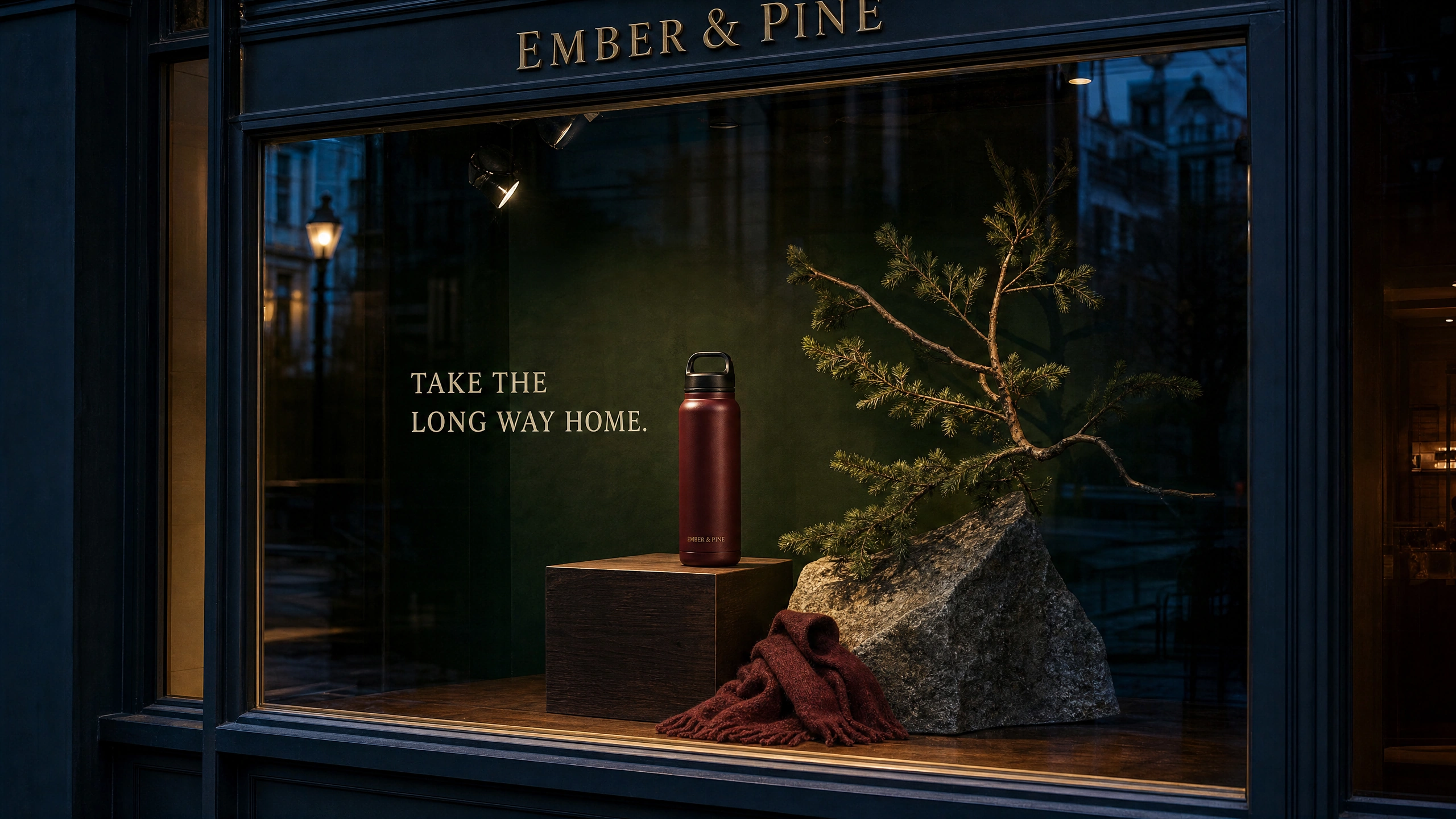
The quieter concept keeps one burgundy flask as the focal point. The shop and brand are fictional.
Give the window one job
Start with a sentence that describes what you want the window to make people do, and work from there. For example, “Make a passerby notice our flask as a gift for someone who enjoys winter walks”.
‘Make a passerby notice our flask as a gift for someone who enjoys winter walks’ — rather than ‘make a beautiful Christmas window’. The scarf in the window supports the outdoor story, the collection of random ornaments could look beautiful in a shop window but does not tell us why the flask has been chosen as the product to promote in that shop.
Decide on the main product, intended audience and key message for the window. Define one key action you want the viewer to do as a result of viewing the window. Go to the shop? Buy that product? Recognize that the shop sells lots of different sorts of gifts in one category? Keep it simple and realistic.
There is actually a lot to think about when it comes to planning out your displays and creating concepts for your shop windows – and for right now, to create a story around the products you sell within your shop. There’s been a lot of really great Christmas window displays this year already – such as Fenwick’s 2026 displays in Newcastle that were unveiled on November 1 and then opened to public to view from November 2.
Adapt this – don’t plagiarize it. Use the discipline of storytelling to create a display around the items your customers sell. Use the brand’s stuff as much as possible, within the boundaries of what you’re allowed to do with it.
If you need help describing materials and camera position, AI Video Bootcamp’s photorealistic prompting guide is a useful next read. The point of this exercise is to make the proposal believable enough to evaluate, not to make it look as though the installation has already happened.
Photograph the real space before you invent a better one
If you actually intend to produce and install something take photographs of the empty space and the product for the space. Mark the edges of the space on the photographs. Note the width, the height, and the usable depth of the space. Select a concept that uses a frame that is roughly the same proportion as the space (the landscape examples here are not universally shop-window like).
Take a photo of the space from the normal approach. The sign may look great from the front but be hidden from view from the side of the window or by the frame. Also take note of any spotlights, wall color and any reflections as these will need to be taken into account when designing the installation.
Make sure you are using the shop photographs as space references and the product photographs as identity references. Clearly state which is which reference if you are using several. State whether the second picture preserves the product or only suggests a mood.
Remember the EMBER & PINE examples, including the setup of the shop itself, were examples created to demonstrate the thinking. For real client work, use photographs of the actual space and product.
If you need further clarification for describing a material or a camera position, check out the AI Video Bootcamp’s great photorealistic prompting guide. What we’re trying to do here is create something believable enough for you to evaluate, not something that looks like we’ve already created the installation.
Build the first concept around the product
OpenAI has scheduled GPT Image 2’s API shutdown for February 10, 2027. Check current model availability before repeating these settings. All the examples on this page were created in PromptWise using GPT Image 2 at the 2K setting, high quality, in a landscape 16:9 frame.
First, choose the product. Then, surround it with props (staging) to create a scene around the product. So, important choices were: the burgundy branded flask, the dark-green background, the warm directional light coming from the upper left of the image and the surrounding space between the product and the staging props. The brand sign and headline (in cream) will form part of the identity of the shop.
Here is a starting prompt you can adapt:
“Create a realistic Christmas shop-window concept for EMBER & PINE. The core of the concept should be a single product on display (the burgundy insulated flask) on a dark oak plinth surrounded by a restricted winter-walk setting made up of one fir branch, a stone and a wool scarf. Views of the product should be clear and it should look great from all angles. Light should be warm and come from the upper left of the image. Background should be deep-green and there should be good glass reflections. The headline for the shop should read TAKE THE LONG WAY HOME. The supplied product and shop-window references should be preserved and no other products or signs should be added to the image.”
Replace “EMBER & PINE” with the client’s name, the chosen concept with the appropriate concept and tweak the reference images as necessary to include any aspects of the shop that must remain constant (such as logos, packaging, product colors, window frames etc). The view from the pavement of the finished concept can then be inspected by the designer for issues before being presented to the client.
Instead of listing out lots of fashionable adjectives (e.g. “luxury”, “cinematic”, “magical”, “stunning”) that do not actually inform the image generation (e.g. will the flask be bigger than the tree?), use the actual design problem in your written instructions.
Looking at our paper-cup campaign, it uses a similar approach for designing a campaign in a small setting: first define an emphasis for the ordinary product and then add styling around it.
Compare arrangements, then name the trade-off
This is not to start from scratch. Test out alternative ways to deliver the concept you have already accepted. Start from within that concept. Change the staging. Keep the product, the viewpoint, the headline the same as before as far as is possible.
Note how the many small very bright objects such as the EMBER & PINE gift boxes and lights compete with the flask for attention.
The simpler images are far better at making out the product within the display and the headline. I would choose the simpler image for the single product brief as it is far clearer than the more complex images. The darker background means that the highlight on the bottle creates more contrast and therefore makes out better than the images with lighter backgrounds.
These images illustrate design choices, not sales results. The edit also changed small textures, so this is not a controlled experiment. If I were to use either of these images as an ad, I would want to test the design in a sales test and compare results to see if there is any increase in foot traffic or sales as a result of the different design.
Shrink down the two alternative views to the size of a phone image. Then go back to the full size version of each view. Can you pick out the product in each case? Are you able to read the headline on each? Which object in each view is the brightest? These are more useful reviews than ‘I like this one best’.
Comment on the image to the designer within the confines of your brief to further develop your chosen concept. Note that comments such as “more premium” are less useful than “remove the illuminated tree on the right to make the product silhouette clearer”.
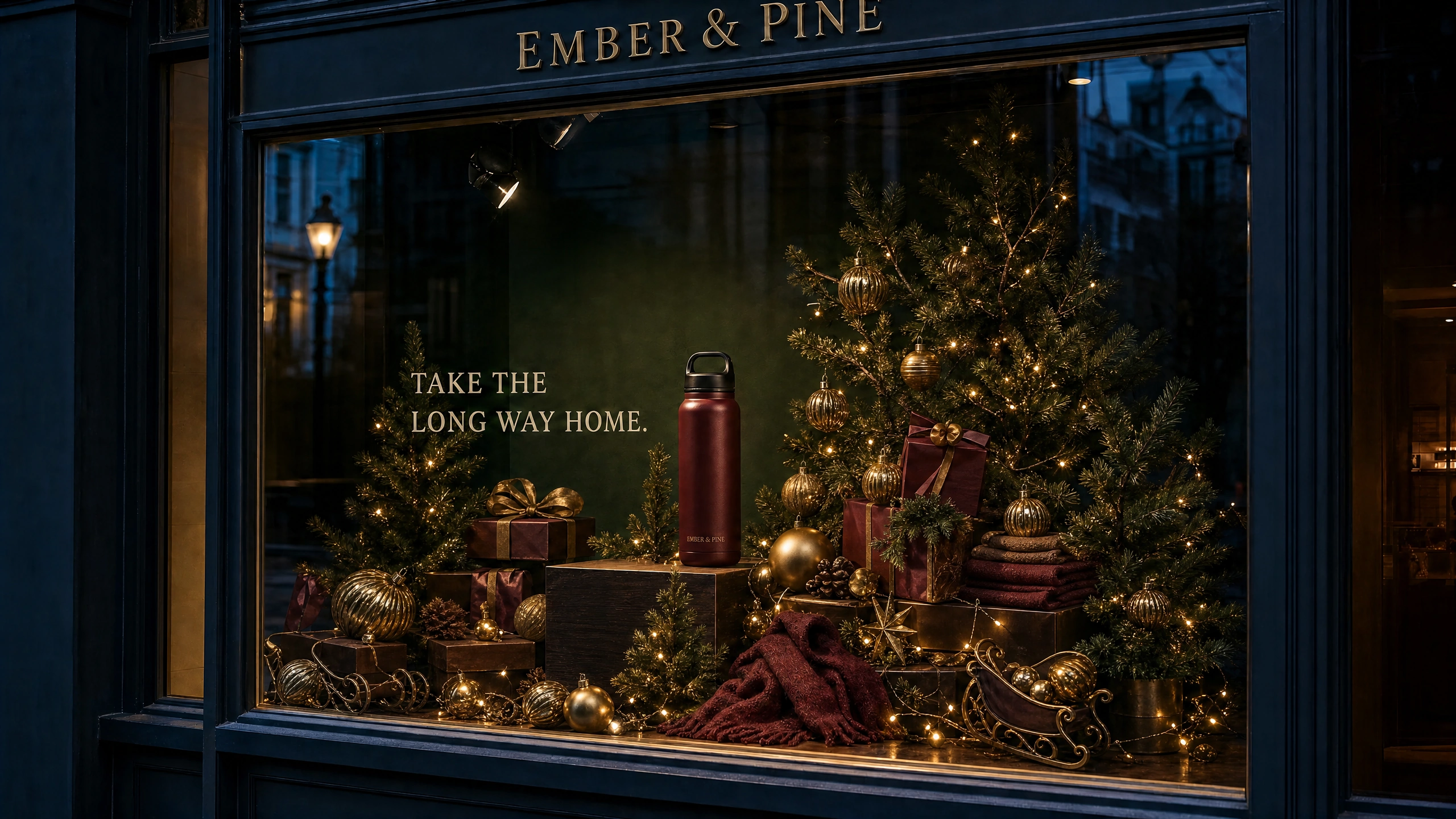
The alternative adds trees, gifts and lights. The flask remains visible but competes with more detail; this is a design comparison, not a sales test.
Turn the picture into a practical prop brief
Find all the elements needed to replicate the chosen concept in the designated window (items that the shop can probably use and those that they would need to purchase from a supplier, including the background). List all the physical items needed to replicate the image of the proposed window display including the product, a plinth, single branch, stone, scarf, sign and background.
A lightweight scenic substitute could replace the pictured stone. This would need to be sourced from a supplier and judgment made as to the construction, stability and use of the item as a prop in the window.
Ask the person who will put up the display to check out the space, with measurements, to check for access, to check for necessary supports, to check out the lighting and any other relevant safety points. Also check out how the product can be retrieved after it’s been placed in the window and make sure the working doorway or access route is not obstructed. The attractive picture is a basis for the discussion, not a decision.
It’s important that all the information is handed over in a simple and clear manner. This includes the chosen concept, the window space measured out, the products, the list of props and any questions that remain unanswered. You should highlight up any substitutes that have been used. There are many aspects of a shop window that the model cannot know about i.e. a shelf, electrical fittings, a product that is larger than expected, etc. These need to be sorted out before anyone starts ordering.
Check the window from the pavement
Check the physical window on an actual shop time (daylight, opening hours etc) for reflections and how lighting performs through glass as opposed to example’s warm lights and evening blue reflections.
And last: let’s proof-read every word as I mentioned before that even with perfect material textures Google’s Nano Banana Pro prompting guide acknowledges small-text and spelling limitations in that model. Therefore even when all generated copy looks perfect in GPT Image 2’s preview: artwork for signs has to be created properly and then checked for size and placement.
The choice between two views of the shop and the development of your idea for Christmas shop windows, here completed, could end with the choice shown above and a few words to explain why you developed this version as opposed to the alternative version shown above.
For your next exercise create a second view from the perspective of the customer approaching the store using the AI Video Bootcamp’s camera-angle guide. Use the same product and display as the first view. If the idea looks good from only one view point (i.e. straight on) then that is something that needs to be sorted out before it can be a window display.
Sources and visual credits
Fenwick Christmas Window Reveal 2026
Fenwick’s 2026 Christmas Window Brings The Gruffalo’s Child to Life
Nano Banana Pro image generation in Gemini: Prompt tips
OpenAI API deprecations: GPT Image 2 shutdown schedule
AI-generated teaching concepts, created through PromptWise. Fictional brands are examples, not client commissions or trademark-cleared identities. AI Video Bootcamp and PromptWise are operated by ZeroTen Media Inc. Stills: GPT Image 2.