
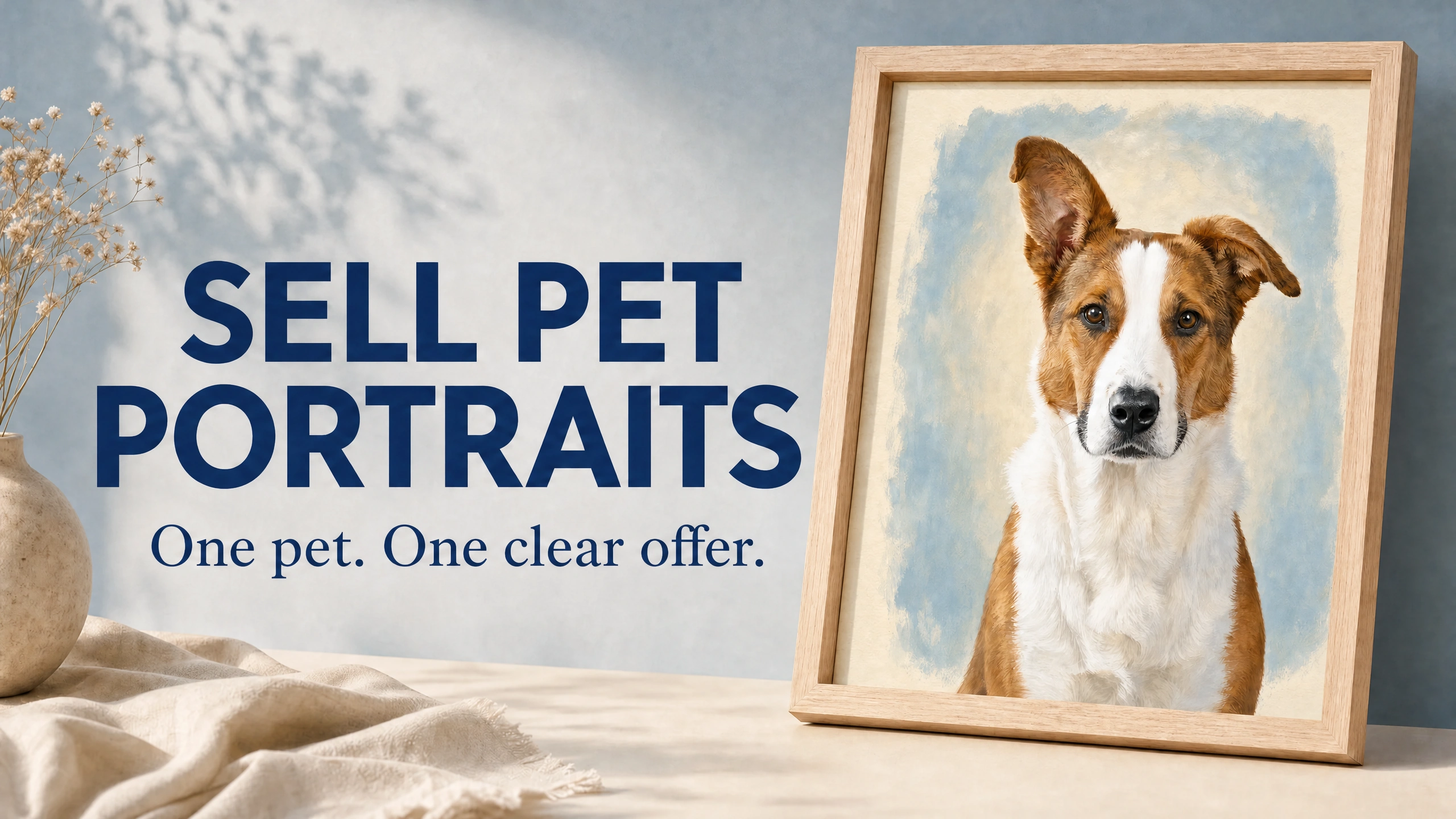
Someone ordering a portrait of their dog cares about the ear that never stands up properly. They may care less about the impressive style name in your prompt.
That is where I’d start an AI pet portrait service: one animal, one recognizable likeness and a small delivery package you can explain without a sales call. A print file, a phone wallpaper and a square image can all come from one approved artwork. You still have to check the reference, fix important differences and help the buyer understand what they are getting.
This guide builds that offer around a finished demonstration. The brown-and-white dog shown here is fictional, generated for the exercise, so there is no customer approval or sales result behind it. The useful question is whether you can turn a reference into a coherent portrait, package it properly and offer the same clearly bounded service to a real buyer.
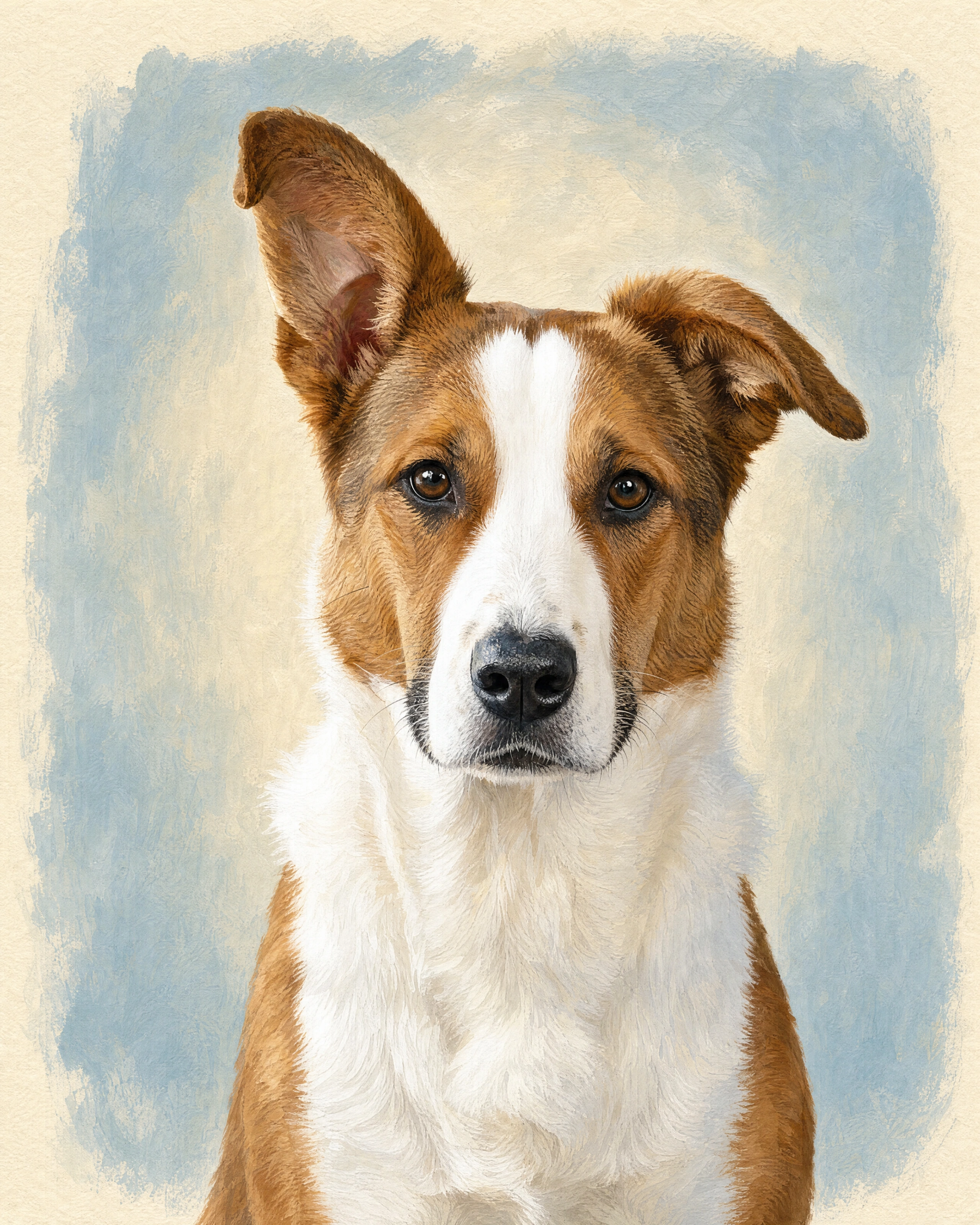
Finished generated portrait, GPT Image 2 through PromptWise, October 15, 2026. This is an educational sample, not a customer-approved likeness.
Sell one understandable result
I’d begin with a digital portrait for a pet owner or someone buying a personal gift. Keep the first offer narrow: one pet, a simple painted background and the same visual treatment shown in your sample.
The proposed package contains one portrait in three file layouts: an 8-by-10-inch print file, a phone wallpaper and a square version. Include one proof and one revision round for likeness details. Physical printing, framing, extra pets, new poses and a different art style are outside this starting scope.
Say that before the order. A buyer who expects a framed painting will not be pleased to receive a download, however good the image looks. A buyer who expects five alternative styles can consume your working time before you have delivered anything.
You are selling your selection, art direction, checking and preparation of an AI-assisted result. Describe the process honestly. Don’t call a generated painted effect hand-painted, and don’t promise exclusive copyright simply because you generated the image yourself.
Make a sample that shows what matters
The demonstration uses GPT Image 2 in PromptWise (where it is listed as GPT Image 2.0) for both the fictional reference and the painted interpretation. The reference has a central white blaze, brown fur, a white chest, brown eyes and asymmetric ears. Those features become the likeness checklist.
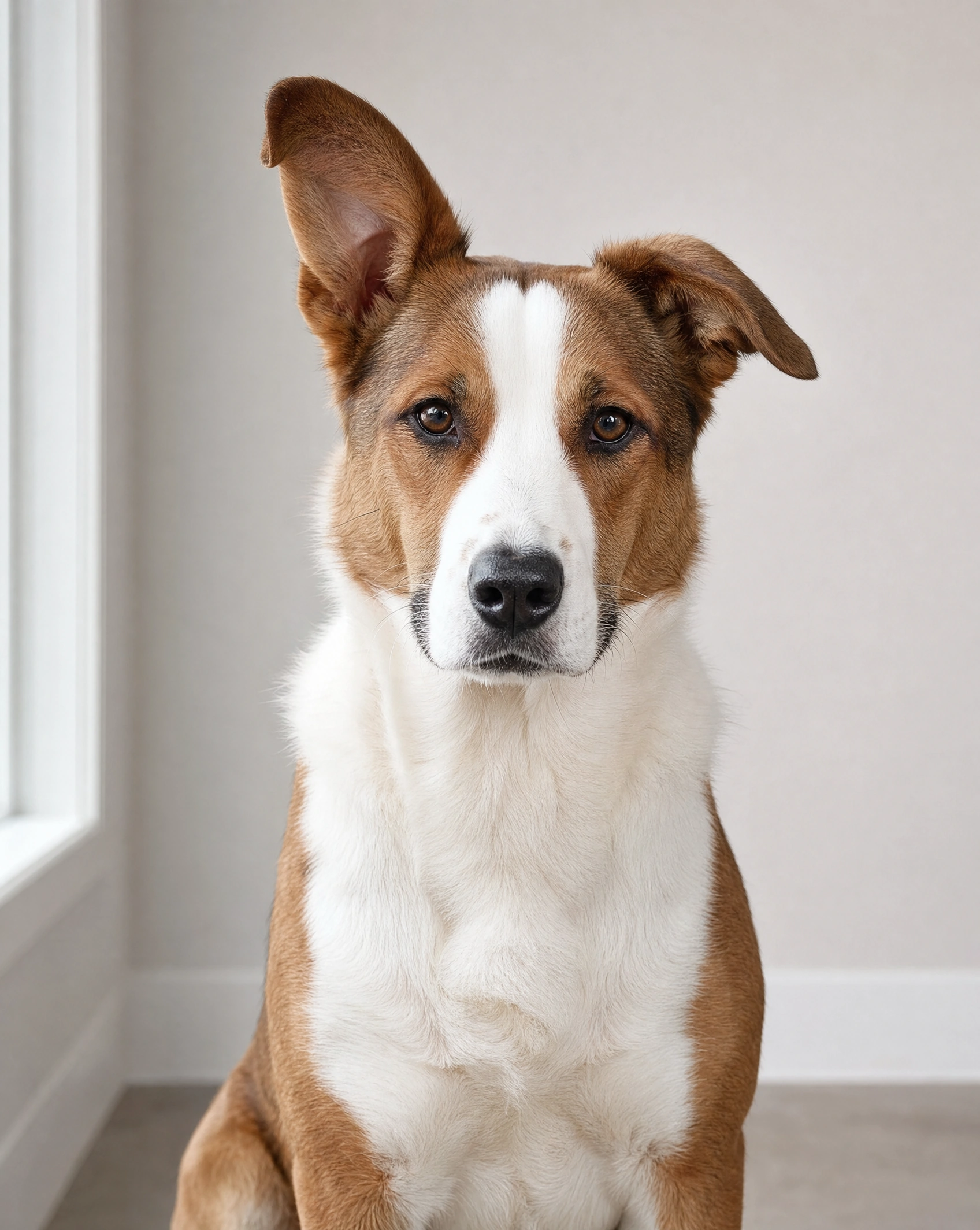
Synthetic reference animal. Compare its white blaze, eyes, muzzle and asymmetric ears with the painted interpretation; some contours change.
AI Video Bootcamp operates PromptWise through its parent company, ZeroTen Media Inc. The demonstration was generated on October 15, 2026.
A synthetic reference can be cleaner and easier to work with than a real customer photo. Label it clearly if you show it as a demonstration; before selling a likeness service, also test a real photo you have permission to use.
The painted output keeps those large identifying features, but restyles the fur as visible strokes and changes some fine facial contours. That is acceptable as an illustration of the process. With a real pet, the owner would need to judge whether the changes still feel like their animal. Your own approval cannot stand in for theirs.
Show the reference and the finished portrait together in your sample material, with permission to use the reference. Use the flat finished artwork as the lead image. Put any frame mockup in a later image and label it “frame not included.” Buyers should be able to see the artwork they are purchasing without a decorative room doing all the work.
For practice, use your own pet photo, one you have permission to use or a clearly identified synthetic reference. Avoid using someone else’s pet photograph as a sales sample just because it is publicly visible. AI Video Bootcamp’s guide to learning AI image generation is a useful starting point if you are still working out how references and edits fit together.
Ask for the right photo before you promise a result
Request a clear photo at roughly the pet’s eye level, with the face visible and the important markings in decent light. Ask for another photo if an ear is hidden or the original has heavy filters. More confident guessing will not recover information the image doesn’t show.
Keep the intake short. Ask which pet is the subject, which features matter most, which photograph should guide the pose and whether the customer has permission to provide it. Explain where you will process the image. Obtain separate permission before using their photo or finished portrait in your portfolio.
For the example, the prompt was built around the identifying features rather than a famous artist’s style. The following prompt is adapted for a reader-provided photo rather than the synthetic reference used here:
“Use the attached pet photo as the identity reference. Make an original gouache-style portrait on warm cream paper with a dusty-blue background. Preserve the dog’s white facial blaze, white chest, brown coat, dark eyes, black nose and different ear positions. Keep the head proportions and expression recognizable. Use visible painted texture without replacing the markings with decorative patterns. Leave a clean margin around the head. No lettering, frame, costume or added accessories.”
Change the feature list to match the animal in front of you. Copying the example’s ears into every prompt would defeat the exercise.
The photorealistic prompt guide at AI Video Bootcamp can help with lighting and reference clarity, even when the final treatment is painted. Its role here is to help you describe the input well; you still need to inspect the output rather than assume a detailed prompt was followed.
Compare the face before preparing the files
Put the reference beside the portrait at the same approximate head size. Check the face shape, eye color, nose, markings and ears. Then look at the expression. A technically attractive portrait can feel like a different dog if the eyes or muzzle change too much.
Make corrections specific. “Restore the narrower white blaze between the eyes” gives you a visible target. “Make it more like the dog” leaves the important difference unstated. Google’s Nano Banana Pro prompting guidance similarly emphasizes clear reference roles and specific instructions, while acknowledging that consistency is imperfect. That is general guidance, not a guarantee about this GPT Image 2 example.
Send the buyer a proof before making every delivery crop. Ask them to identify likeness corrections in one consolidated response. The proposed single revision round covers things such as a marking, ear shape or background adjustment within the agreed style. A different source pose or a new style is a scope change you should discuss before doing more work.
For a beginner, the AI image prompt cheat sheet at AI Video Bootcamp is useful for making those correction requests concrete. Keep the correction tied to the sample and the buyer’s request instead of generating endless alternatives.
Deliver files with a clear purpose
The painted master returned at 2560 by 3200 pixels. A 2400-by-3000-pixel export provides 300 pixels per inch at 8 by 10 inches: 2400 divided by 8, and 3000 divided by 10. This is a calculation about pixel count, not proof that the artwork has been test-printed or will look perfect on every paper.
Keep the artwork’s proportions and margins when preparing that print file. Export a high-quality JPEG and inspect its dimensions, file size and appearance; the example print file is a JPEG with 300-ppi metadata. The sample phone layout is 1080 by 1920, a 9:16 canvas, with the artwork centered rather than stretched. It is not a universal phone-screen fit: ask for the intended device or aspect ratio and preview any crop, keeping the face and ears away from the edges. The 1600-by-1600 square fits the full artwork on a cream canvas rather than cropping it. If you choose a tighter crop for a customer, check that both ears remain visible. These are three uses of the same artwork, not three separately commissioned portraits.
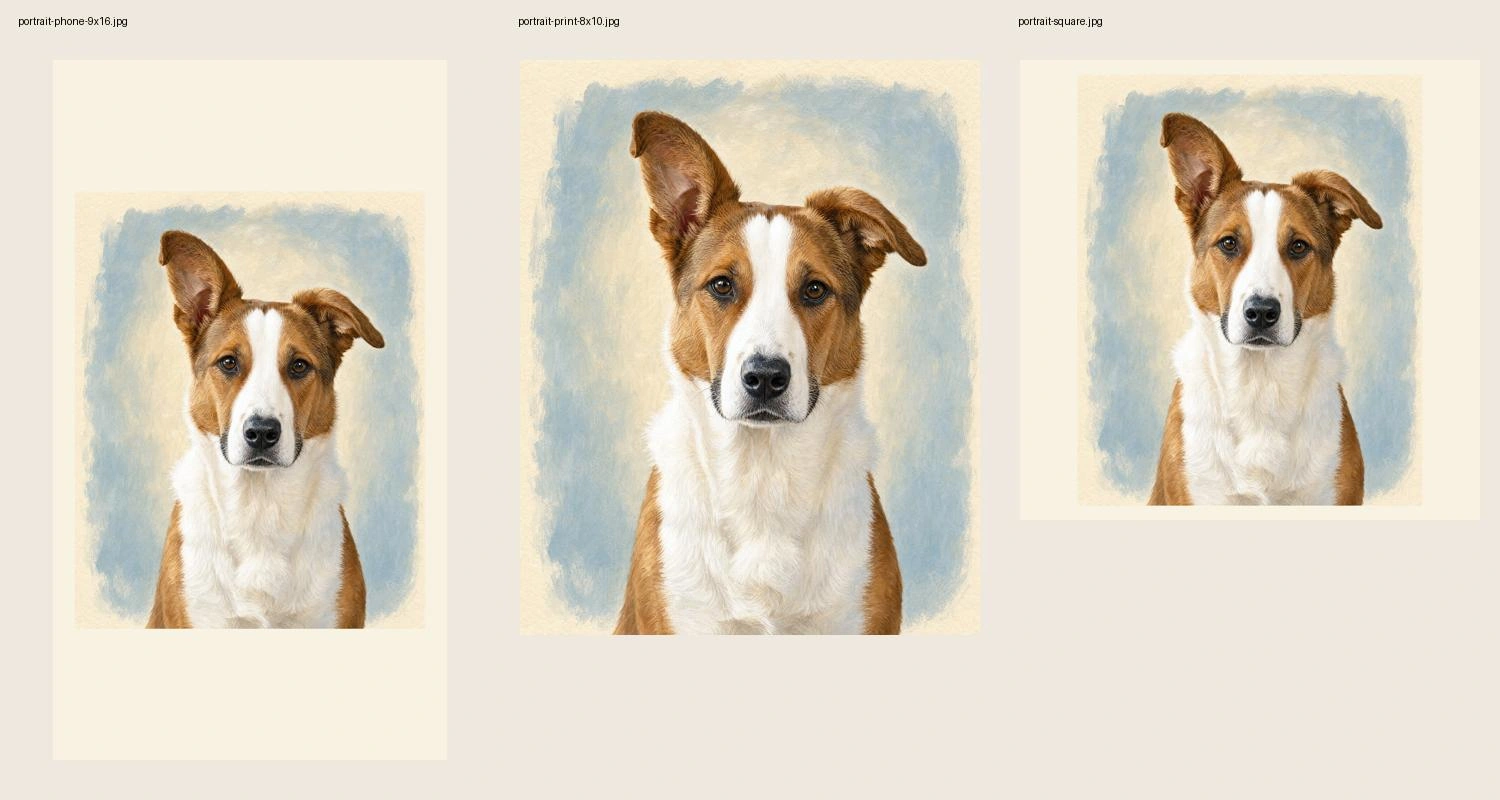
Actual exports: 2400 by 3000 print JPEG, 1080 by 1920 phone canvas and 1600 by 1600 square. Each retains the same artwork and full ears; the print has not been physically tested.
Include simple delivery notes: which file is for printing, its intended size, which versions are for screens and whether any physical product is included. Inspect the exported files themselves. A polished preview does not tell you whether the delivered image has the wrong dimensions or an accidental crop.
If you sell through Etsy, its digital listing guidance distinguishes ready-made downloads from made-to-order work. A portrait created after purchase belongs to that second workflow. The current guidance allows up to five uploaded files of 20 MB each. Check the current listing requirements before opening your offer, including how buyers provide their references.
Price the work you will actually do
A low generation cost does not make the whole job cheap. You still have intake, selection, corrections, customer messages, export and delivery.
Here is an illustrative calculation in US dollars, not a recommended market rate or evidence of earnings. Assume a $49 selling price, a $0.20 listing fee, a 6.5% transaction fee and a $4 allowance for production costs. The transaction fee on $49 is $3.185. Those deductions leave about $41.62 before payment processing, any other applicable fees, taxes and your labor.
If the job takes 105 minutes, that amount works out to about $23.78 per working hour before those remaining costs. If revisions make the job take longer, the hourly figure falls. The $4 allowance is a planning assumption, not a measured PromptWise charge for a typical order.
Etsy lists the $0.20 listing fee and 6.5% transaction fee in its fee policy, verified October 15, 2026. Payment processing and other charges depend on circumstances, so this example deliberately does not call the remainder profit. Replace the assumptions with your actual account costs and time record before deciding whether the offer works for you.
Time your first practice job from intake to export. Include the awkward parts. That record is more useful than deciding your price from the few minutes spent generating an image.
Give a buyer a reason to trust the listing
Show a finished sample, the input it came from where permitted, the included files and the revision boundary. Etsy’s Creativity Standards permit seller-prompted AI creations but require disclosure in the listing description. Its separate Listing Image Requirements say the lead image for customized work must show a finished example; computer-generated mockups belong in additional images. For this digital offer, show the finished artwork itself first.
You could describe the offer like this: “An AI-assisted portrait of one pet, prepared from your reference photo and checked for the features you identify. Includes one proof, one revision round and three digital file layouts. No physical print or frame. Please send a clear reference before work begins.”
Add a realistic turnaround based on your own capacity. Don’t borrow a rapid-delivery promise before you have timed the job. State any conditions that matter to the buyer, including the photo requirements and what happens when the supplied image is unsuitable.
Permission to sell on a marketplace and copyright protection are different questions. In its January 2025 announcement, the U.S. Copyright Office quoted Shira Perlmutter saying that “our conclusions turn on the centrality of human creativity to copyright”. The office distinguished sufficient human expressive contributions from merely supplying prompts. Avoid selling a promise of exclusive rights you cannot support, and check the rules relevant to your location and tools.
Find the first suitable customer
Start where you can show the finished result to people who already care about a particular pet. That might be your own audience or a local groomer willing to consider a small referral arrangement. Ask before posting in a community, and keep any outreach specific rather than sending the same message everywhere.
A simple approach is: “I’ve put together an AI-assisted pet portrait service with one clear style and a digital delivery package. May I show you the sample and the photo requirements? I’d like to know whether this is something your customers would understand and value.”
That message starts a conversation. It does not claim you have customers, imply the recipient has agreed to promote you or offer unlimited free work. If someone is interested, show the scope and price before accepting the order.
Your first useful milestone is a finished sample, a clear offer and an honest time estimate. A sale is a separate test. Make the package understandable enough that a buyer can decide, and keep enough room in the process for the thing they care about most: recognizing their pet.
Sources and visual credits
Etsy: Fees and Payments Policy
Etsy: listing image requirements
U.S. Copyright Office: January 2025 AI report announcement
Google: reference-image prompting
AI Video Bootcamp: editorial policy and PromptWise relationship
Fictional dog reference, painted portrait and cover concept generated with GPT Image 2 through PromptWise on October 15, 2026. Delivery examples were exported from the portrait master. No customer, sales result or test print is represented.