
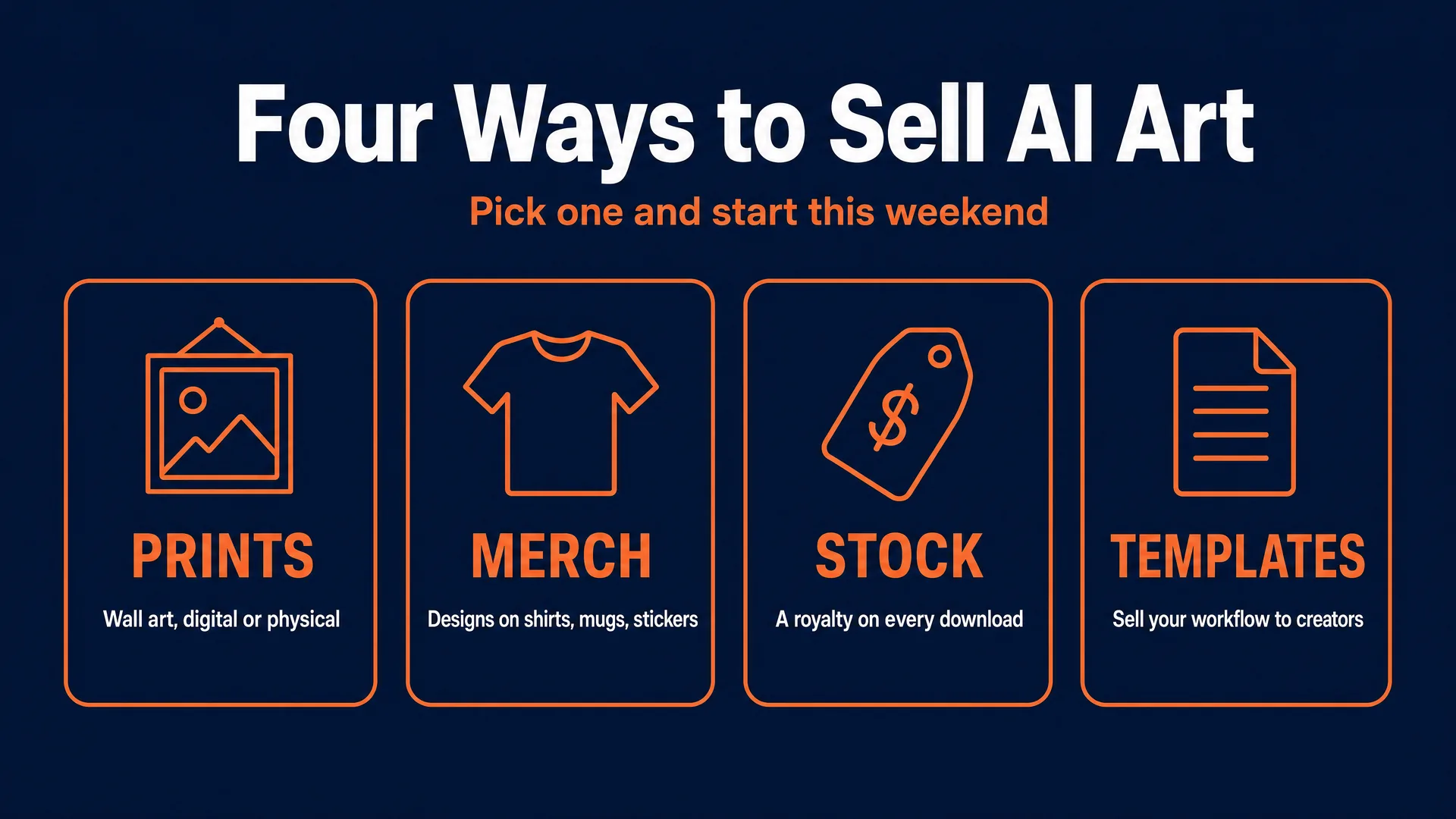
You make money with AI art by turning your images into things people buy: wall-art prints, print-on-demand merch like shirts and mugs, stock images that pay you on every download, and templates or prompt packs other creators happily pay for. You can start today, for the price of a few coffees, with tools already open in your browser, and your first sale can land within weeks.
Here is the fastest on-ramp. Pick one niche, generate a tight collection of matching images, and list them as instant digital downloads on Etsy. No inventory, no shipping, no upfront cost beyond a few cents per image. That is a real shop, live, this weekend.
This is the complete playbook for all four channels: how to make art that actually sells, how to prep the files so they print perfectly, exactly where to list each product, what to charge, and the rules that keep your shop from getting banned. It is one spoke of our wider how to make money with AI guide.
One honest note up front, because it is the difference between the sellers who earn and the ones who quit: the barrier here is low, so the competition is high, and a pretty image by itself is not a product anymore. The winners pick a specific buyer, curate a real collection, and put it in the right place. Do that and a realistic build is 10 to 150 dollars a month as your catalog grows, with the best operators earning far more. Let’s build yours.
The one idea that makes all of this work
The cost of generating an image has collapsed to a few cents. On hosts like fal.ai or Replicate, a polished image runs from about one cent to forty cents depending on size and quality. When everyone can make a photorealistic image for the price of nothing, the image itself is not the value. The value is everything around it: choosing a buyer, building a cohesive set, getting it print-ready, writing the listing, and getting it seen.
So before you generate a single image, write down two things: who is this for, and where does it go. “A fantasy landscape” is not a product. “A set of three sage-green botanical prints in a 2:3 ratio for a dark-academia dorm room” is a product. Specificity is not a nice-to-have here. It is the entire difference between a listing that sells and one of the millions that never get seen.
First, make art that is actually sellable
This is the part most guides skip, and it is the part that separates a refund from a five-star review. Making a sellable piece is a technical process with real specs. Get this right once and every channel below gets easier.
Pick the right model for the job
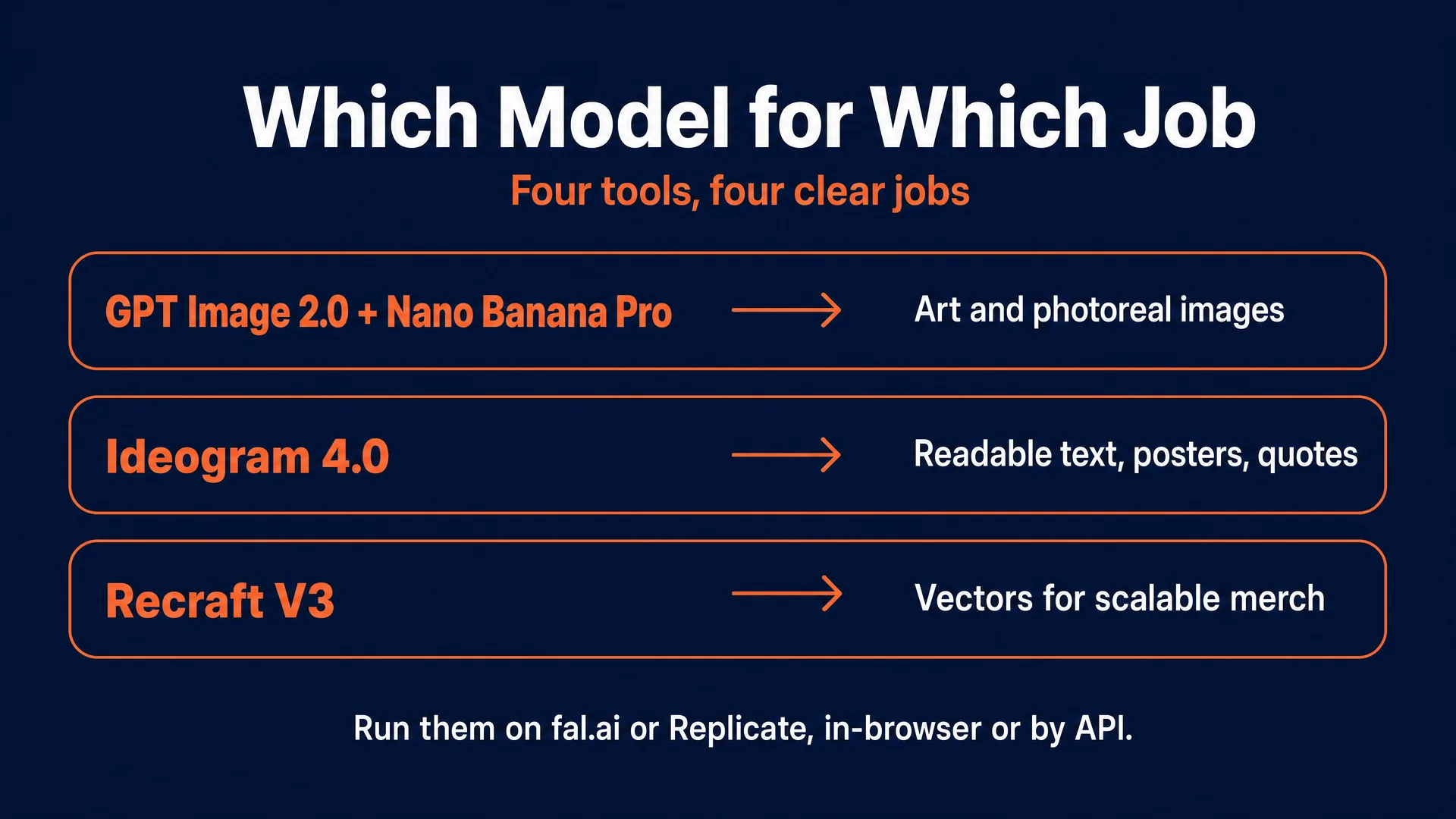
You do not need a dozen tools. You need four, each with a clear job. You can run all of them two ways: straight from the browser playground, or through an API you plug into other software. Two popular hosts carry the same models side by side, fal.ai and Replicate. We are not affiliated with either, and their prices are similar, so use whichever you like. Every price below was checked in June 2026 and is quoted per image.
- GPT Image 2.0 and Nano Banana Pro are your workhorses for art, photoreal imagery, and editing. GPT Image 2.0 runs from about 0.01 dollars at low quality up to 0.41 for native 4K (3840 by 2160). Nano Banana Pro, built on Google’s Gemini 3 Pro Image, is 0.15 per image at 1K or 2K and 0.30 at 4K, and it is excellent at holding a character or style consistent across a whole collection. Note that every Nano Banana Pro image carries an invisible SynthID watermark.
- Ideogram 4.0 is the one you reach for the moment a design needs readable text: typography posters, quote prints, slogans on apparel. It renders clean, accurate lettering where older models scramble it, outputs native 2K, and supports transparent backgrounds.
- Recraft V3 is for merch that has to scale: stickers, logos, vector-style graphics. It is 0.04 per raster image and 0.08 for true vector (SVG) output, and because SVG is resolution-independent, it sidesteps the print-resolution problem entirely.
Midjourney is fine for exploring a look, but it is not your production tool here, both because of its weaker text and because it is not built into this commercial workflow. If you are still building core skills, our guide to learning AI image generation and the AI image prompt cheat sheet will get your outputs to sellable quality faster.
Build a collection, not a pile of randoms
Buyers buy sets. A single image is a one-off; a cohesive collection of three to six pieces solves a wall, a theme, a room, and lets you charge more. The technique is a locked “style anchor.” Write your visual variables once, then change only the subject:
Medium: flat botanical illustration. Palette: sage green, terracotta, cream, three colors only. Line weight: uniform, no gradients. Composition: centered, 10 percent margin, no background. Texture: clean paper. Aspect ratio: 2:3.
Then the only thing that changes between pieces is the subject: mushroom, fern, oak leaf, crescent moon. Recraft V3 lets you pass exact hex codes so your palette is identical across the set. Generate 12 to 20 candidates, keep only the 3 to 5 that are genuinely strong, and reject anything with warped objects, broken hands, fake signatures, unreadable text, or detail that looks fine zoomed out but falls apart at print size.
Solve the print-resolution problem (this is where beginners lose money)
Most models output around 1024 pixels by default. Physical printing needs 300 dots per inch (DPI). A 1024-pixel image at 300 DPI is barely three inches wide. Stretch it onto a poster and you get a blurry, pixelated mess and a refund request.
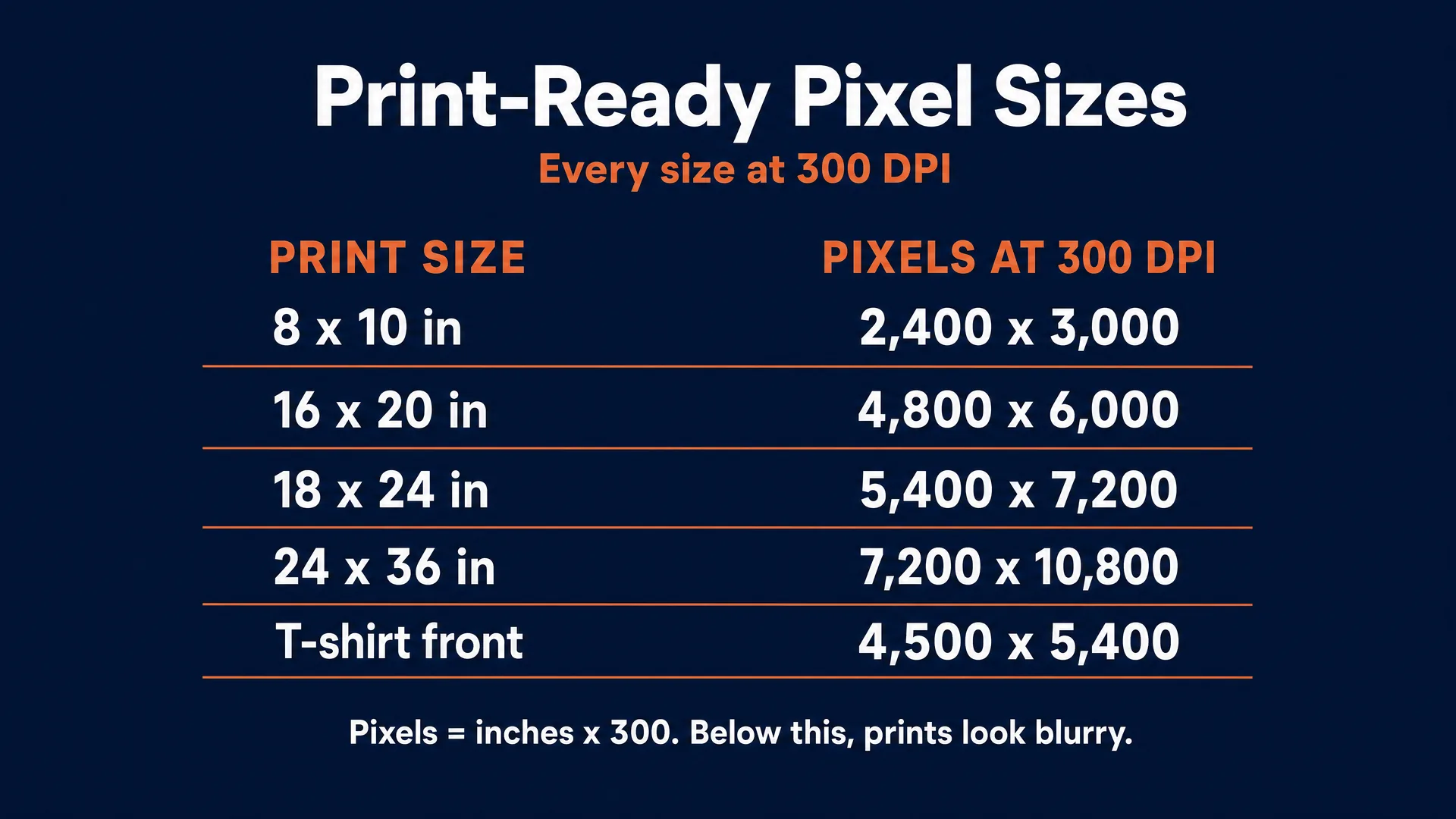
The math is simple: pixels needed equals inches times 300. Here is the cheat sheet for the sizes buyers actually order:
| Print size | Pixels needed at 300 DPI |
|---|---|
| 8 x 10 in | 2,400 x 3,000 |
| 11 x 14 in | 3,300 x 4,200 |
| 16 x 20 in | 4,800 x 6,000 |
| 18 x 24 in | 5,400 x 7,200 |
| 24 x 36 in | 7,200 x 10,800 |
| T-shirt front (12 x 16 in) | 3,600 x 4,800 (4,500 x 5,400 recommended) |
GPT Image 2.0 and Nano Banana Pro at 4K cover prints up to roughly 16 by 20 inches natively. For anything bigger, do not use basic “stretch” scaling. Use a neural upscaler: Topaz Gigapixel (a one-time purchase, best for photoreal work), Magnific, or LetsEnhance (browser-based, with 300 DPI presets). A smart, cheap workflow is to generate at a lower quality setting to find your composition, then upscale only the finalists.
There is a second route to infinite scalability for the right kind of design: turn the image into a vector. A vector file is built from math, not pixels, so it prints razor-sharp at any size, from a 2-inch sticker to a 6-foot banner, with no upscaling at all. Two ways to get one. Generate it natively as an SVG with Recraft V3, or take a finished flat design and convert it with Adobe Illustrator’s Image Trace, which traces a raster JPG or PNG into clean, editable vector paths (Adobe’s official walkthrough: Vectorize images using Image Trace). This works beautifully for bold, flat, high-contrast art like logos, typography, and sticker designs, and not at all for photoreal pieces, so reach for it on merch, not wall-art photography.
Prepare the file correctly
- Format: PNG when you need a transparent background (apparel, stickers, digital downloads). JPEG for full-bleed work and stock. TIFF as your archival master for fine-art labs. SVG for scalable vector merch.
- Color: Upload sRGB to print-on-demand platforms. Printify and Printful are calibrated to convert sRGB to their inks automatically, and uploading CMYK to them usually produces muddy, muted colors. Fine-art labs are the exception and may want CMYK or Adobe RGB. Be aware that vivid blues, neons, and bright oranges live outside the CMYK gamut and will print more muted than they look on screen, so order a sample before you promise gallery quality.
- Transparency: PNG is mandatory for direct-to-garment apparel and die-cut stickers, with clean anti-aliased edges so there is no white halo.
- Bleed: Add about 0.125 inches per side on small prints and keep important elements 0.25 inches from the edge.
Channel 1: Art prints and wall art
This is the best place to start, because one artwork can become a digital download, a physical poster, and a metal print. The mistake that kills new shops is listing one image in one size. Do this instead.
- Pick one room and one buyer. Nursery safari for neutral rooms, moody coffee-bar posters for apartments, coastal bathroom prints, botanical kitchen art. The narrower, the better.
- Build a set of three to six pieces in one palette and one aspect ratio using your style anchor.
- Export in ratios, not just one size. Group your sizes: 2:3 covers 4x6, 8x12, 12x18, 16x24, 20x30, 24x36; 3:4 covers 6x8, 9x12, 12x16, 18x24; 4:5 covers 8x10, 16x20, 24x30; and add ISO A-sizes (A4 to A1) if you want European buyers. Design at the largest size, then scale down within each ratio so you never have to re-crop.
- Build a clean delivery folder for digital downloads: high-quality JPGs named by size, a one-page printing guide telling buyers to use matte paper and the correct ratio, and a PDF. This single step prevents most support tickets and bad reviews.
- List it like a product, not a prompt. Title format: product type, then room or niche, then style. Description spells out exactly which sizes are included, that it is a digital download with nothing physical shipped, and (on Etsy) discloses the AI use.
- Price honestly. Beginner testing bands: a single digital print 2 to 8 dollars, a set of 3 to 6 files 6 to 19 dollars, physical posters 18 to 45 dollars depending on size. These are starting points, not guarantees.
- Promote one collection for 30 days with mockups that show the art in the actual room. If you get views but no saves, the design is weak. If saves but no sales, test the price, the mockups, and the listing clarity.
On fees, Etsy charges 0.20 dollars per listing, a 6.5 percent transaction fee, and roughly 3 percent plus 0.25 dollars in payment processing. On a 20-dollar digital download you keep about 17.65. Watch Offsite Ads: they add 15 percent (or 12 percent once you pass 10,000 dollars in sales), which can wipe out a thin physical-print margin if you do not model it.
Etsy is the highest-traffic starting point, but it is far from the only place to sell wall art, and listing the same collection in two or three spots multiplies your odds of being found at almost no extra work. For digital downloads: Etsy, Gumroad, and your own Shopify store. For physical and made-to-order prints: Society6, Redbubble, Displate (metal posters), Fine Art America / Pixels, Saatchi Art, INPRNT, and Zazzle. On most of these you set a markup over a base price and keep the difference.
The proof this works is real, and it is slow. One seller who found a gap in tabletop roleplaying-game assets instead of generic prints reported a single listing bringing in around 1,000 dollars a month passively, with the lesson “Don’t compete head-on. Go deeper, not wider” (r/passive_income). Another, focused on vintage-style decor, reported profiting roughly 3,000 dollars a month in the slow season and 8,000 to 12,000 in the Q4 rush (r/Entrepreneurs). And a third was blunt about the timeline: “Took me 4 months to get my first sale on Etsy. Now I’m averaging 2.3k a month.” The honest counter-signal is just as loud: plenty of sellers post months of zero. The difference is almost always niche specificity and patience.
Channel 2: Print-on-demand merch
Print-on-demand (POD) puts your designs on shirts, posters, mugs, cases, and stickers with no inventory. The key mindset shift: the design has to belong to the object. A cinematic square render looks cheap on a shirt; a clean typographic design or a strong vector graphic works. The product drives the design, not the other way around.
- Choose one product first. Do not launch 40 products from one image. Prove one design.
- Match the model to the product. Ideogram 4.0 for slogans and typography, Recraft V3 vectors for logo-style merch, GPT Image 2.0 or Nano Banana Pro for illustrated posters and cases.
- Work inside the platform template. Download the print-file panel and design to its exact print area, safe zone, and bleed. Standard apparel chest graphics are typically 4,500 by 5,400 pixels at 300 DPI, transparent PNG.
- Pick your fulfillment path. Printful (owns its facilities, very consistent), Printify (a marketplace of providers, often cheaper), or Gelato (local printing in 32 countries) all sit behind your own Etsy or Shopify store and give you the best margins. Uploading straight to marketplaces like Redbubble or Society6 needs zero setup but takes far more of your money and control.
- Calculate margin before you list. This is non-negotiable.
- Build mockups after the file is right, showing the design close up and in context.
The margins are where people get hurt, so here are real, dated numbers. On Printify, a unisex tee has a production cost around 8.77 dollars; sell it for 24 and your gross spread is about 15.23 before Etsy’s fees, shipping, and any discounts, leaving a healthy but not huge profit. Gelato tends to run 10 to 20 percent cheaper on base costs (a tee around 7.50 versus 9.25 on Printful). Printful’s Free plan is 0 dollars a month with a Growth plan at 24.99; Printify’s Free plan is 0 with Premium from 39 a month, both giving up to 33 percent off once your volume justifies it.
Now the warning. The marketplace route looks easy and is brutal. On Redbubble, new sellers land in the Standard tier, which takes 50 percent of your monthly earnings. On a 20-dollar shirt at a 20 percent markup, your gross margin is 4 dollars, and after the 50 percent fee you net about 2. (Premium drops the fee to 20 percent and Pro to 0, with fees capped at 150 a month, and the payout threshold falls to 10 dollars on July 1, 2026.) Society6 now fixes your markup at 5 to 10 percent and effectively bans purely AI work without “meaningful human input.” Merch by Amazon moved to a performance-based royalty in June 2026, roughly 2.44 dollars on a 20-dollar shirt, more if you drive your own outside traffic. The pattern is clear: own your store, use Printful or Printify or Gelato behind it, and treat the marketplaces as a side door, not the house.
Here is the platform shortlist. For fulfillment behind your own store: Printful, Printify, and Gelato. For a print-on-demand marketplace that brings its own traffic in exchange for a bigger cut: Redbubble, Society6, Merch by Amazon, TeePublic, Spring, Spreadshirt, and Zazzle. Start with one of each and expand once a design proves it sells.
Channel 3: Stock and licensing
Be honest with yourself here: stock is a narrow door and a slow, portfolio-scale game. A library of 50 images will earn you almost nothing. It is supplemental income, not a plan. And the two biggest libraries are closed to you: both Shutterstock and Getty refuse AI-generated contributor uploads, citing ownership and IP concerns, with Getty’s position reinforced by its courtroom fight with Stability AI. Adobe Stock is effectively your only real door, and it is already roughly half AI content.
If you still want the slow, compounding supplement, here is the workflow:
- Create an Adobe Stock contributor account and read the generative-AI page as a rulebook.
- Scrub every prompt, title, and keyword of artist names, real people, brands, characters, sports leagues, and news events. This is a hard rule.
- Build around genuine commercial demand: business and workspace scenes, abstract technology backgrounds, wellness still lifes, fictional product mockups with no brands.
- Tick the “Created using generative AI tools” checkbox on upload, and mark people and property as fictional if no real subject exists. Attach a model or property release if anything real is depicted.
- Upload fewer, better files. Adobe flags near-duplicate batches. Twenty genuinely distinct assets beat 200 variations.
- Write metadata for buyers, in plain searchable language, then wait. Track your acceptance rate and revenue per asset over 90 to 180 days before deciding to scale.
The royalty math tells you why this is a supplement: 33 percent on images and 35 percent on video, with per-license minimums of 0.33 to 0.38 dollars, and a payout that only releases at 25 dollars accrued and 45 days after your first sale. The one disclosed full-year account a contributor published earned about 3,976 dollars across the year on roughly 156 hours of work, after starting at 12 dollars in month one (AutoKeyWorder, March 2026). Treat it as long-tail money you build quietly, not a fast track.
Adobe Stock is the most established door, but a handful of other libraries now accept clearly labeled AI work too. Worth testing once you have confirmed each one’s current policy on the day you upload: Freepik, Vecteezy, Dreamstime, and 123RF, plus aggregators like Wirestock that submit your work to several libraries at once. Remember that Shutterstock and Getty / iStock still refuse AI contributor uploads, so do not waste time submitting there.
Channel 4: Templates and prompt packs
This channel flips the business: instead of selling the image, you sell the workflow that makes the image, to other creators. Margins are high because delivery is digital, but a product with no audience and no trust sells nothing. It pairs with content, not with a marketplace.
The single most important rule: Etsy bans selling AI prompt bundles. Its Creativity Standards classify prompt bundles as not “designed by a seller,” and listing them puts your whole account at risk. Route these products to creator-friendly stores instead. Gumroad charges 10 percent plus 0.50 dollars per direct sale (30 percent if a buyer finds you through its Discover marketplace) and has acted as merchant of record, handling sales tax worldwide, since January 2025. Payhip’s Free plan is 5 percent per transaction, with paid plans at 29 a month (2 percent) and 99 a month (0 percent). Other strong options: PromptBase, a marketplace built specifically for buying and selling prompts; plus Lemon Squeezy, Sellfy, Ko-fi, and Creative Market for digital downloads. The more places your pack is listed, the more chances it has to be found.
What actually sells is a structured method, not a list of text strings: a pack that gives the exact model, settings, aspect ratio, negative constraints, and file-prep notes to reliably recreate a specific look, like 1920s tintype portraits or seamless textile patterns. Build it in steps: pick one workflow result, package proof (before-and-afters, settings, guardrails), make it teachable with quick-start instructions and editable placeholders, price it (small packs 5 to 19 dollars, deeper workflow kits 29 to 79), publish on Gumroad or Payhip, and distribute by showing the results publicly so the free content proves the workflow works. Put a version number and date on it, because models change and a January pack weakens by June.
Realistic income: 0 to 50 dollars in the first 90 days if you start cold with no audience, rising to 200 to 1,500 a month once you have a small, engaged niche following. The revenue depends far more on your distribution than on the platform.
What it actually pays: the four channels side by side
| Channel | Startup cost | Time to first sale | Realistic beginner income | Difficulty | Best model | Main platform | Biggest risk or rule |
|---|---|---|---|---|---|---|---|
| Prints, digital | Very low (0.20/listing + credits) | Days to weeks | 10 to 150/mo | 2 of 5 | GPT Image 2.0 / Nano Banana Pro; Ideogram for text | Etsy, Gumroad | Saturation; Etsy disclosure + original-design rule |
| Prints, physical / POD | Low (no inventory) | 1 to 8 weeks | 10 to 150/mo | 3 of 5 | Same, plus upscaling | Printful / Printify / Gelato behind your store | Thin margins after base cost and fees |
| POD merch | Low | 2 to 12 weeks | 0 to 200/mo | 4 of 5 | Recraft V3 (vector), Ideogram 4.0 (text) | Printify / Printful + your store | Redbubble takes 50% on Standard; design must fit the product |
| Stock | Low (time) | 1 to 3 months | under 10 to 50/mo early | 4 of 5 | GPT Image 2.0 / Nano Banana Pro | Adobe Stock (only real door) | Shutterstock and Getty closed; oversaturated |
| Templates / prompt packs | Low | Audience-dependent | 0 to 300/mo early | 3 of 5 | Whatever the pack teaches | Gumroad / Payhip (never Etsy) | No audience means no sales; Etsy bans prompt bundles |
A worked example makes the economics concrete. To open an Etsy print shop you might spend about 5 dollars in tool credits generating and refining a 10-piece collection, plus 2 dollars to list ten items. On a 7-dollar bundle, after Etsy’s fees you net roughly 6 per sale, so you break even on your cash cost in the first one or two sales. The financial barrier is almost nothing. The real cost is the hours of niche research, multi-size exports, and weeks of promotion before the work gets seen, which is exactly why curation and persistence, not money, are what separate the shops that earn from the millions that do not.
The rules that keep you out of trouble
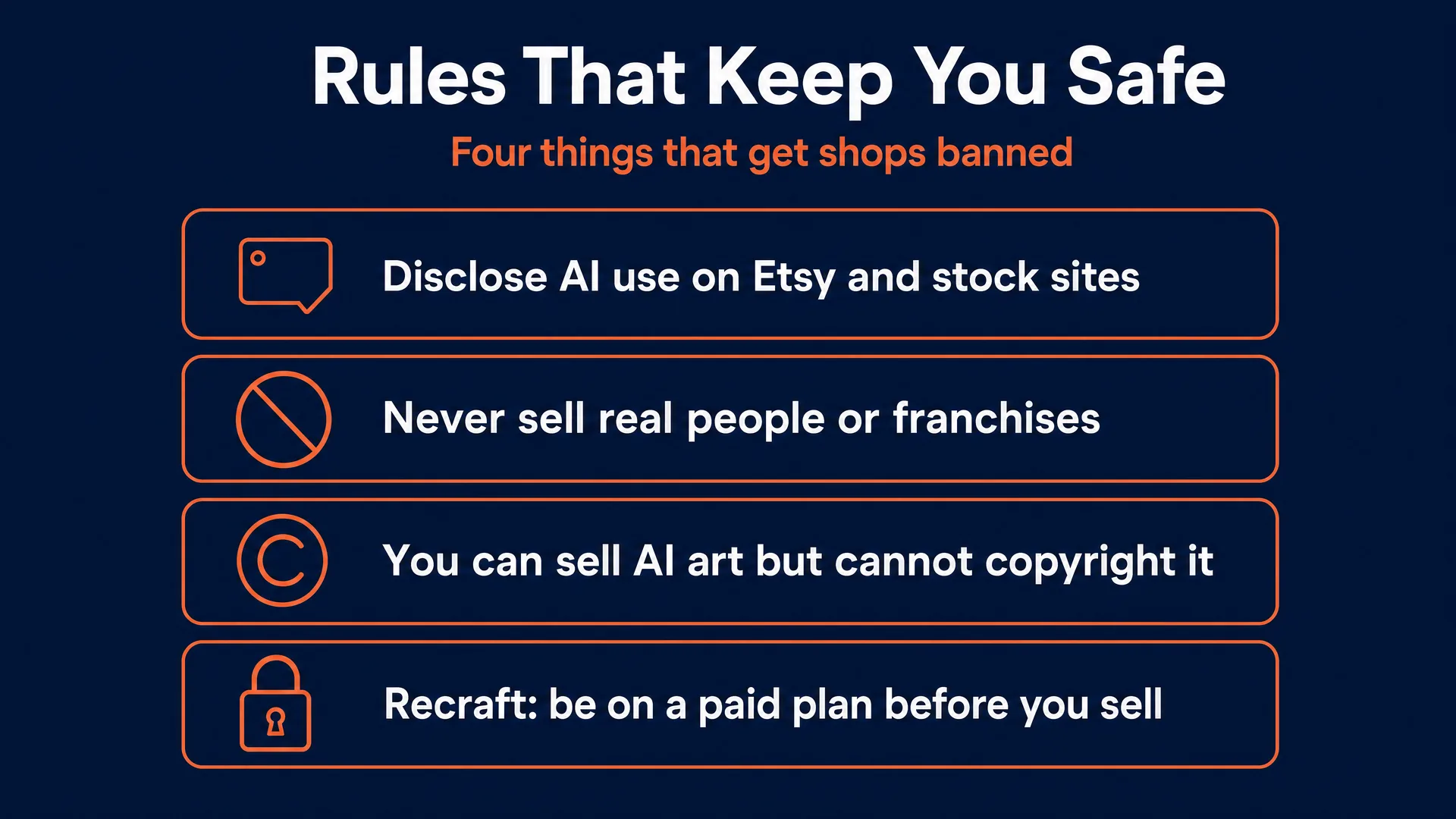
Three things sink new sellers faster than bad art: copyright confusion, IP violations, and the free-plan trap. This is practical guidance, not legal advice, but ignoring it gets listings pulled and accounts banned.
You can sell AI art, but you cannot easily protect it. On March 2, 2026, the US Supreme Court declined to hear Thaler v. Perlmutter, which settles the question: a purely AI-generated image cannot be copyrighted in the United States, because copyright requires human authorship. Practically, that means you can absolutely sell your AI art, but if a competitor copies it exactly, you have no copyright claim to stop them. Your protection shifts to brand, trademark, and reputation. If you add substantial human work, your own compositing, edits, and the selection and arrangement of a collection, those human contributions may be registrable, but you have to disclose the AI involvement and keep your working files as evidence.
Never borrow a face or a franchise. Generating and selling a recognizable celebrity, a real person without rights, a brand logo, or a trademarked character is a direct path to takedowns and lawsuits, even if the model produced it from an innocent prompt. You are responsible for inspecting your output before you list it. Marketplaces remove these instantly and terminate repeat offenders.
Disclose, because the rules now require it. As of its August 11, 2026 update, Etsy requires that any item made with computerized tools be the seller’s own original design and that AI use be disclosed in the listing; non-compliant listings get filtered out of search. Adobe Stock requires the AI checkbox and bans IP references in metadata. Disclosure does not hurt you. Being caught hiding it does.
Watch the commercial-use terms, especially the free-plan trap. OpenAI assigns you ownership of GPT Image 2.0 output on paid plans. Google does not claim ownership of Nano Banana Pro output but stamps every image with a SynthID watermark. Ideogram grants commercial use on its paid and hosted plans. Recraft is the one that catches people: on its free plan, Recraft owns your images and commercial use is prohibited, permanently, even if you upgrade later. If you are selling anything made in Recraft, you must be on a paid plan before you create it. For a deeper walkthrough of disclosure and compliance, see our AI disclosure and compliance guide.
Handle tax the easy way. Etsy collects and remits sales tax for you as a marketplace facilitator, and Gumroad does the same as merchant of record, but you still owe income tax on your earnings regardless of whether you receive a tax form. For print-on-demand, keep enough cash on hand to cover base costs before the retail revenue clears.
Start this weekend
Pick one channel and one buyer. Spend a Saturday building a single tight collection of three to five pieces with one style anchor. Export it at the right sizes and 300 DPI. List it with an honest description and AI disclosure, priced in the beginner band. Then do the uncomfortable part: make real mockups, post the work where your buyer actually looks, and watch what happens over 30 days. Adjust the price, the mockups, or the niche based on what the data tells you.
That last step is the whole thing. Most people never get past generating images. The ones who earn get a finished product in front of a real buyer, fast, and then improve it. The tools are cheap and the barrier is low, which is both why this is accessible and why only the curators win.
That is exactly what we build inside the AI Video Bootcamp community: the workflows for each of these channels, real member examples and prompts, and an Opportunity Hub that tracks where the skill turns into income. Membership is 9 dollars a month. But the tools are already open in your browser, so the most important thing is to pick one lane and start this weekend.
Written by Mateo for AI Video Bootcamp. Income figures are real, dated ranges, never guarantees; results depend on niche, quality, and distribution. Prices and platform policies were verified June 2026 and will change.