
Here is the uncomfortable truth that makes this opportunity real: most creators cannot design, and their channel lives or dies on the thumbnail. A brilliant video with a weak thumbnail never gets seen, because nobody clicks it. That is not an exaggeration. It is the single biggest lever on a video’s performance, and the person who is drowning in editing and scripting almost never has the time or the eye to nail it.
That gap is your business. You learn what drives a click, you learn to produce it in minutes with AI, and you become the person a handful of creators pay every month to make their videos impossible to scroll past. This is method six in our make-money-with-AI pillar, and it has the lowest barrier to entry of any of them: difficulty about 1 out of 5, first paid dollar realistically within a week.
One thing to get straight before anything else.
The two worlds of thumbnail money
Search “sell thumbnails” and you will find two completely different realities.
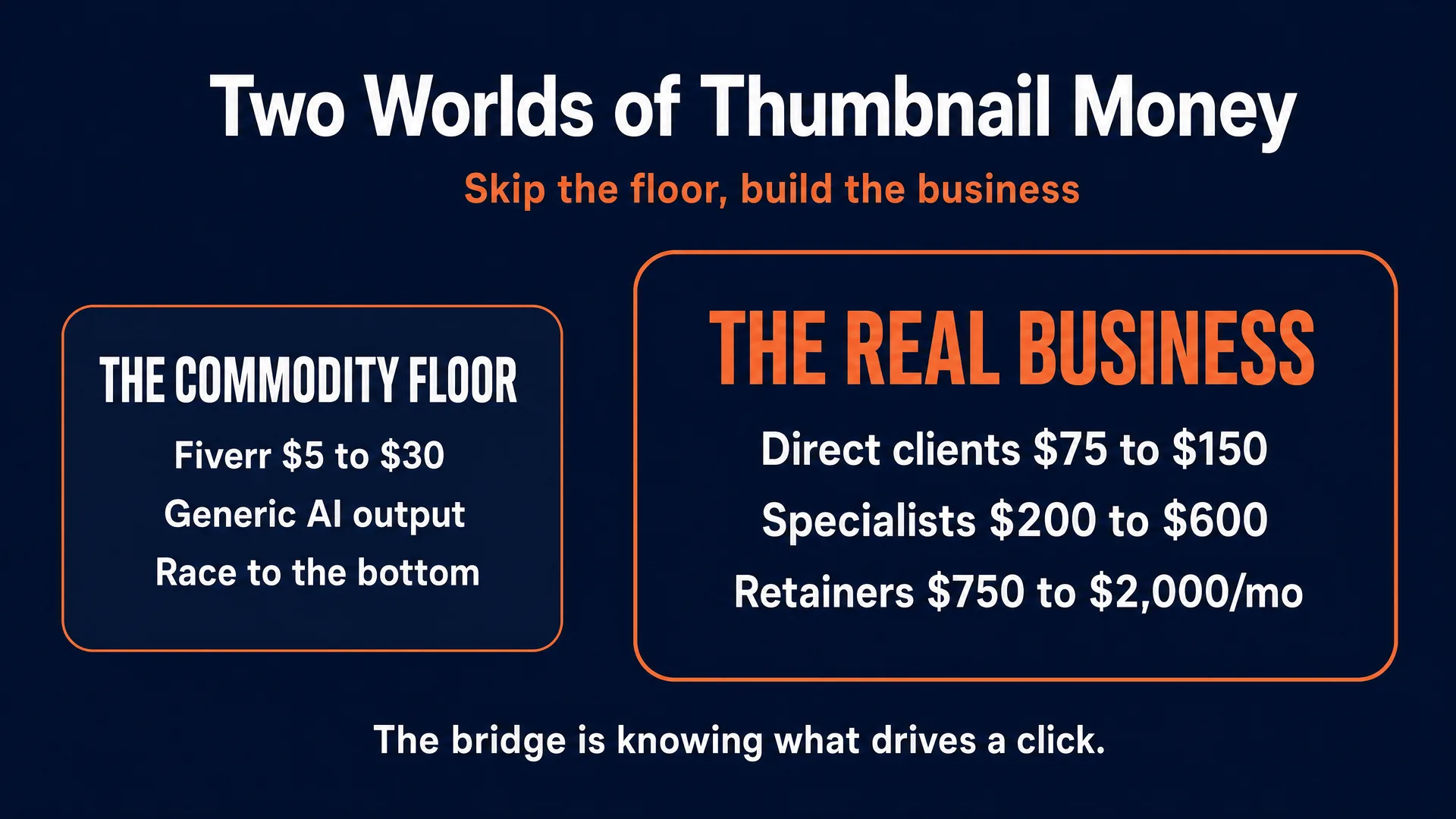
The first is the commodity floor. On Fiverr and Upwork, thumbnails go for $5 to $30, the average gig sits around $18, and the space is flooded with offshore providers and beginners dumping generic, one-click AI images. If you plant your flag here, you are competing on price against automated scripts, and you will burn out. One designer on r/graphic_design put it bluntly, saying they were “beyond fed up with all the idiots gleefully working for free” (self-reported). Do not build your business in this world.
The second world is where the money is. Creators who actually understand that a thumbnail is a click tool, not decoration, charge real money because they sell a result: more clicks, more views, more algorithmic reach. Proven designers charge $75 to $150 per thumbnail. Specialists in high-value niches go higher. Thumbnail designer David Altizer has publicly described charging $200 to $500-600 per thumbnail and earning roughly $100,000 a year (independently reported, 2025). One Reddit designer described getting “commissioned to do my first 2 thumbnails for videos with over 1M views and I charged $350 for both… about 4 hrs of work in total” (self-reported).
The bridge between the two worlds is not a better AI tool. Everyone has the same tools. The bridge is understanding what makes people click, delivering it fast, and being reliable. That is the whole skill, and the rest of this guide teaches it.
The honest income picture: expect your first dollars to be small, and expect to earn a few hundred a month at the start while you build a portfolio and a reputation. From there, per-thumbnail rates climb with proof, and the real prize is the monthly retainer. Do not promise anyone (including yourself) “unlimited thumbnails” or overnight riches. Churn is real too: a creator will drop you fast if their videos stop performing, so results and turnaround are the actual products you sell.
What actually makes people click
You are not selling image generation. You are selling applied psychology, with AI as the brush. Here are the rules that separate a paid designer from someone pasting prompts.
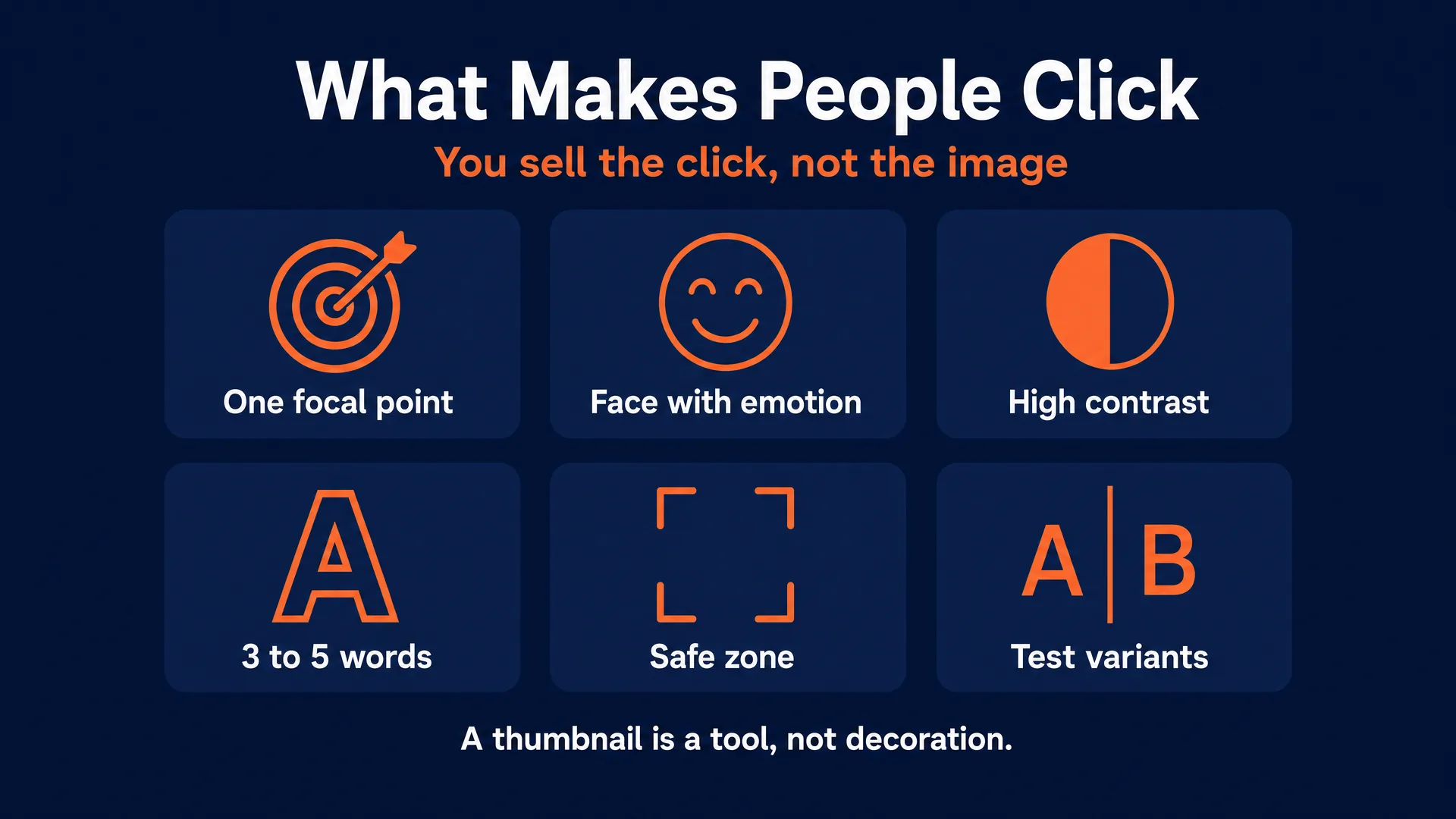
A single, unmistakable focal point. A viewer decides in under a second. One clear subject, whether a face, one dramatic object, or one before-and-after contrast. The strong 2026 trend is radical simplicity: limit the design to two or three visual elements. If the eye has to search the image to understand it, the click is gone.
A face with genuine emotion. Human faces with clear expressions remain the most consistently cited driver of attention, and emotion matters more than the specific face. One analysis of top creators found “surprised” and “happy” together made up roughly 54 percent of the emotions shown (Kapwing, 2024-2025). But the style has shifted: the old, hyper-exaggerated open-mouth “YouTube face” is fading, and authentic, emotion-matched expressions are winning. Crucially, the emotion must match the video. If the thumbnail screams high drama and the video is a calm tutorial, viewers bounce instantly, which tanks watch time and kills the video’s reach. Honest packaging is not just ethics; it is performance.
High contrast and a tight palette. The thumbnail has to pop against YouTube’s white and dark backgrounds. Aim for a strong, clean contrast between your text and its background (a 4.5:1 ratio is a good working target), a small punchy color set, and, ideally, a palette that stays consistent for a given channel so regular viewers recognize new uploads instantly.
Short, huge text that creates a curiosity gap. Three to five words, big enough to read at small feed size. The text should never just repeat the video title, which sits right next to it. It should add a twist, a stake, or a question the image alone cannot answer. Title and thumbnail are a one-two punch: “$0 to $10K” over a face works because it promises something and withholds the how.
The safe zone. Keep your critical elements (face, text, focal point) out of the bottom-right corner, where YouTube stamps the video duration and overlay buttons. A simple habit: weight the important stuff to the left and center. And always sanity-check the design shrunk down to feed size and scaled up on a TV; it has to read at both.
Variants and testing. Premium designers do not hand over one image; they hand over a small testing kit. YouTube’s own Test and Compare feature lets a creator run up to three thumbnails and keeps the one that earns the most watch time. Delivering two or three variants (a different color, a swapped phrase, a different expression) is genuinely more valuable and lets you charge more. As a reality anchor for clients: half of all channels sit around a 2 to 10 percent click-through rate, so even a small lift is meaningful.
The beginner CTR checklist
- One subject, one idea, readable in a second.
- A face with a clear, genuine emotion where the niche allows.
- Strong contrast; does it pop on both white and dark?
- Three to five words of text, huge and legible at small size.
- Text adds to the title, does not repeat it.
- A real curiosity gap: does it make you ask a question?
- A limited, consistent color palette.
- Critical elements kept out of the bottom-right safe zone.
- Legible shrunk to feed size and scaled up on a TV.
- On-brand and consistent with the channel’s other thumbnails.
- Two or three variants to test.
- Honest: it promises something the video actually delivers.
The AI workflow and a prompt you can run today
Here is the honest state of the three tools, positioned by strength rather than crowning one “best”:
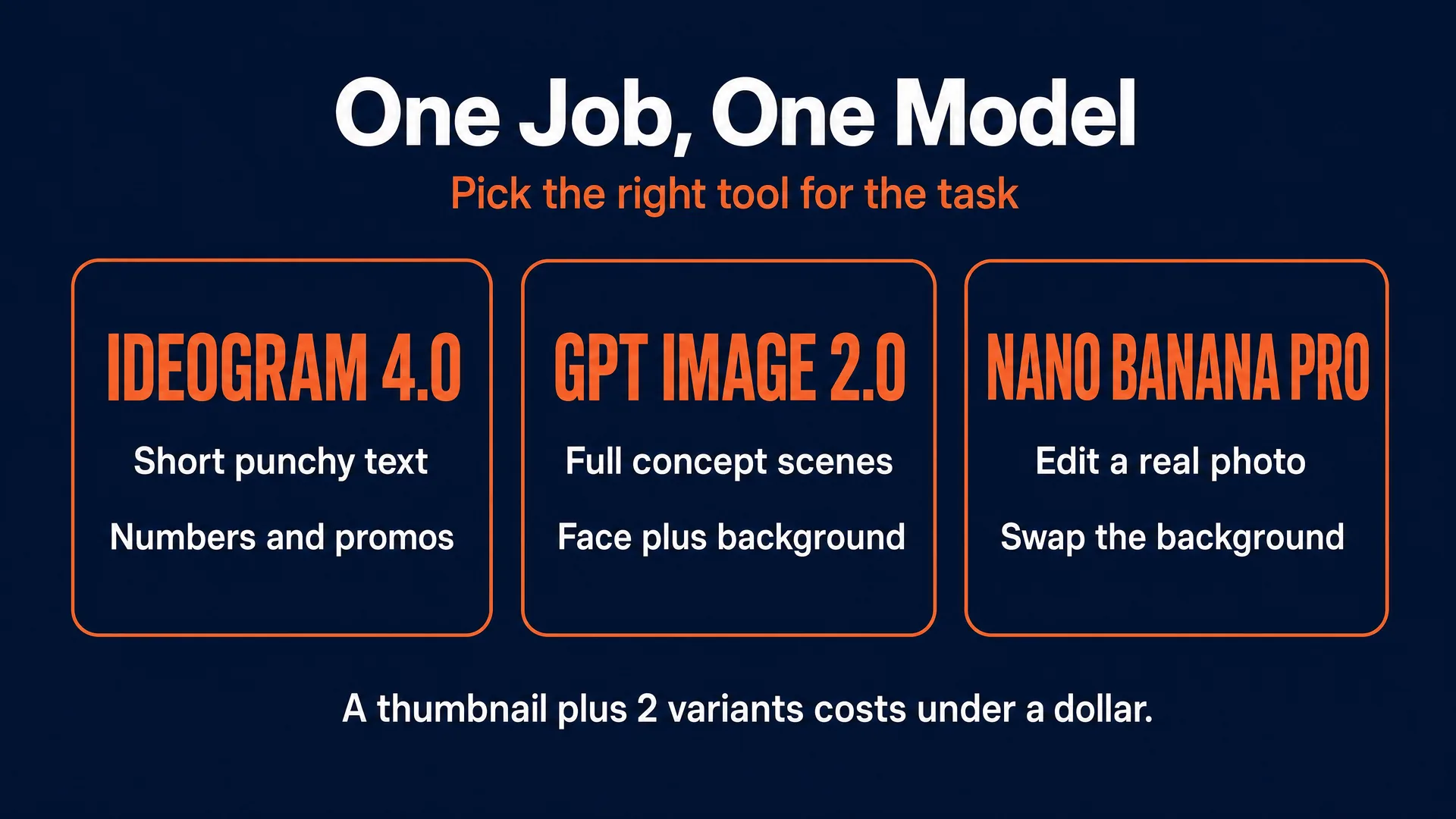
- Ideogram 4.0 is your default for clean, short, punchy on-image text and typographic layouts, and it places text precisely. Reach for it on number, listicle, and promo graphics. On fal.ai: $0.03 per image (Turbo), $0.06 (Balanced), $0.10 (Quality).
- GPT Image 2.0 is strongest at understanding a full scene and following long, detailed instructions, so it is your default for building a whole concept (a face plus a background plus text). On fal.ai: roughly $0.01 to $0.16 depending on size and quality, more for 4K.
- Nano Banana Pro is the editor: face and character consistency, background removal and swap, and turning a client’s real photo into a finished thumbnail. On fal.ai: about $0.15 per standard image, $0.30 at 4K.
You run these through fal.ai or Replicate (AVB is not affiliated with either; check fal.ai first for pricing). If you would rather not juggle separate hosts, PromptWise runs the photo models like GPT Image 2.0 and Nano Banana Pro (plus Flux.2 Pro and Seedream) in one studio with guided prompting, which is handy for batching thumbnails and variants; reach for Ideogram on fal.ai or Replicate when you specifically need its precise text placement. The whole point: a thumbnail plus two variants costs well under a dollar in compute, against a $50 to $150 invoice.
The workflow, start to finish:
- Concept. From the video topic, decide the one emotion, the one focal point, and the three-word text.
- Pick the model for the job (scene, text, or edit).
- Generate the base at 16:9.
- Refine composition and contrast; regenerate if the focal point is weak.
- Fix or add the text (Ideogram 4.0 is best here; you can also composite a text layer).
- Composite the subject if needed (drop in a real face or product with Nano Banana Pro; a background remover or a “layerize” step isolates the subject cleanly).
- Add focal cues (an arrow, a circle, a glow on the subject).
- Upscale and export at 1280x720 or larger, 16:9, comfortably within YouTube’s current file-size limit.
Now the part you actually came for. Here is one complete, copy-paste prompt you can run right now. The same pattern (a subject with genuine emotion, three words of text, high contrast, one focal point, and the bottom-right corner kept clear) works for every other thumbnail type too: before-and-after comparisons, faceless object shots, big-number listicles, gaming reactions, and edits of a client’s real photo. Swap the bracketed pieces for your topic.
Face-and-emotion thumbnail with a 3-word overlay (GPT Image 2.0, 16:9)
A high-contrast YouTube thumbnail, 16:9. On the left, occupying about 60 percent of the frame, a photorealistic close-up of a young man in a plain grey t-shirt looking at the camera with a genuine, subtle expression of shock and realization, softly lit by a monitor glow. On the right, bold massive high-contrast yellow text reading "IT'S ALL OVER", highly legible against a dark out-of-focus background of a falling stock chart in deep blues and reds. Simple, uncluttered, one focal point, bottom-right corner kept empty. Cinematic lighting, crisp focus.Follow-ups: if the text needs punch, add a heavy dark drop-shadow for contrast. Export at 1280x720. Make a variant with the text “DO NOT BUY” for A/B testing. Cost: about $0.04.
Here is that exact prompt, run once in GPT Image 2.0 with no editing at all:
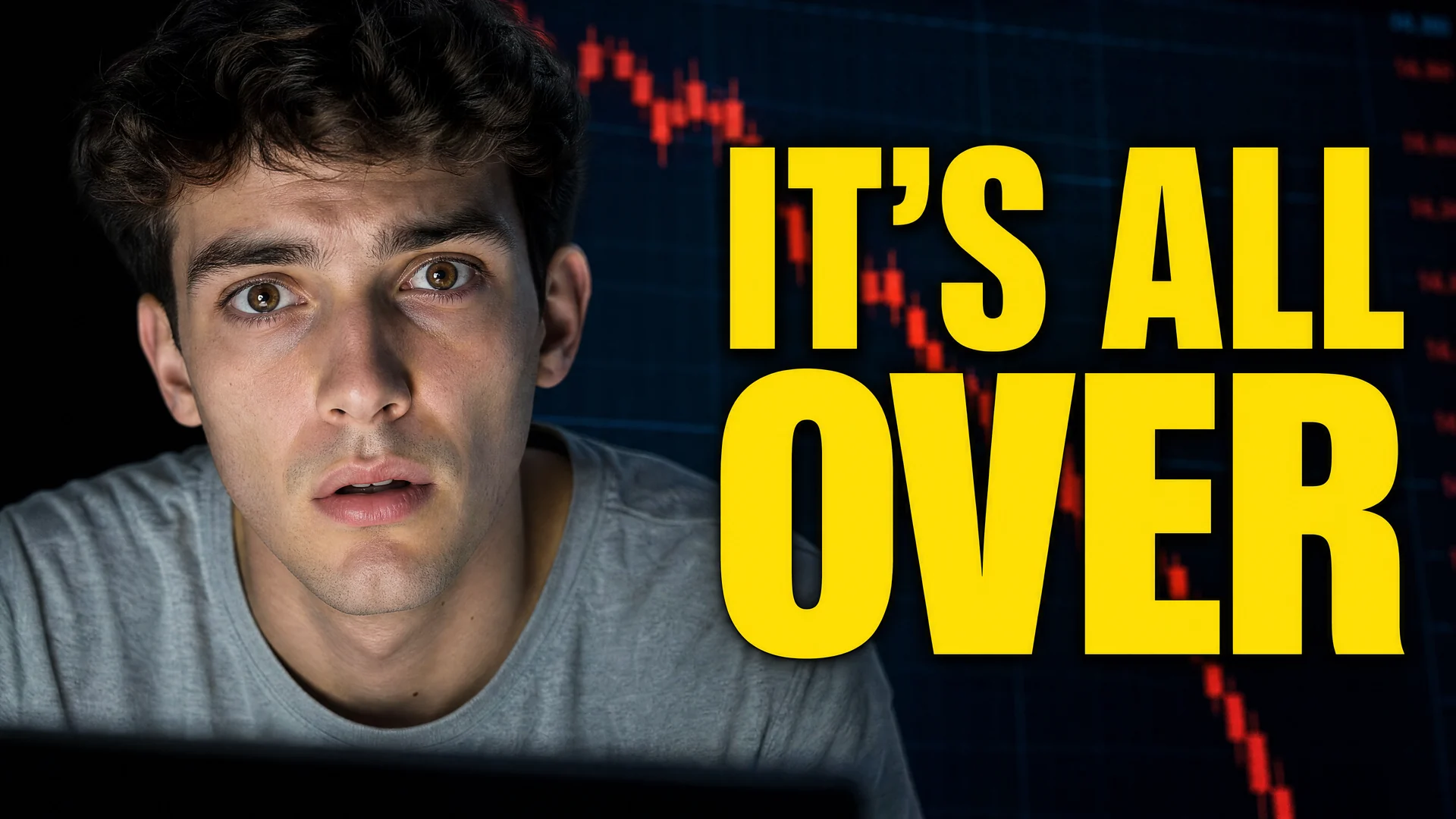
That is a genuinely clickable thumbnail from a single prompt and a few cents of compute. This is the whole method in one image: you are not painting, you are directing.
Save a per-client template prompt (their colors, their text style, their face placement) so every future thumbnail is a fast reskin rather than a fresh start.
Note that these same skills sell beyond YouTube: a local business will pay for the same bold, high-contrast treatment on a square Instagram or Facebook promo graphic (a headline plus a price, at 1080x1080), which is an easy adjacent income stream and overlaps with our local-business marketing guide.
Pricing, packaging, and stacking
Anchor your price to the outcome, never to the fifteen cents of compute. Here are the honest bands, reconciled across the market:
- Beginner, $10 to $50 per design. For your first reps and reviews. Enough to be taken seriously, priced to build a portfolio, not to live on.
- Skilled, $75 to $150 per design. Once you have a CTR-focused portfolio and can sell to creators directly.
- Specialist, $150 to $600 per design. Proven track record in a high-value niche (finance, gaming). This is where the six-figure earners live.
Packaging turns one-off gigs into a business:
- Thumbnail packs: four or eight thumbnails at a small bulk discount, for upfront cash flow.
- A/B variant sets: a primary plus two variants for roughly a 30 percent premium, leaning on YouTube’s native testing.
- Channel templates: design a repeatable visual system the creator’s editor can reuse, sold as a higher-ticket one-off.
- Rush delivery: a 50 percent premium for 12 to 24-hour turnaround.
The goal is the monthly retainer. Retainers scale by client size: entry packages for small channels run about $250 to $500 a month, active channels uploading a few times a week pay $750 to $2,000 for a set number of thumbnails plus variants, and stacking three or four of these builds a real income of $2,000 to $4,000-plus a month. Because an AI-assisted thumbnail can take well under an hour once your workflow is set, the effective hourly rate leaving the commodity tier is high.
Two traps to avoid. First, the unlimited-revisions trap: because AI generates fast, an inexperienced client will ask for endless tweaks. Cap revisions at two rounds in writing, every time. Second, one-off gigs that never recur: pitch every happy one-off client on a monthly retainer.
How to land your first client
The fastest first dollar goes to people who reach out with a finished result in hand, not a resume. Here is the followable playbook.
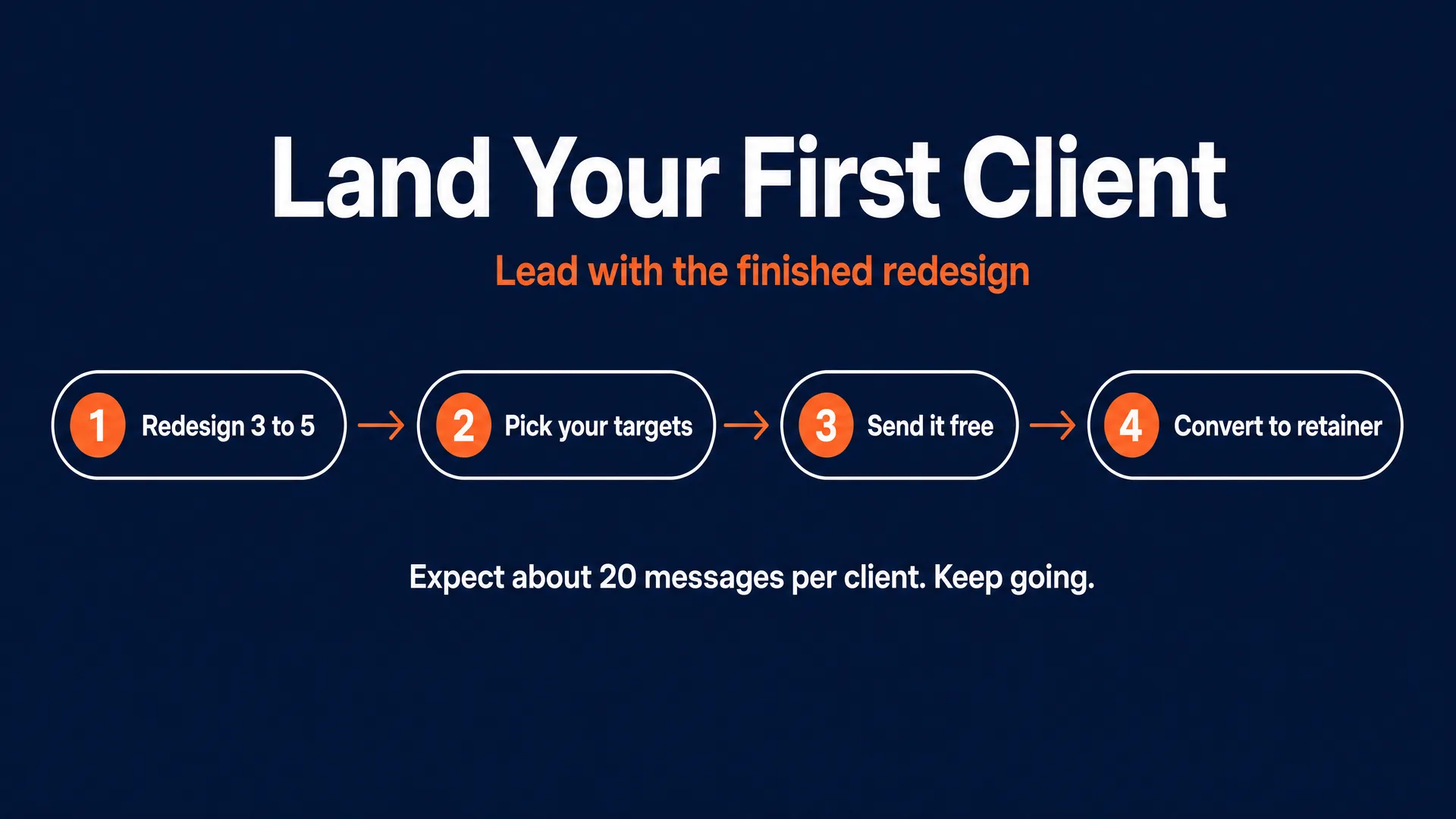
1. Build a spec portfolio. Pick three to five real, mid-sized YouTube channels that publish good content but have weak, cluttered thumbnails. Redesign one of their recent thumbnails properly, following every rule above. You now have proof, built from real, recognizable channels.
2. Pick your targets. The best client is a growing creator with a budget but no full production team: personality channels around 10,000 to 150,000 subscribers uploading often, faceless channels in finance, documentary, or true crime that lean on object-and-curiosity thumbnails, course creators driving traffic to a funnel, and local businesses needing promo graphics.
3. Reach out with the free redesign. Send the finished thumbnail directly, by X DM or email, leading with the result. A message that works:
“Love the channel. Your last video’s thumbnail is getting lost on small screens because of the right-side clutter, so I rebuilt it using CTR best practices to make the subject pop. It’s yours to use as a free A/B test right now. If it lifts your click-through rate, let’s talk about doing this for your next four uploads.”
Handing over the asset removes all the client’s risk. Once they run it and see a bump, converting to a retainer is a simple conversation. Be honest with yourself about the odds: expect to send around twenty messages to land one test run, and expect rejection along the way.
4. Build authority in public and collect referrals. Post your before-and-after redesigns on X and in communities like r/forhire, and explain the psychology behind each choice. Demonstrating that you understand the curiosity gap is what lets you escape the Fiverr price basement. Then referrals from happy creators become your best and cheapest channel.
The rules that keep you out of trouble
This is not legal advice, but these guardrails matter, because a mistake can get your client’s channel struck.
Never use a real person’s likeness without consent. No deepfakes of celebrities, entrepreneurs, or the creators themselves. Faking an endorsement violates right-of-publicity law and trips YouTube’s deceptive-practices rules. When a client’s face is needed, use Nano Banana Pro to composite their own supplied photo without altering their actual features.
Follow YouTube’s thumbnail policy. Thumbnails are held to the same Community Guidelines as videos under YouTube’s thumbnail policy: no shocking, sexual, or violent imagery, and no misleading bait that promises something the video does not deliver (that falls under the spam and deceptive-practices policy). Design a real curiosity gap the video pays off, not a lie.
Respect copyright and transfer IP on payment. Game screenshots, movie stills, and brand logos carry infringement risk and can trigger automated strikes; use original generated assets. Standard practice is that ownership of the delivered thumbnail passes to the client once they pay, so put an IP-assignment-on-payment line in your simple contract.
Use commercial-licensed tools. Ideogram, GPT Image 2.0, and Nano Banana Pro all grant commercial use of outputs on their paid tiers through fal.ai and Replicate, so you can legally sell what you make, as long as you are not infringing someone else’s IP.
Do not overstate AI-label rules. There is no blanket US law requiring an “AI-generated” label on a thumbnail, and YouTube’s own synthetic-content disclosure rules explicitly exempt AI-generated thumbnails as “production assistance.” Nano Banana Pro embeds an invisible SynthID watermark, but clients do not need to display anything. The one narrow exception worth knowing is a New York law requiring ad disclosure when a fully synthetic performer is used, which is a specific case, not everyday thumbnail work. For the deeper picture, see our AI disclosure and compliance guide.
What success and failure look like
The honest read is that this works, and it fails, for the same reason.
It works for people who sell clicks. Beyond Altizer’s six figures, community designers report real money once they leave the commodity tier: $350 for two thumbnails in about four hours, and a common market range one designer described as “$50-500 per thumbnail” (self-reported). Retainers give even small operators a predictable base.
It fails for people who sell pixels. The designers who burn out are the ones racing to the bottom on Fiverr, competing with free, or handing over generic AI images with no CTR thinking. One creator described being repeatedly disappointed by “consultants” whose thumbnails never lifted their numbers, and dropping them (self-reported). That is the whole lesson: the market pays for the click, not the generat