
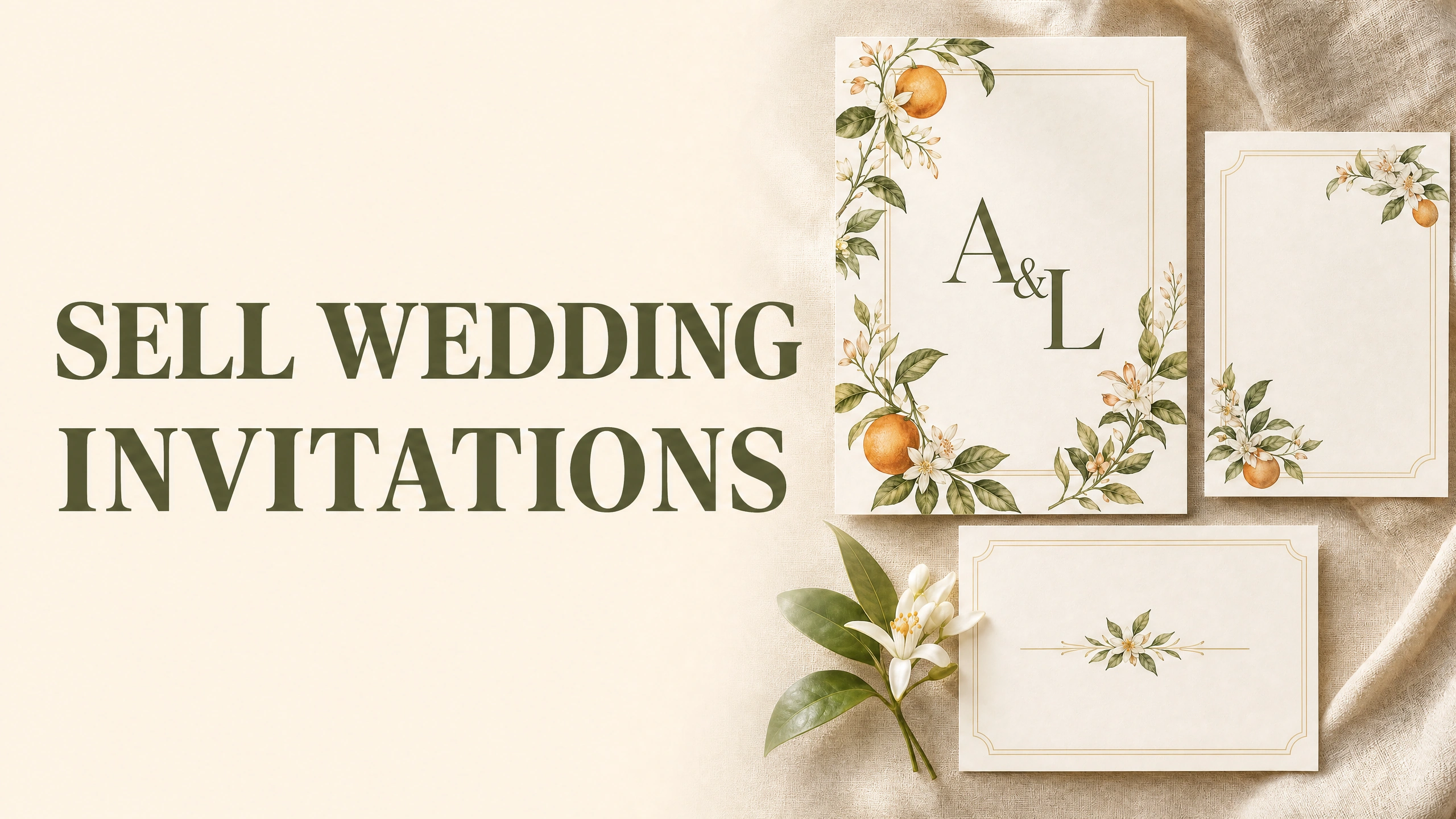
The flowers are the easy part to get excited about. The date is the part you cannot afford to get wrong.
If you want to sell custom wedding invitations with AI-assisted artwork, I’d build the service around that difference. Use generation to develop a visual direction. Keep names, dates, times and delivery requirements under direct control. Sell a finished set that a couple can understand and approve.
Start with one offer: a personalized digital invitation, a matching details card and a reply card, all in one style. Include two consolidated revision rounds and define the final files before accepting the job. That is something a customer can evaluate. “I can make anything with AI” gives them much less to work with.
The example here is a complete fictional set for Ava and Leo. It combines original citrus-themed AI artwork with separately typeset text. It is a demonstration, not a real order or a record of earnings.
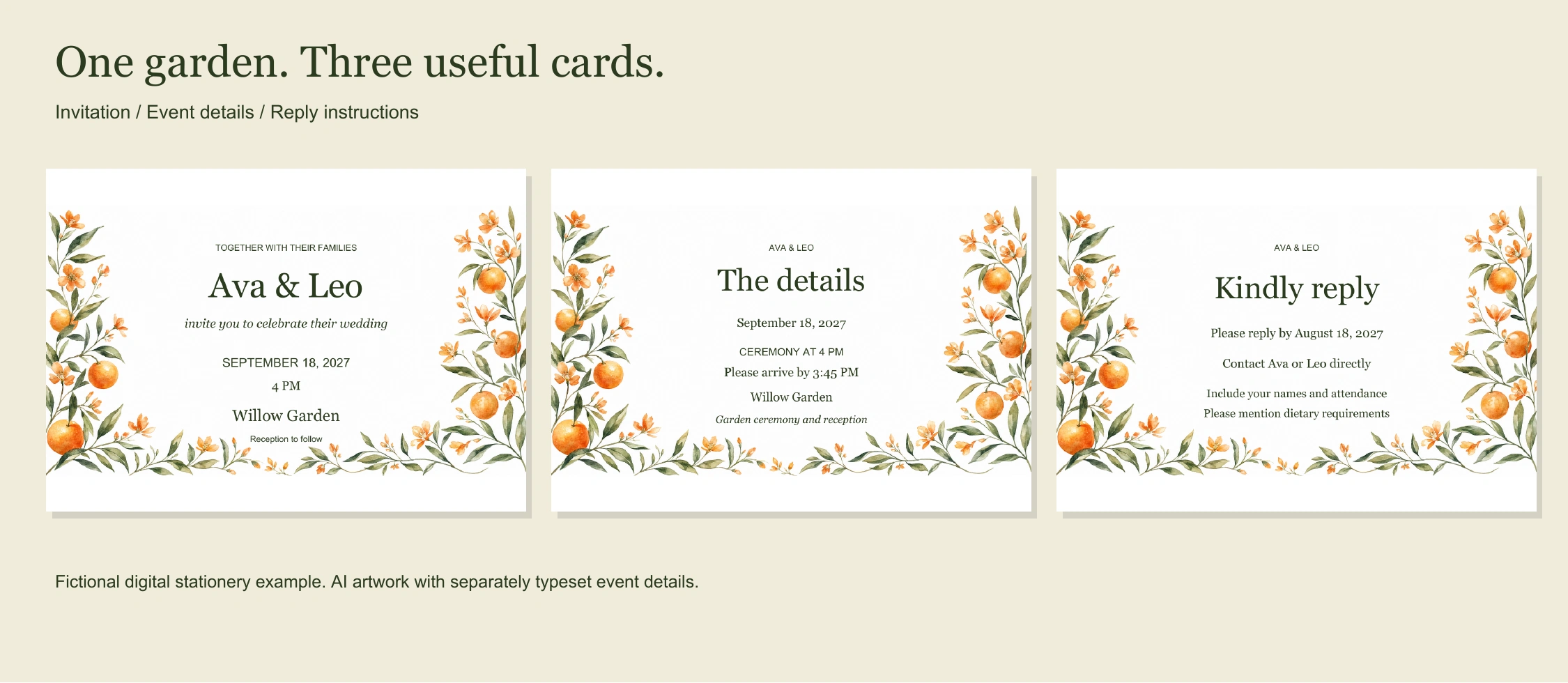
Fictional digital invitation, details card and reply card. AI-generated botanical artwork with separately typeset event information.
Choose a buyer with a specific problem
The buyer is a couple who wants a coordinated invitation set without designing each piece themselves. They need the artwork to feel appropriate for their celebration, the information to be correct and the files to arrive in a usable form.
For a first offer, choose a narrow visual direction you can show well. The sample uses a light garden style with oranges, blossoms and olive-green leaves. That gives you a recognizable starting point instead of promising every possible aesthetic.
The three-card package has a clear boundary. The invitation carries the main event. The details card handles practical information. The reply card explains how and when to respond. Printing, postage, a wedding website, guest tracking and unlimited redesigns are outside this example offer.
That boundary protects the buyer as much as the seller. A couple should not discover halfway through the job that the beautiful mockup includes services they are not receiving.
I’d describe the offer in one sentence: “A personalized three-card digital wedding set in one agreed visual direction, with two rounds of collected changes and final PDF and image files.” For this proposed package, a revision covers wording corrections, moving text or a color adjustment within the agreed palette. A new artwork direction, an extra card or a third revision round needs a separate quote. Correct the seller’s own mistakes without charging the couple for another round.
Make the complete sample before listing the service
The botanical artwork was generated on October 21, 2026 in PromptWise using its GPT Image 2.0 option. PromptWise is affiliated with AI Video Bootcamp. The brief asked for a flat watercolor-style border on white, with citrus fruit and leaves near the edges and a generous clear area for text. It explicitly asked for no lettering.
That separation matters. The same artwork can support all three cards, while the factual text remains easy to edit. Changing the ceremony time does not require regenerating a branch or asking a model to reproduce the couple’s names.
Here is a starting prompt you can adapt:
“Create an original botanical illustration for a garden wedding invitation. Use delicate citrus fruit, blossoms and olive-green leaves around the edges of a white background. Keep the center clear for separately typeset event information. Use restrained watercolor texture and coherent stems and petals. No words, signatures, logos or photographed paper mockup.”
Inspect the illustration before adding text. Look for fused fruit, stray leaves, repeated shapes and awkward edges. You are selecting artwork for a design, not accepting every generated detail because the overall color looks pleasant.
The sample was then laid out as three landscape cards measuring 7 by 5 inches. You can follow the same separation in a page-layout tool: place the illustration as the background, add editable text boxes above it and duplicate the layout for the other cards. The artwork is a raster image; the lettering was added separately as text in the PDF layout. The digital set contains a three-page PDF plus three 1260-by-900-pixel PNG previews. It is not a certified print-ready file.
For the fictional brief, the main invitation reads Ava & Leo, September 18, 2027, 4 PM, Willow Garden. The details card asks guests to arrive by 3:45 PM. The reply card asks for a response by August 18, 2027. Those details are deliberately consistent across the set.
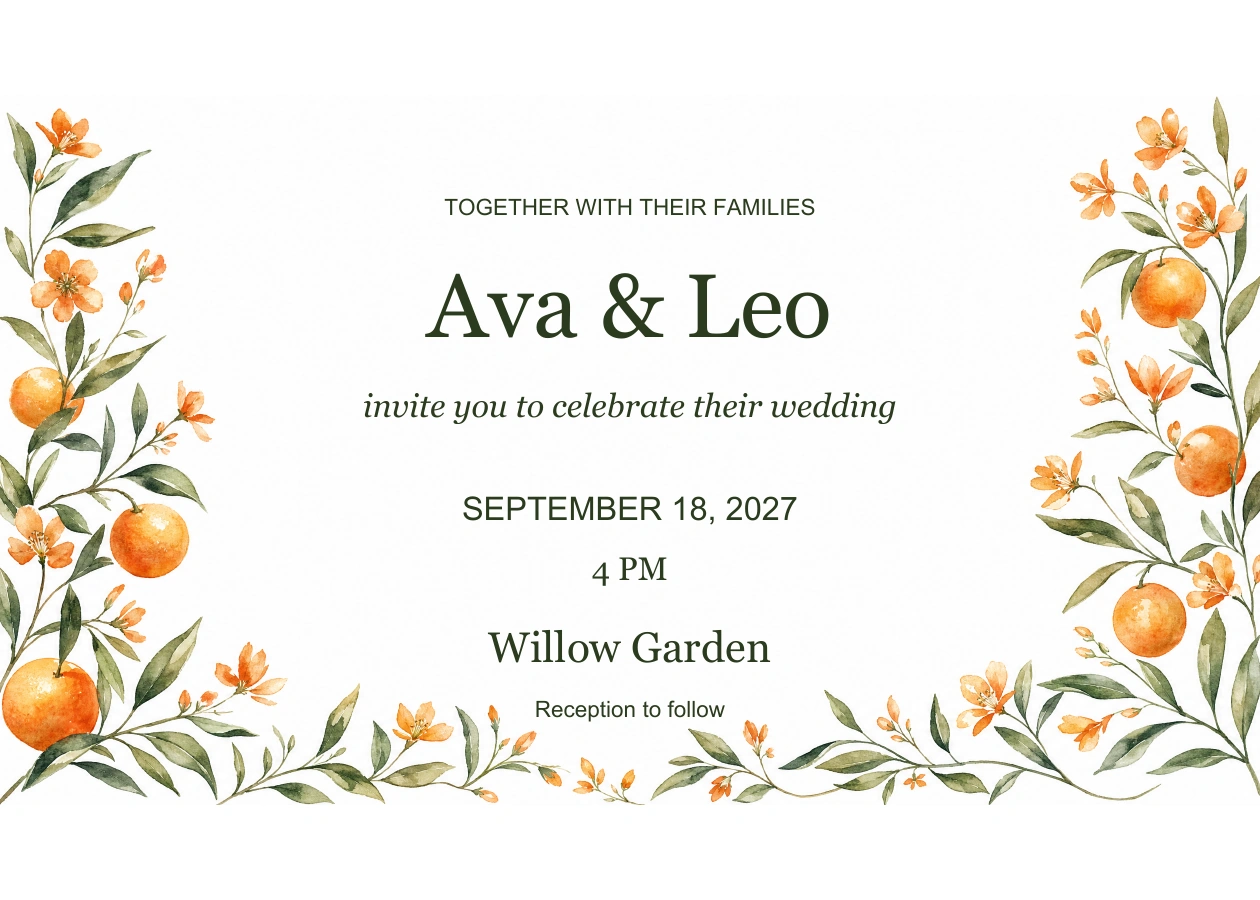
Full invitation preview. Fictional names and venue; this is a digital sample, not a print-ready guarantee.
The finished sample also shows where a real order needs more information. Willow Garden is a fictional venue, so there is no real address. The reply instruction says to contact the couple directly; a real client must supply and approve the actual contact method or destination link.
Make proof approval part of what you sell
Collect the event information in one place before laying out the first proof. Ask for names with exact spelling, date, ceremony and arrival times, venue name and address, reply deadline, contact method and any practical instructions that belong on the cards.
Do not copy a date from an inspiration image. Do not let a generator invent a venue address. If the client has not supplied a fact, ask for it rather than filling the gap with something plausible.
Send a proof that makes the important text easy to inspect. Ask the couple to check it against their actual arrangements. A general “looks great” can mean they liked the flowers without noticing a wrong time.
I’d request one consolidated response for each revision round. That reduces the chance that one person’s change conflicts with another person’s earlier message. Keep the approved factual details together with the approved design version.
Check the finished files yourself as well. Open every page. Read the small text at ordinary viewing size. Confirm that decorative leaves do not overlap a date or reply instruction. In the sample layout, a line on the details card initially sat too close to the foliage and was moved upward before acceptance.
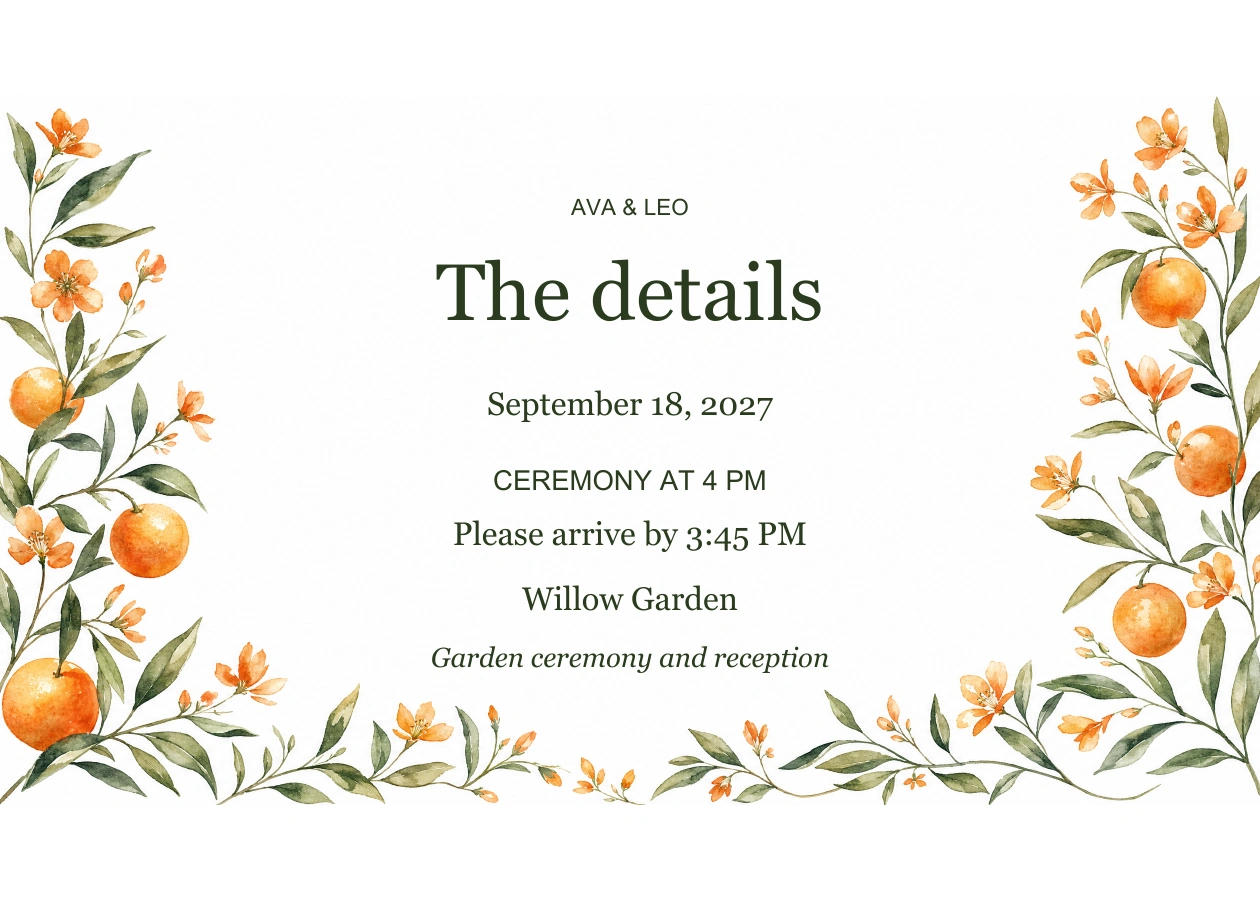
The details card after moving the lowest line clear of the foliage. Check the actual venue address before a real delivery.
That last adjustment is the kind of work the customer is paying for. Generation supplies material; the service turns it into a coherent, checked deliverable.
Price the work you actually have to do
Here is an illustrative calculation, not a market-rate claim or an earnings forecast.
Suppose the three-card package is priced at $120. Allow three hours of labor at an internal target of $25 per hour, which is $75. Allocate $10 for software use and other production resources. Those time and cost assumptions are examples; replace them with your own measured figures.
If the order is sold through Etsy, its published fee policy includes a $0.20 listing fee and a 6.5% transaction fee. On a $120 order, that transaction fee is $7.80. Subtracting the illustrative labor, software allocation and those two fees leaves $27.
That $27 is not net profit. It is before payment processing, any applicable advertising charges, taxes, possible setup costs and other expenses. Fees and tax treatment depend on the circumstances, so check the current rules for your account and location.
Now add one unplanned hour at the same $25 internal labor rate. The remaining amount falls to $2 before those other costs. That is why the revision boundary matters more than saving a small amount on one generated image.
Before choosing your actual price, time the whole process: client messages, artwork selection, layout, proof changes, exports and delivery. Record what the first jobs cost in time. A $120 example can make the arithmetic visible; it cannot tell you what customers will pay or whether the offer will be profitable.
Explain the AI assistance and the rights clearly
Etsy’s Creativity Standards permit seller-prompted AI creations, with AI use disclosed in the listing description. For this service, a plain disclosure could read: “The botanical artwork was created with AI assistance; I arrange the design and personalize the wording.” The design still needs to meet the platform’s standards. Do not present copied artwork as your own simply because a model reproduced it.
For a custom product, Etsy also says the first listing image should show a finished personalized item rather than an empty product or placeholder design. A complete fictional sample can demonstrate the service if you identify it honestly. Do not imply that a sample couple is a paying customer or invent a testimonial.
Commercial permission and copyright protection are separate questions. Check the current terms for the generation service, fonts and any other assets you use. Do not promise exclusive rights you cannot support.
The US Copyright Office’s January 29, 2025 announcement explains that copyright protection depends on sufficient human expressive contribution; providing prompts alone is not enough. In that release, Register of Copyrights and Director Shira Perlmutter said “our conclusions turn on the centrality of human creativity to copyright”.
That is a US position about copyrightability, not a worldwide guarantee about your finished invitation. Original layout and other human contributions need their own assessment. Keep a record of your design work and avoid offering legal assurances beyond what you know.
Show the offer to people it actually fits
For the first customer search, prepare a small portfolio presentation of the completed set. Show all three cards, a close view of the typography and a plain explanation of the delivery. The buyer should be able to tell what is included without asking you to decode the mockup.
Then choose a relevant route. You could publish a clearly scoped marketplace listing, share the sample with people who have asked about wedding stationery, or approach local planners and venues that accept supplier introductions. Follow the community or platform rules and avoid mass unsolicited messages.
A short introduction might say: “I design coordinated digital wedding stationery. This garden-style sample shows the three-card package: invitation, event details and reply instructions. I personalize the wording and agreed colors, include two collected revision rounds and deliver digital files. Would this style suit any couples you work with?”
You still need to learn whether the buyer likes the style, values the service and accepts the price.
If someone is interested, discuss the brief and scope before producing a large amount of unpaid custom work. A small paid pilot can test the offer more usefully than generating dozens of styles with no buyer in mind. Do not promise a delivery time until you know you can meet it.
Deliver the files you agreed to deliver
Name the files clearly and keep the final approved version separate from proofs. Check the PDF and image exports after exporting, not only inside the layout document.
For a made-to-order digital listing, Etsy provides a completion-and-upload workflow. Its help page allows up to five files, with a maximum of 20 MB each. Plan the package around the actual files you will deliver and confirm the current limits before uploading.
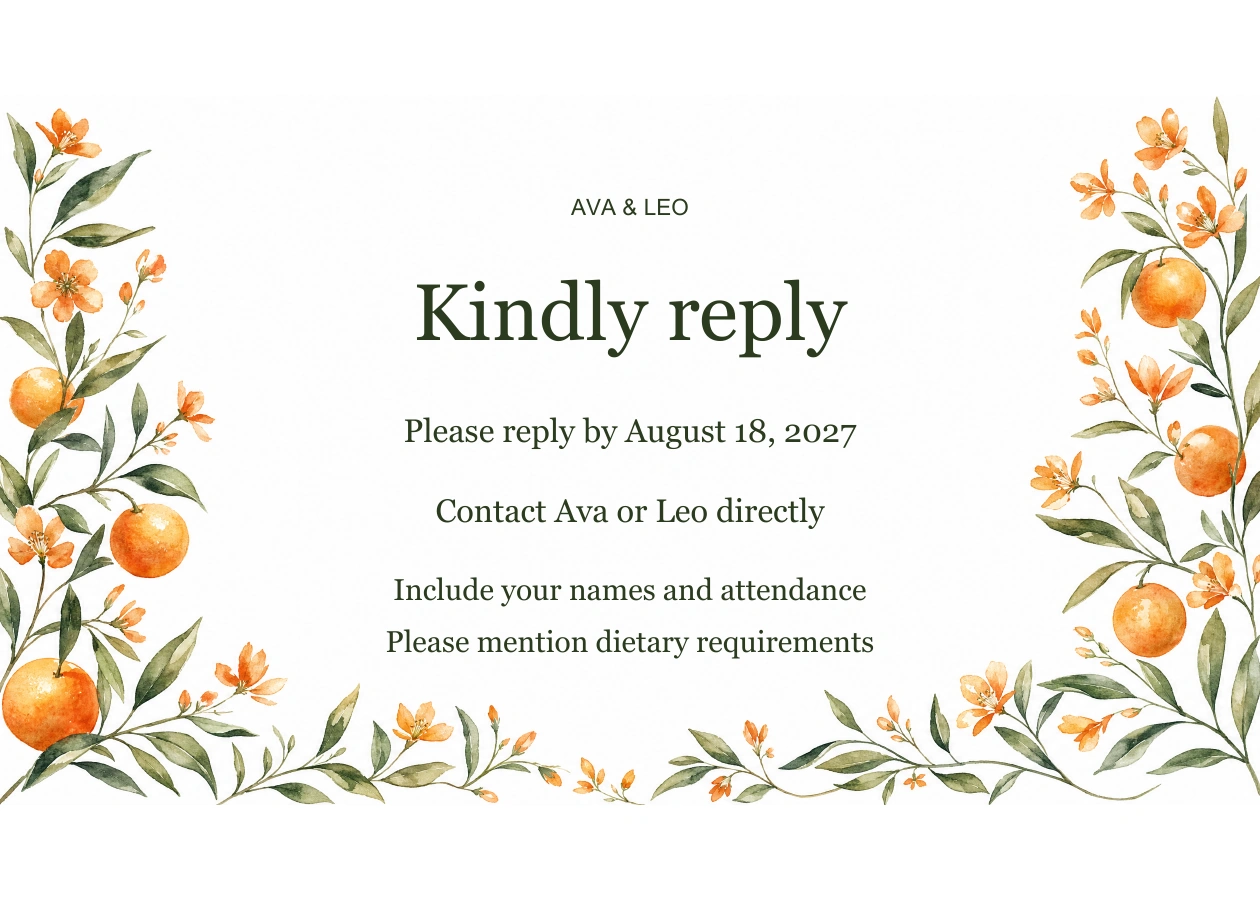
Fictional reply-card preview. A real order needs the couple’s approved contact method or destination link.
If the client wants printed invitations, treat that as a separate specification. Agree on the printer, final size, bleed, safe areas, color requirements and a physical proof where appropriate. A digital card shown on screen is not automatically ready for any printer.
AI Video Bootcamp’s image generation learning guide can help you improve control over the artwork. Its prompt cheat sheet is useful for writing a clearer visual brief, and its guide to making money with AI art provides broader product ideas. For this offer, keep your attention on one complete set and a buyer who needs it.
The first useful milestone is not a folder full of floral images. It is a sample you can show, a scope you can explain, a price calculation you understand and a proof process that keeps the important information correct. Build that, then find out whether someone wants to buy it.
Sources and visual credits
Etsy: Fees and Payments Policy
Etsy: Payments Policy and country-specific processing fees
Etsy: Digital listings and upload limits
US Copyright Office: January 29, 2025 announcement
Images generated for this article in PromptWise using its GPT Image 2.0 option on October 21, 2026. Original concepts; no external reference-photo credit is required. Any supplementary typography and page layouts were prepared separately.